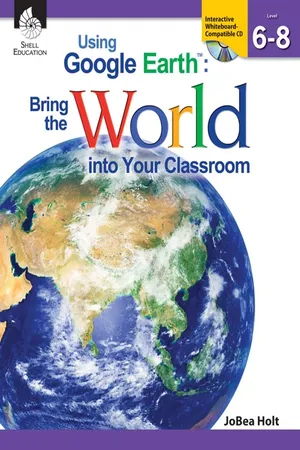
Jumpstart your students' global adventure that starts in their own neighborhoods. Using Google Earth: Bring the World into Your Classroom is an easy-to-implement, easy-to-facilitate teacher resource that helps integrate technology into socials studies, science, mathematics, and English language arts in a creative way. Students in grades 6-8 will create their own.kmz folders and fill them with locations that connect their own lives and to important locations and events around the world in order to build cross-curricular connections. Supporting core concepts of STEM instruction, this resource provides differentiated lessons for various learning styles, leveled activities, suggestions for flexible groupings, and is correlated to College and Career Readiness standards.
- 258 pages
- English
- PDF
- Available on iOS & Android
eBook - PDF
About this book
Information
Table of contents
- Cover
- Credits
- Page 3 - Table of Contents
- Page 4 - Research and Introduction
- Page 6 - Overview of Google Earth
- Page 8 - How to Use this Book
- Page 13 - Google Earth Reference Window
- Page 14 - Preparing for Google Earth Instruction
- Page 22 - Differentiation
- Page 25 - Standards Correlations
- Page 31 - Learning to Fly-Flying and Finding Earth
- Page 37 - Searching for Schools
- Page 43 - Placemarking Egypt
- Page 49 - Layering Landmarks
- Page 55 - Seeing Earth-Identifying Artificial Geographic Features
- Page 61 - Investigating Natural Geographic Features
- Page 67 - Overlaying Abstract Geographic Features
- Page 73 - Constructing Reference Scales
- Page 79 - Building My World Sorting with Folders
- Page 85 - Planning an Imaginary Trip
- Page 91 - Making Literature and Social Studies Connections
- Page 97 - Connecting Scienceand Mathematics
- Page 103 - Language Arts-Charting the Setting of a Book
- Page 109 - Watching Events Unfold
- Page 115 - Touring a Book
- Page 121 - Creating a Book Report
- Page 127 - Social Studies-Experiencing the News
- Page 133 - Tracking Pizarro
- Page 139 - Mapping the Roman Empire
- Page 145 - Going Back in Time
- Page 151 - Science-Inspecting Icy Climates
- Page 157 - Colliding Plates
- Page 163 - Shading the Earth
- Page 169 - Using Energy
- Page 175 - Mathematics-Measuring America
- Page 181 - Building a Capital
- Page 187 - Adding Up Algebra
- Page 193 - Subtracting the Amazon
- Page 199 - Beyond Earth-Exploring Mars
- Page 205 - Migrating with Whales
- Page 211 - Observing Population
- Page 217 - Discovering Places
- Page 223 - Appendix A: References Cited
- Page 224 - Appendix B: Answer Key
- Page 234 - Appendix C: Assessment Rubric
- Page 236 - Appendix D: How-to Guide
- Page 243 - Appendix E: Google Earth Skills Matrix
- Page 247 - Appendix F: Recommended Literature
- Page 249 - Appendix G: Glossary of Terms
- Page 253 - Appendix H: Contents of Teacher Resource CD
- Thank You Page
Trusted by 375,005 students
Access to over 1.5 million titles for a fair monthly price.
Study more efficiently using our study tools.
Frequently asked questions
Yes, you can cancel anytime from the Subscription tab in your account settings on the Perlego website. Your subscription will stay active until the end of your current billing period. Learn how to cancel your subscription
No, books cannot be downloaded as external files, such as PDFs, for use outside of Perlego. However, you can download books within the Perlego app for offline reading on mobile or tablet. Learn how to download books offline
Perlego offers two plans: Essential and Complete
- Essential is ideal for learners and professionals who enjoy exploring a wide range of subjects. Access the Essential Library with 800,000+ trusted titles and best-sellers across business, personal growth, and the humanities. Includes unlimited reading time and Standard Read Aloud voice.
- Complete: Perfect for advanced learners and researchers needing full, unrestricted access. Unlock 1.5M+ books across hundreds of subjects, including academic and specialized titles. The Complete Plan also includes advanced features like Premium Read Aloud and Research Assistant.
We are an online textbook subscription service, where you can get access to an entire online library for less than the price of a single book per month. With over 1.5 million books across 990+ topics, we’ve got you covered! Learn about our mission
Look out for the read-aloud symbol on your next book to see if you can listen to it. The read-aloud tool reads text aloud for you, highlighting the text as it is being read. You can pause it, speed it up and slow it down. Learn more about Read Aloud
Yes! You can use the Perlego app on both iOS and Android devices to read anytime, anywhere — even offline. Perfect for commutes or when you’re on the go.
Please note we cannot support devices running on iOS 13 and Android 7 or earlier. Learn more about using the app
Please note we cannot support devices running on iOS 13 and Android 7 or earlier. Learn more about using the app
Yes, you can access Using Google EarthTM by JoBea Holt in PDF and/or ePUB format. We have over 1.5 million books available in our catalogue for you to explore.