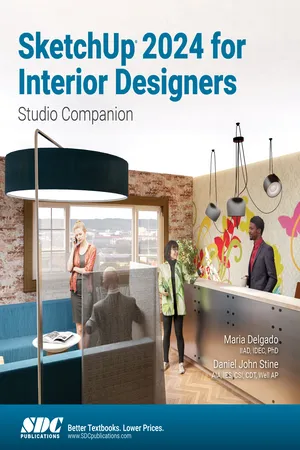
- Perfect for beginners, this guide makes learning SketchUp simple and engaging
- Step-by-step tutorials bring 3D interior design models to life
- Excel in the essentials of 2D line work, 3D modeling, material application, and printing
- Unlock the power of photorealistic, real-time rendering with Enscape by Chaos
- Discover seamless workflows with LayOut and PreDesign
- Collaborate effortlessly with Autodesk files for smoother projects
- Tailored for dynamic, interactive classroom learning
SketchUp for Interior Designers provides a focused approach to help interior designers master the essential skills needed to confidently use SketchUp 2024 in their projects. This book takes you through step-by-step tutorials, transforming basic 2D line work into fully realized 3D models of interior spaces. Tailored for both independent learners and classroom settings, this guide provides a solid foundation in SketchUp essentials while also introducing you to advanced features that will enhance your design process. Whether you're creating floor plans, furniture layouts, or immersive renderings, this book makes learning SketchUp engaging and accessible for every interior designer.
This book begins by introducing you to the basics of SketchUp, emphasizing essential skills such as 2D line work, 3D modeling, and the application of materials, all the way through to advanced rendering techniques. You'll delve into creating photorealistic images using Enscape, exploring how real-time rendering can elevate your presentations and client proposals.
Each tutorial is designed to build on the previous, reinforcing skills and boosting confidence. The integration with other tools like LayOut and PreDesign will enhance your workflow, allowing for seamless design iterations and presentations. Additionally, this guide offers insights into effectively managing file imports with Autodesk applications, allowing for seamless collaboration across different software platforms.
Designed with both classroom learning and independent study in mind, this book is not just a learning tool but a reference guide for everyday design challenges. The real-world project images sprinkled throughout will inspire you and demonstrate the practical applications of the skills you are developing.
Whether you're preparing for a career in interior design or looking to upgrade your professional toolkit, SketchUp 2024 for Interior Designers offers the knowledge and techniques to harness the full potential of SketchUp, making every design project a success.
Why use SketchUp?
For interior designers, SketchUp is more than just a 3D modeling tool—it's a creative extension of your design process. It's easy-to-learn interface allows you to quickly experiment with different layouts, materials, and lighting scenarios, giving you the flexibility to explore multiple design solutions in a short amount of time. By mastering SketchUp, interior designers can bridge the gap between concept and client presentation, using dynamic, interactive 3D models that effectively communicate design intent. The ability to integrate SketchUp with other tools like AutoCAD, Revit, and Enscape makes it an indispensable part of a professional workflow, ensuring your projects are visually compelling, technically accurate, and ready for real-world execution.
Overview of Chapters
-
Chapters 1-3: Getting Started Learn the basics of SketchUp, including how to navigate the interface, start a model, draw 2D objects, and use essential tools like zoom and pan. Set up your first model and explore how to save, print, and export files.
-
Chapters 4-6: 3D Modeling Essentials Master SketchUp's core 3D tools by converting 2D drawings into 3D models. Apply materials, use the 3D Warehouse, and organize your project with tags. Explore section views to better visualize your designs.
-
Chapters 7-9: Styles, Scenes, and PreDesign Enhance your designs with different visual styles, create scenes for presentations, and use PreDesign to integrate environmental factors like lighting into your designs.
-
Chapters 10-13: Rendering, Workflows, and LayOut Create photorealistic renderings with Enscape, work between SketchUp and Autodesk applications, and use LayOut to produce professional presentations and construction documents.