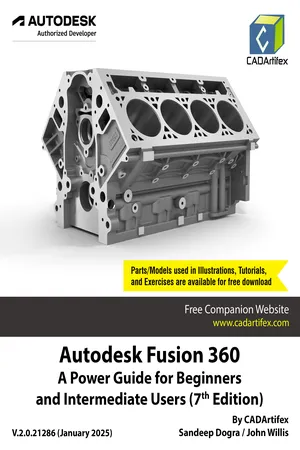
Autodesk Fusion 360: A Power Guide for Beginners and Intermediate Users (7th Edition) is designed for instructor-led courses and self-paced learning. This textbook is an essential resource for engineers and designers looking to master Fusion 360 for 3D mechanical design. It is a valuable learning tool for new users and an effective teaching aid for classroom training.This comprehensive guide spans 14 chapters across 740 pages, thoroughly covering key Fusion 360 workspaces, including DESIGN, ANIMATION, and DRAWING. Readers will learn to create parametric 3D solid components, develop assemblies, generate animations, and produce 2D drawings.This edition has been developed using Autodesk Fusion 360 version 2.0.21286 (January 2025 Product Update) to ensure compatibility with the latest software features and enhancements.This textbook goes beyond simply teaching the tools and commands of Fusion 360 by also emphasizing design principles. Each chapter includes step-by-step tutorials, guiding users through the creation of mechanical designs and drawings with ease. Furthermore, every chapter concludes with practical hands-on test drives, enabling users to explore and experience the robust and intuitive technical capabilities of Fusion 360.Who Should Read This TextbookThis textbook is designed to benefit a wide range of Fusion 360 users, from beginners to advanced users, as well as Autodesk Fusion 360 instructors. The easy-to-follow chapters ensure that readers can easily grasp various design techniques, Fusion 360 tools, and design principles.Table of ContentsChapter 1. Introducing Fusion 360Chapter 2. Drawing Sketches with Autodesk Fusion 360Chapter 3. Editing and Modifying SketchesChapter 4. Applying Constraints and DimensionsChapter 5. Creating Base Features of Solid ModelsChapter 6. Creating Construction GeometriesChapter 7. Advanced Modeling - IChapter 8. Advanced Modeling - IIChapter 9. Patterning and MirroringChapter 10. Editing and Modifying 3D ModelsChapter 11. Working with Assemblies - IChapter 12. Working with Assemblies - IIChapter 13. Creating Animation of a DesignChapter 14. Working with Drawings
eBook - PDF
Autodesk Fusion 360: A Power Guide for Beginners and Intermediate Users (7th Edition)
NaT
- 741 pages
- English
- PDF
- Available on iOS & Android
eBook - PDF
Autodesk Fusion 360: A Power Guide for Beginners and Intermediate Users (7th Edition)
NaT
About this book
Information
Publisher
CADArtifexeBook ISBN
9789394074903
Year
2025Table of contents
- Autodesk Fusion 360A Power Guide for Beginners andIntermediate Users (7th Edition)
- Table of Contents
- Preface
- How to Download Online Resources
- Chapter 1: Introducing Fusion 360
- Chapter 2: Drawing Sketches with Autodesk Fusion 360
- Chapter 3: Editing and Modifying Sketches
- Chapter 4: Applying Constraints and Dimensions
- Chapter 5: Creating Base Features of Solid Models
- Chapter 6: Creating Construction Geometries
- Chapter 7: Advanced Modeling - I
- Chapter 8: Advanced Modeling - II
- Chapter 9: Patterning and Mirroring
- Chapter 10: Editing and Modifying 3D Models
- Chapter 11: Working with Assemblies - I
- Chapter 12: Working with Assemblies - II
- Chapter 13: Creating Animation of a Design
- Chapter 14: Working with Drawings
- INDEX
- Other Publications by CADArtifex
Trusted by 375,005 students
Access to over 1.5 million titles for a fair monthly price.
Study more efficiently using our study tools.