- English
- ePUB (mobile friendly)
- Available on iOS & Android
eBook - ePub
About this book
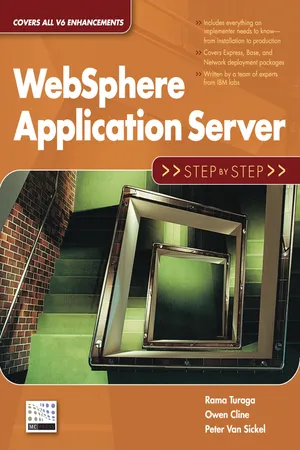
WebSphere Application Server (WAS) is complex and multifaceted middleware used by huge enterprises as well as small businesses. In this book, the authors do an excellent job of covering the many aspects of the software. While other books merely cover installation and configuration, this book goes beyond that to cover the critical verification and management process to ensure a successful installation and implementation. It also addresses all of the different packages—from Express to Network—so that no matter what size your company is, you will be able to successfully implement WAS V6. To demonstrate the steps involved in setting up a complete WAS installation, this book walks you through the configuration process for a highly available, workload-managed (HA/WLM), clustered environment built using the WAS V6 Network Deployment package. During the course of this book, you will learn how to assume all of the responsibilities and roles required to implement this architecture, including setup of a standalone application server, IBM HTTP Server and the plug-in module, the Network Deployment package, node federation, the HTTP Server distributed plug-in, clustering, HTTP session persistence, the Service Integration Bus and messaging engine, and Edge Server – Load Balancer. Following the Step-by-Step methodology, you'll discover how to build each piece of the HA/WLM architecture one at a time, adding each component in a logical way to successfully configure the system. In the second half of the book, you'll explore additional topics that are critical to the ongoing successful implementation of an application server. The authors use their broad, in-depth knowledge to discuss dynamic caching, security, Web service enablement, the Application Server Tool (AST) Kit, WebSphere Rapid Deployment (WRD), and more. WebSphere administrators and J2EE architects alike will find this book invaluable as they install and implement IBM's WAS V6. With WebSphere Application Server:
Information
Subtopic
ProgrammingIndex
Computer ScienceTable of contents
- Title Page
- Copyright Page
- Dedication
- Acknowledgements
- Table of Contents
- 1 - WebSphere Application Server V6: Packaging and Architecture
- 2 - Installation and Configuration Overview
- 3 - WebSphere V6 Standalone Application Server: Install, Configure, and Verify
- 4 - Working with the Standalone Application Server
- 5 - IBM HTTP Server V6: Install, Configure, Verify, and Manage
- 6 - IBM HTTP Server V6 Plug-in for WebSphere V6: Install, Configure, Verify, and Manage
- 7 - WebSphere V6 Network Deployment Package: Install, Create, Verify, and Manage
- 8 - WebSphere V6 Network Deployment: Federation of Nodes
- 9 - IBM HTTP Server V6 Distributed Plug-in for WebSphere V6: Install, Configure, Verify, and Manage
- 10 - WebSphere Application Server V6 Network Deployment: Vertical and Horizontal Clustering
- 11 - WebSphere V6 Network Deployment: HTTP Session Persistence
- 12 - Service Integration Bus and High Availability Manager
- 13 - WebSphere V6 Load Balancer Edge Component: Install, Configure, Verify, and Manage
- 14 - Load Balancer High Availability: Configure, Verify, and Manage
- 15 - Configure WebSphere Dynamic Caching
- 16 - Enabling WebSphere Application Server Security
- 17 - IBM Tivoli Directory Server Installation and Configuration
- 18 - Secure Sockets Layer Configuration and Verification
- 19 - Installing Product Updates
- 20 - Registering and Running WebSphere Processes as Windows Services
- 21 - Service Integration Bus Web Services Enablement
- 22 - Managing the WebSphere V6 Environment
- 23 - J2EE Packaging, Enhanced EARs, and the Application Server Toolkit
- 24 - Manually Install WebSphere Bank
- 25 - WebSphere Rapid Deployment (WRD)
- 26 - WebSphere V6 System Management Using the J2EE Management API
- Appendix - Web Resources
Trusted by 375,005 students
Access to over 1.5 million titles for a fair monthly price.
Study more efficiently using our study tools.
Frequently asked questions
Yes, you can cancel anytime from the Subscription tab in your account settings on the Perlego website. Your subscription will stay active until the end of your current billing period. Learn how to cancel your subscription
No, books cannot be downloaded as external files, such as PDFs, for use outside of Perlego. However, you can download books within the Perlego app for offline reading on mobile or tablet. Learn how to download books offline
Perlego offers two plans: Essential and Complete
- Essential is ideal for learners and professionals who enjoy exploring a wide range of subjects. Access the Essential Library with 800,000+ trusted titles and best-sellers across business, personal growth, and the humanities. Includes unlimited reading time and Standard Read Aloud voice.
- Complete: Perfect for advanced learners and researchers needing full, unrestricted access. Unlock 1.5M+ books across hundreds of subjects, including academic and specialized titles. The Complete Plan also includes advanced features like Premium Read Aloud and Research Assistant.
We are an online textbook subscription service, where you can get access to an entire online library for less than the price of a single book per month. With over 1.5 million books across 990+ topics, we’ve got you covered! Learn about our mission
Look out for the read-aloud symbol on your next book to see if you can listen to it. The read-aloud tool reads text aloud for you, highlighting the text as it is being read. You can pause it, speed it up and slow it down. Learn more about Read Aloud
Yes! You can use the Perlego app on both iOS and Android devices to read anytime, anywhere — even offline. Perfect for commutes or when you’re on the go.
Please note we cannot support devices running on iOS 13 and Android 7 or earlier. Learn more about using the app
Please note we cannot support devices running on iOS 13 and Android 7 or earlier. Learn more about using the app
Yes, you can access WebSphere Application Server by Owen Cline,Rama Turaga,Peter Van Sickel in PDF and/or ePUB format, as well as other popular books in Computer Science & Programming. We have over 1.5 million books available in our catalogue for you to explore.