Are you a librarian struggling to stay engaged in a digital age? Facing budget concerns to keep existing programs running? Don't have the staff or budget for specialized services? Wonder how to move beyond teaching your patrons HOW to use a computer?
This book gives you 15, step-by-step programs, using free online software, that go beyond basic digital literacy, and provides you, the librarian, with all you need for classes that engage the digital natives and computer users in your community.
It includes:
15 quick, easy classes focused on actual outcomes for patrons, without requiring a budget, dedicated facilities, or specialized knowledge. Classes that your patrons can relate to, geared towards actual needs or interests, and not just to "techy" people.How to's and other elements to effectively use simple software and allow patrons to get optimal results from their effort.Classes or workshops designed to help the average computer user so he or she can teach patrons with ease and authority. Tips for teachers or librarians on how to engage their audience and not lose them with information overload.
This book is a complete computer class upgrade solution. Based on the Montessori Method, classes are problem or project based. You are given all the tools you need as a presenter to show relatable uses of technology, making sure the patron can see the possibility involved in using the software. There are step-by-step instructions that focus on your patron leaving with practical skills for everyday life using freely-available software such as YouTube, Ebay, Google, and Monster. Best practices are also included so your patron's project has the greatest chance of being successful.
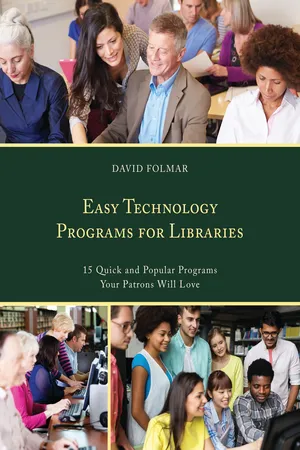
eBook - PDF
Easy Technology Programs for Libraries
15 Quick and Popular Programs Your Patrons Will Love
- 131 pages
- English
- PDF
- Available on iOS & Android
eBook - PDF
Easy Technology Programs for Libraries
15 Quick and Popular Programs Your Patrons Will Love
About this book
Information
Table of contents
- Contents
- Preface
- Acknowledgments
- Introduction. Digital Literacy and Libraries
- Part I. PROGRAMS FOR THE CREATIVE LIFESTYLE
- PROGRAM 1. From Facebook to Face-to-Face: Facebook or Meetup for Family Reunions/Meetings
- PROGRAM 2. Making Pictures Perfect with PhotoCat: Easy Online Photo Editing
- PROGRAM 3. Your YouTube Channel: How to Set up a Channel for Your Home Videos and Keep Them Private, or Not
- PROGRAM 4. Redecorate in 3D—Don’t Break Your Back: Sweet Home 3D for Renovating or Redesigning Your Home
- PROGRAM 5. Crowdfund Me! GoFundMe, CrowdRise, and Kickstarter
- Part II. PROGRAMS FOR THE MILLENNIAL LIFESTYLE
- PROGRAM 6. Make Your Meme Move: Motion GIFs
- PROGRAM 7. Making Web Comics: Why Not?
- PROGRAM 8. Share Your Songs, Find an Audience: SoundCloud, Audiomack, and Bandcamp
- PROGRAM 9. Podcast Your Life: Creating a Theme, Recording, and Sharing a Podcast: Why and Where to Do It
- Part III. PROGRAMS FOR PROFESSIONAL LIFE
- PROGRAM 10. Searching for Jobs, Beyond Monster and Classifieds: Indeed and Special Job Boards
- PROGRAM 11. Share, Don’t Steal: How to Safely Get Images, Sounds, and Video Off the Web
- PROGRAM 12. Sell it Online—What Sells Where: Using Etsy and Redbubble
- PROGRAM 13. Google Voice for a Home Business: Create a Virtual Office
- PROGRAM 14. Show Them to Sell Them: Easy 3D Programs for Contractors and Interior Designers
- PROGRAM 15. Claim Control of Your Online Reputation: Google, Bing, and Yelp Your Free Web Presence
- Index
- About the Author
Trusted by 375,005 students
Access to over 1.5 million titles for a fair monthly price.
Study more efficiently using our study tools.
Frequently asked questions
Yes, you can cancel anytime from the Subscription tab in your account settings on the Perlego website. Your subscription will stay active until the end of your current billing period. Learn how to cancel your subscription
No, books cannot be downloaded as external files, such as PDFs, for use outside of Perlego. However, you can download books within the Perlego app for offline reading on mobile or tablet. Learn how to download books offline
Perlego offers two plans: Essential and Complete
- Essential is ideal for learners and professionals who enjoy exploring a wide range of subjects. Access the Essential Library with 800,000+ trusted titles and best-sellers across business, personal growth, and the humanities. Includes unlimited reading time and Standard Read Aloud voice.
- Complete: Perfect for advanced learners and researchers needing full, unrestricted access. Unlock 1.5M+ books across hundreds of subjects, including academic and specialized titles. The Complete Plan also includes advanced features like Premium Read Aloud and Research Assistant.
We are an online textbook subscription service, where you can get access to an entire online library for less than the price of a single book per month. With over 1.5 million books across 990+ topics, we’ve got you covered! Learn about our mission
Look out for the read-aloud symbol on your next book to see if you can listen to it. The read-aloud tool reads text aloud for you, highlighting the text as it is being read. You can pause it, speed it up and slow it down. Learn more about Read Aloud
Yes! You can use the Perlego app on both iOS and Android devices to read anytime, anywhere — even offline. Perfect for commutes or when you’re on the go.
Please note we cannot support devices running on iOS 13 and Android 7 or earlier. Learn more about using the app
Please note we cannot support devices running on iOS 13 and Android 7 or earlier. Learn more about using the app
Yes, you can access Easy Technology Programs for Libraries by David Folmar in PDF and/or ePUB format, as well as other popular books in Languages & Linguistics & Library & Information Science. We have over 1.5 million books available in our catalogue for you to explore.