What we can do today with computers was not possible a few decades ago. As the price versus computing power of desktop computers became reasonable, using a desktop computer for everyday use has become possible for everyone. There was a time when there wasn't much internet speed and computing power to do much like HD gaming and video streaming, which have become as easy as pie these days.
That's why this book was written in such a way that it will give overall knowledge about today's computer technology and how it can be used for education . This book contains all the fundamentals related to computer hardware and software that could be useful for almost anyone who is interested in learning computers. However, the last chapter of this book is mainly for students and teachers. The last chapter gives information about using various types of apps and internet resources for doing homework and teaching.
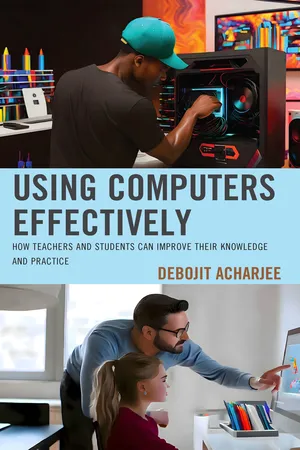
eBook - PDF
Using Computers Effectively
How Teachers and Students Can Improve Their Knowledge and Practice
- 169 pages
- English
- PDF
- Available on iOS & Android
eBook - PDF
Using Computers Effectively
How Teachers and Students Can Improve Their Knowledge and Practice
About this book
Information
Topic
EducationSubtopic
Education Teaching MethodsTable of contents
- Cover
- Half Title
- Title Page
- Copyright Page
- Dedication
- Contents
- Preface
- Chapter 1: What’s a Computer?
- Chapter 2: What Are Hardware and Software?
- Chapter 3: What’s a CPU?
- Chapter 4: What’s a GPU?
- Chapter 5: What’s Computer Memory?
- Chapter 6: What Are Computer I/O Devices?
- Chapter 7: What’s an Operating System (OS)?
- Chapter 8: What’s Application Software?
- Chapter 9: What’s a Computer Network?
- Chapter 10: What’s the Internet?
- Chapter 11: How to Choose a Computer
- Chapter 12: How to Buy a Computer
- Chapter 13: How to Build a Computer
- Chapter 14: How to Install an OS and Apps on a Computer
- Chapter 15: How to Use a Computer for Homework and Teaching
- Glossary
- References
- Index
- About the Author
Trusted by 375,005 students
Access to over 1.5 million titles for a fair monthly price.
Study more efficiently using our study tools.
Frequently asked questions
Yes, you can cancel anytime from the Subscription tab in your account settings on the Perlego website. Your subscription will stay active until the end of your current billing period. Learn how to cancel your subscription
No, books cannot be downloaded as external files, such as PDFs, for use outside of Perlego. However, you can download books within the Perlego app for offline reading on mobile or tablet. Learn how to download books offline
Perlego offers two plans: Essential and Complete
- Essential is ideal for learners and professionals who enjoy exploring a wide range of subjects. Access the Essential Library with 800,000+ trusted titles and best-sellers across business, personal growth, and the humanities. Includes unlimited reading time and Standard Read Aloud voice.
- Complete: Perfect for advanced learners and researchers needing full, unrestricted access. Unlock 1.5M+ books across hundreds of subjects, including academic and specialized titles. The Complete Plan also includes advanced features like Premium Read Aloud and Research Assistant.
We are an online textbook subscription service, where you can get access to an entire online library for less than the price of a single book per month. With over 1.5 million books across 990+ topics, we’ve got you covered! Learn about our mission
Look out for the read-aloud symbol on your next book to see if you can listen to it. The read-aloud tool reads text aloud for you, highlighting the text as it is being read. You can pause it, speed it up and slow it down. Learn more about Read Aloud
Yes! You can use the Perlego app on both iOS and Android devices to read anytime, anywhere — even offline. Perfect for commutes or when you’re on the go.
Please note we cannot support devices running on iOS 13 and Android 7 or earlier. Learn more about using the app
Please note we cannot support devices running on iOS 13 and Android 7 or earlier. Learn more about using the app
Yes, you can access Using Computers Effectively by Debojit Acharjee in PDF and/or ePUB format, as well as other popular books in Education & Education Teaching Methods. We have over 1.5 million books available in our catalogue for you to explore.