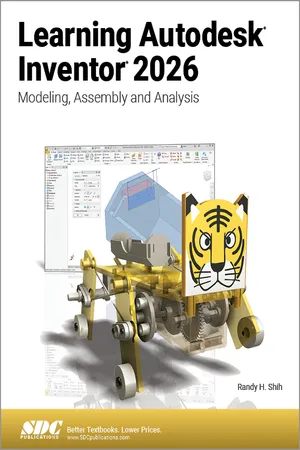
- Teaches beginners how to use Autodesk Inventor with easy to understand tutorials
- Features a simple robot design used as a project throughout the book
- Covers modeling, gear creation, linkage analysis, assemblies, simulations and 3D animation
- Available with an optional robot kit
This book will teach you everything you need to know to start using Autodesk Inventor 2026 with easy to understand, step-by-step tutorials. This book features a simple robot design used as a project throughout the book. You will learn to model parts, create assemblies, run simulations and even create animations of your robot design. An unassembled version of the same robot used throughout the book can be bundled with the book.
No previous experience with Computer Aided Design (CAD) is needed since this book starts at an introductory level. The author begins by getting you familiar with the Inventor interface and its basic tools. You will start by learning to model simple robot parts and before long you will graduate to creating more complex parts and multi-view drawings.
Along the way you will learn the fundamentals of parametric modeling through the use of geometric constraints and relationships. You will also become familiar with many of Inventor's powerful tools and commands that enable you to easily construct complex features in your models. Also included is coverage of gears, gear trains and spur gear creation using Autodesk Inventor.
This book continues by examining the different mechanisms commonly used in walking robots. You will learn the basic types of planar four-bar linkages commonly used in mechanical designs and how to use the GeoGebra Dynamic Geometry software to simulate and analyze 2D linkages. Using the knowledge you gained about linkages and mechanism, you will learn how to modify your robot and change its behavior by modifying or creating new parts.
In the final chapter of this book you learn how to combine all the robot parts into assemblies and then run motion analysis. You will finish off your project by creating 3D animations of your robot in action.
There are many books that show you how to perform individual tasks with Autodesk Inventor, but this book takes you through an entire project and shows you the complete engineering process. By the end of this book you will have modeled and assembled nearly all the parts that make up the TAMIYA® Mechanical Tiger and can start building your own robot.
About the TAMIYA® Robot Kit
This book can be ordered with or without an unassembled version of the TAMIYA® Mechanical Tiger robot kit. When bundled together, this set will give you an introduction to Inventor and the ability to link designing and building into a comprehensive approach. This kit can be included for an additional net price of $18.
You can learn more about the TAMIYA® Mechanical Tiger robot kit or buy your own kit by visiting the TAMIYA® America Inc. website.