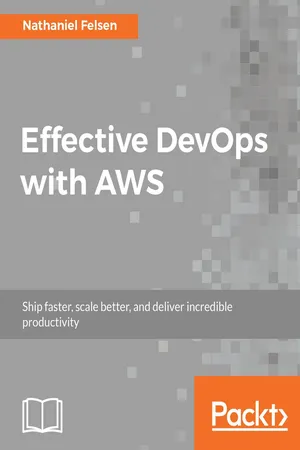
Scale gracefully and maintain outstanding performance with your AWS-based infrastructure using DevOps principlesAbout This Book• Implement DevOps principles to take full advantage of the AWS stack and services• Take expert look at solving problems faced by real developers and operation teams and learn to overcome them• Learn from expert insights of the author who has worked with Silicon Valley's most high-profile companiesWho This Book Is ForThis book is for developers, DevOps engineers and teams who want to build and use AWS for their software infrastructure. Basic computer science knowledge is required for this book.What You Will Learn• Find out what it means to practice DevOps and what its principles are• Build repeatable infrastructures using templates and configuration management• Deploy multiple times a day by implementing continuous integration and continuous deployment pipelines• Use the latest technologies, including containers and serverless computing, to scale your infrastructure• Collect metrics and logs and implement an alerting strategy• Make your system robust and secureIn DetailThe DevOps movement has transformed the way modern tech companies work. AWS which has been on the forefront of the Cloud computing revolution has also been a key contributor of this DevOps movement creating a huge range of managed services that help you implement the DevOps principles.In this book, you'll see how the most successful tech start-ups launch and scale their services on AWS and how you can too. Written by a lead member of Mediums DevOps team, this book explains how to treat infrastructure as code, meaning you can bring resources online and offline as necessary with the code as easily as you control your software. You will also build a continuous integration and continuous deployment pipeline to keep your app up to date. You'll find out how to scale your applications to offer maximum performance to users anywhere in the world, even when traffic spikes with the latest technologies, such as containers and serverless computing. You will also take a deep dive into monitoring and alerting to make sure your users have the best experience when using your service.Finally, you'll get to grips with ensuring the security of your platform and data.Style and approachThis is a practical, hands-on, comprehensive guide to AWS, helping readers understand AWS in a step by step manner.
- 400 pages
- English
- ePUB (mobile friendly)
- Available on iOS & Android
eBook - ePub
Effective DevOps with AWS
About this book
Information
Monitoring and Alerting
In previous chapters, we built a state-of-the-art infrastructure and implemented a number of engineering best practices following the DevOps principles. One of the principles we haven't covered yet is the concept of measuring everything.
The core concept of measuring everything is the goal of collecting actionable feedback. We want to create the following feedback loop that will let us assess the impact of a change:

This idea isn't unique to DevOps. Most reputable companies will rely on similar systems to dynamically steer their teams in the right direction, as intuition and gut feeling isn't enough anymore when making most decisions and trying to stay competitive.
By applying this concept to our infrastructure and services, we can take them to the next level and implement a monitoring and alerting solution, which is, of course, a must-have for any production environment. In the first part of the chapter, we will make changes to our application to better expose how our application is behaving. Following this, we will do the same to our infrastructure. Thanks to our understanding of infrastructure as code, we will be able to add those crucial components by extending the different CloudFormation templates we created.
Finally, we will implement an alert functionality on some of the public key metrics indicators to help us improve the availability of our application. This chapter will contain the following sections:
- Instrumenting our application for monitoring
- Monitoring our infrastructure
- Creating alarms using CloudWatch and SNS
Instrumenting our application for monitoring
In this section, we are going to make a couple of changes to our application to provide insight into what our code is doing and how it's behaving.
Because monitoring isn't as trivial as it may sound, there is no shortage of monitoring solutions. Since this book is focused on AWS, we will want to utilize what AWS provides as much as possible, starting with CloudWatch.
Furthermore, because of the rudimentary nature of the application, most of what we will implement won't be very meaningful, aside from demonstrating your different options, as well as the ideas behind the process.
AWS CloudWatch
CloudWatch centralizes most essential functionalities for a monitoring solution. We used some of its functionalities previously when we created our Auto Scaling groups and needed an alarm to trigger Auto Scaling Events, but CloudWatch can do a lot more.
In the world of infrastructure, data mostly comes in two types—metrics and logs. CloudWatch supports both data types. In addition, it also have a third type of data called events.
As with most services, you can access it using the web console, the command-line interface, and, of course, the API and various SDKs. We will first look at the different types of data.
Metrics
Metrics are often used to monitor things that can be quantified, such as system metrics (CPU utilization, free memory, network consumption), page views, or HTTP status (the current error rate in my application).
In CloudWatch, metrics are defined as tuples and contain the following:
- The resource ID
- The service name
- The metric name
- A metric value
- A timestamp
For example: a metric of i-e434d47f | EC2 | CPUUtilization | 13.4 | 2017-08-14T12:00:00.000Z shows that the CPU utilization of the EC2 instance ID i-e434d47f was at 13.4% on 2017-08-14T12:00:00.000Z.
Most AWS will integrate natively with CloudWatch. By going to https://console.aws.amazon.com/cloudwatch, you can start browsing the different metrics already generated by the different services we used, using the metrics menu on the left-hand side or the Browse Metrics button on the Metrics Summary page.
We can display, for example, a metric representing how much data we have in our S3 bucket as follows:
- From the CloudWatch dashboard, click on Browse Metrics.
- Select the S3 service from the Namespaces section.
- Select Storage Metrics.
- Find the bucket used to store artifacts and pick the metric BucketSizeBytes:

Logs
Log files are probably the most well-known way of monitoring systems. They are a great complement to metrics, as they provide more flexibility. Because you aren't limited to a key-value pair system, like our metrics, you can use log files to provide very detailed information on events happening in your application. For instance, you may capture, through your metric system, an increase in the error rate of your application, but to know what exactly is happening, you will want to access your application logs to see whether there are exceptions, stack traces, or error messages that can help you troubleshoot that issue. The downside of logs is that they are much bigger than metrics. This means that they are more expensive to store, but also harder to index, search, and aggregate.
CloudWatch logs are organized around a few key concepts:
- Each log is called a log event and contains a raw message and a timestamp.
- The logs events produced by a unique source are grouped into a log stream.
- Log streams send their log event to log groups. Each log group has its own policy in terms of data retention (how many days you want to keep your log event for, who can access those logs, and so on).
As an example of that, we can retrieve the events produced by our CodeBuild execution logs:
- In your browser, open the CloudWatch service at https://console.aws.amazon.com/cloudwatch.
- Clock on Logs in the left-hand side menu.
- From there, you can see the different log groups. Select one of the /aws/codebuild/ groups to access the log streams.
- Open one of the log streams to access the logs produced by CodeBuild.
Events
CloudWatch Events are a concept particular to AWS. You can see them as a hybrid of logs and metrics. Events have identifiers and context the same way metrics have a name and a resources ID, but they can also carry a payload with custom information. AWS uses it extensively in their infrastructure and services. Every time resources in your environment change, AWS creates an event that goes into a stream that the CloudWatch events service can subscribe to. You can create rules to match events of interest and either send the information to a service, such as SQS or SNS, or directly execute code using some pre-program functionalities or Lambda.
Using CloudWatch to monitor our helloworld application
Now that we know a bit more about the different monitoring functionalities that CloudWatch offers, we will make changes to our helloworld application to better illustrate how to get the best out of CloudWatch. We will first look at producing better logs. Following this, we will add metrics and finally events. Once the changes are in place, we will then make some changes to our infrastructure and its permission to start collecting that data.
Adding logs to our application
When we initially created our application, we added a console log to state that the application is running on the last line:
console.log('Server running') As you might imagine, this is not enough, and to improve this, we will create a new logger.
Creating a custom logger for our application
To be useful, the logs need to be put in a context. In an environment where things are quickly changing, you want to provide some extra information in your messages, including the type of log (info, warning, critical, and so on), which version of your application produced it, and an accurate timestamp of when the error was produced. If your logs are all aggregated in the same place, you may also want to include the name of the service and the server that produced it. We will change our code to include that information.
When we first created the application, we kept the code to a bare minimum and avoided the use of extra packages. This made it easy to initially deploy the service. Now that we have more tooling around it, adding extra libraries is a non-issue. To improve our logging, we will rely on a library called Winston (https://www.npmjs.com/package/...
Table of contents
- Title Page
- Copyright
- Credits
- About the Author
- About the Reviewer
- www.PacktPub.com
- Customer Feedback
- Preface
- The Cloud and the DevOps Revolution
- Deploying Your First Web Application
- Treating Your Infrastructure As Code
- Adding Continuous Integration and Continuous Deployment
- Scaling Your Infrastructure
- Running Containers in AWS
- Monitoring and Alerting
- Hardening the Security of Your AWS Environment
Trusted by 375,005 students
Access to over 1.5 million titles for a fair monthly price.
Study more efficiently using our study tools.
Frequently asked questions
Yes, you can cancel anytime from the Subscription tab in your account settings on the Perlego website. Your subscription will stay active until the end of your current billing period. Learn how to cancel your subscription
No, books cannot be downloaded as external files, such as PDFs, for use outside of Perlego. However, you can download books within the Perlego app for offline reading on mobile or tablet. Learn how to download books offline
Perlego offers two plans: Essential and Complete
- Essential is ideal for learners and professionals who enjoy exploring a wide range of subjects. Access the Essential Library with 800,000+ trusted titles and best-sellers across business, personal growth, and the humanities. Includes unlimited reading time and Standard Read Aloud voice.
- Complete: Perfect for advanced learners and researchers needing full, unrestricted access. Unlock 1.5M+ books across hundreds of subjects, including academic and specialized titles. The Complete Plan also includes advanced features like Premium Read Aloud and Research Assistant.
We are an online textbook subscription service, where you can get access to an entire online library for less than the price of a single book per month. With over 1.5 million books across 990+ topics, we’ve got you covered! Learn about our mission
Look out for the read-aloud symbol on your next book to see if you can listen to it. The read-aloud tool reads text aloud for you, highlighting the text as it is being read. You can pause it, speed it up and slow it down. Learn more about Read Aloud
Yes! You can use the Perlego app on both iOS and Android devices to read anytime, anywhere — even offline. Perfect for commutes or when you’re on the go.
Please note we cannot support devices running on iOS 13 and Android 7 or earlier. Learn more about using the app
Please note we cannot support devices running on iOS 13 and Android 7 or earlier. Learn more about using the app
Yes, you can access Effective DevOps with AWS by Nathaniel Felsen in PDF and/or ePUB format, as well as other popular books in Computer Science & Cloud Computing. We have over 1.5 million books available in our catalogue for you to explore.