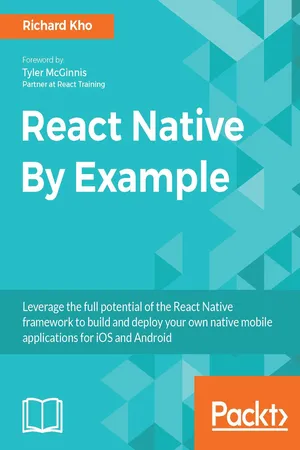
Leverage the full potential of the React Native framework to build and deploy your own native mobile applications for iOS and AndroidAbout This Book• Work on native APIs and UI Elements using React Native• Get the best of both worlds: the power of native approach and the fluidity of JavaScript• Create increasingly complex real-world applications and dive deeper into React NativeWho This Book Is ForIf you are keen on learning to use the revolutionary mobile development tool React Native to build native mobile applications, then this book is for you. Prior experience with JavaScript would be useful.What You Will Learn• How to create mobile-performant iOS and Android apps using JavaScript and React• The potential of each API and component, putting them into practice throughout the course of three projects• The process of integrating the Facebook SDK to build an app that connects to third-party data• Every step taken to implement Redux, a popular state management library, in your mobile apps• The requirements for building and deploying your apps to market, with detailed instructions on how to release and beta test apps on both the Apple App Store and Google PlayIn DetailReact Native's ability to build performant mobile applications with JavaScript has resulted in its popularity amongst developers. Developers now have the luxury to create incredible mobile experiences that look and feel native to their platforms with the comfort of a well-known language and the popular React.js library.This book will show you how to build your own native mobile applications for the iOS and Android platforms while leveraging the finesse and simplicity of JavaScript and React.Throughout the book you will build three projects, each of increasing complexity. You will also link up with the third-party Facebook SDK, convert an app to support the Redux architecture, and learn the process involved in making your apps available for sale on the iOS App Store and Google Play.At the end of this book, you will have learned and implemented a wide breadth of core APIs and components found in the React Native framework that are necessary in creating great mobile experiences.Style and approachStart building applications immediately using featured examples through an easy-to-follow approach. The book is based on three concrete projects with increasing levels of difficulty. Each chapter will introduce you to new and practical concepts and techniques, with the intent that you will be able to apply them in your own projects later.
- 414 pages
- English
- ePUB (mobile friendly)
- Available on iOS & Android
eBook - ePub
React Native By Example
About this book
Information
Advanced Functionality and Styling the To-Do List App
Having built an MVP for Tasks, our to-do list app, it's time to delve into building out advanced functionality, and styling the application to make it look nice. This chapter will explore the following topics:
- Utilizing the NavigatorIOS component to build an edit screen to add details to a task
- Taking in a date and time for tasks to be due with DatePickerIOS
- Creating a custom collapsible component for our app and utilizing LayoutAnimation to give us fluid transitions
- Building a Button component for our UI to clear a to-do item's due date
- Saving the data of an edited task and rendering a due date, if applicable
- Porting the application over to Android, swapping out DatePickerIOS for DatePickerAndroid and TimePickerAndroid and NavigatorIOS for Navigator, and exploring the control flow in deciding which component is used
Navigator and NavigatorIOS
Implementing navigation in a mobile application helps us control how our users interact with and experience our apps. It lets us assign context to situations that would otherwise not have any--for example, in Tasks, it will not make sense to show a user an edit view for a task that they haven't selected; only showing this to the user when they select a task to edit builds situational context and awareness.
React Native's Navigator component handles the transitions between different views in your application. Glancing at the documentation, you may note that there's both a Navigator and NavigatorIOS component. Navigator is available on iOS and Android and implemented with JavaScript. On the other hand, NavigatorIOS is specifically available for iOS and is a wrapper around iOS's native UINavigationController, animating it and behaving the way you would expect from any iOS application.
Later in this chapter, we will take a closer look at the Navigator.
An important note about NavigatorIOS
While NavigatorIOS supports UIKit animations and is a great choice for building the iOS version of Tasks, one thing to keep in mind is that NavigatorIOS happens to be a community-driven component of the React Native SDK. Facebook has openly stated from the beginning that it utilizes Navigator heavily in its own applications, but all support for future improvements and additions to the NavigatorIOS component will come directly from open source contributions.
While NavigatorIOS supports UIKit animations and is a great choice for building the iOS version of Tasks, one thing to keep in mind is that NavigatorIOS happens to be a community-driven component of the React Native SDK. Facebook has openly stated from the beginning that it utilizes Navigator heavily in its own applications, but all support for future improvements and additions to the NavigatorIOS component will come directly from open source contributions.
Looking at NavigatorIOS
The NavigatorIOS component is set up at the top level of your React Native app. We'll provide at least one object, identified as routes, in order to identify each view in our app. Additionally, NavigatorIOS looks for a renderScene method, which is responsible for rendering each scene in our app. Here's an example of how you can render a basic scene with NavigatorIOS:
 import React, { Component } from 'react';
import {
 NavigatorIOS,
 Text
} from 'react-native';

export default class ExampleNavigation extends Component {
 render () {
 return (
 <NavigatorIOS
 initialRoute={{
 component: TasksList,
 title: 'Tasks'
 }}
 style={ styles.container }
 />
 );
 }
}
This is just a rudimentary example. All we're doing is initializing the NavigatorIOS component and rendering it as a basic route with a simple text component. What we're really interested in doing is switching between routes to edit a task. Let's break down this goal into a number of subtasks that are easier to tackle:
- Create a new EditTask component. It can start off as a simple screen with some filler info on it.
- Set up NavigatorIOS to route to EditTask when a task is long-pressed.
- Build logic for EditTask to accept the exact task as a prop in the component to render task-specific data. Add appropriate input fields to allow this component to be marked as complete from the edit screen as well as for it to have the ability to set a due date and tag.
- When edits are saved, add logic to save the edited data to AsyncStorage.
We'll take some time to complete each step and go over them when necessary. Take a few minutes to build a simple EditTask component, and then refer to how I built mine.
A simple EditTasks component
In my application folder structure, my EditTasks component is nested as such:
 |Tasks
|__android
|__app
|____components
|______EditTask
|______TasksList
|______TasksListCell
|__ios
|__node_modules
|__...
Here is a basic component just to have something appear on the screen:
 // Tasks/app/components/EditTask/index.js

import React, { Component } from 'react';

import {
 Text,
 View
} from 'react-native';

import styles from './styles';

export default class EditTask extends Component {
 render () {
 return (
 <View style={ styles.editTaskContainer }>
 <Text style={ styles.editTaskText }>Editing Task</Text>
 </View>
 );
 }
}
The preceding code returns text to render to the screen for now.
Now comes the fun part. Let's set up NavigatorIOS to play nicely with TasksList:
 // Tasks/app/components/EditTask/styles.js

import { Navigator, StyleSheet } from 'react-native';

const styles = StyleSheet.create({
 editTaskContainer: {
 flex: 1,
 paddingTop: Navigator.NavigationBar.Styles.General.TotalNavHeight
 },
 editTaskText: {
 fontSize: 36
 }
})

export default styles;
First, we should modify TasksList so that it:
- Adds a function, called _editTask, to push the EditTask component to the Navigator
- Passes the _editTask function into TasksListCell as a prop, titled onLongPress
Then, we should modify EditTask so that the TouchableHighlight component in its render method calls this prop during its own onLongPress callback:
 // Tasks/app/components/TasksList/index.js

...
import EditTask from '../EditTask';
...
export default class TasksList extends Compone...
Table of contents
- Title Page
- Credits
- Foreword
- About the Author
- About the Reviewer
- www.PacktPub.com
- Customer Feedback
- Preface
- First Project - Creating a Basic To-Do List App
- Advanced Functionality and Styling the To-Do List App
- Our Second Project - The Budgeting App
- Advanced Functionality with the Expenses App
- Third Project - The Facebook Client
- Advanced Facebook App Functionality
- Redux
- Deploying Your Applications
- Additional React Native Components
Trusted by 375,005 students
Access to over 1.5 million titles for a fair monthly price.
Study more efficiently using our study tools.
Frequently asked questions
Yes, you can cancel anytime from the Subscription tab in your account settings on the Perlego website. Your subscription will stay active until the end of your current billing period. Learn how to cancel your subscription
No, books cannot be downloaded as external files, such as PDFs, for use outside of Perlego. However, you can download books within the Perlego app for offline reading on mobile or tablet. Learn how to download books offline
Perlego offers two plans: Essential and Complete
- Essential is ideal for learners and professionals who enjoy exploring a wide range of subjects. Access the Essential Library with 800,000+ trusted titles and best-sellers across business, personal growth, and the humanities. Includes unlimited reading time and Standard Read Aloud voice.
- Complete: Perfect for advanced learners and researchers needing full, unrestricted access. Unlock 1.5M+ books across hundreds of subjects, including academic and specialized titles. The Complete Plan also includes advanced features like Premium Read Aloud and Research Assistant.
We are an online textbook subscription service, where you can get access to an entire online library for less than the price of a single book per month. With over 1.5 million books across 990+ topics, we’ve got you covered! Learn about our mission
Look out for the read-aloud symbol on your next book to see if you can listen to it. The read-aloud tool reads text aloud for you, highlighting the text as it is being read. You can pause it, speed it up and slow it down. Learn more about Read Aloud
Yes! You can use the Perlego app on both iOS and Android devices to read anytime, anywhere — even offline. Perfect for commutes or when you’re on the go.
Please note we cannot support devices running on iOS 13 and Android 7 or earlier. Learn more about using the app
Please note we cannot support devices running on iOS 13 and Android 7 or earlier. Learn more about using the app
Yes, you can access React Native By Example by Richard Kho in PDF and/or ePUB format, as well as other popular books in Computer Science & Programming in JavaScript. We have over 1.5 million books available in our catalogue for you to explore.