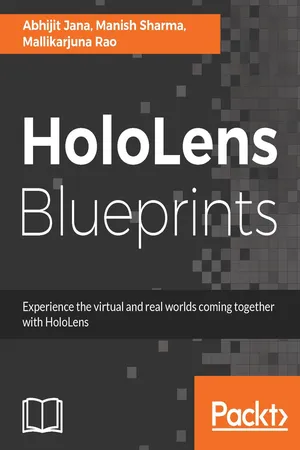
Unveil the world of mixed reality with HoloLensAbout This Book• Bring holographic insights to existing line-of-business applications, tools, and workflows• Focus on developing end-to-end realistic holographic application.• Build interactive model scripts and test them in Unity3D and holographic emulatorsWho This Book Is ForThis book is targeted at developers and designers working on mixed-reality developments for complex integrated scenarios using HoloLens.What You Will Learn• Interact with holograms using different interaction models• Develop your first holographic app• Integrate holographic applications with cloud systems• Visualize data feeds coming from the cloud through holograms• Manage the application distribution of enterprise-enabled HoloLens• Integrate HoloLens applications with services deployed on Azure• Identify and create 3D Assets and Scenes• Use HoloLens to explore the Internet of ThingsIn DetailDo you want to create stunning applications with HoloLens? Are you a developer who is fascinated with Microsoft HoloLens and its capabilities? If so, this is the book for you.This book introduces and demystifies the HoloLens platform and shows you different ways of interaction with computers (mixed-reality).You will start your mixed-reality journey by understanding different types of digital reality. You will learn to build your first holographic app. Also, you will understand holographic application integration possibilities within Line of Business Applications using Azure. Moving ahead, you will create Integrated Solutions using IoT with HoloLens. Gradually you'll learn how to create and deploy apps on a device. You will learn to publish application to the store; if you are an enterprise developer, you will also manage and distribute applications for enterprise-enabled or domain-joined HoloLens.Finally, you will develop an end-to-end realistic holographic app, ranging from scenario identification to sketching, development, deployment, and, finally, production.Style and approachThe book is a project-based guide to help you to create some really astonishing mixed-reality applications. It will provide end-to-end solutions and enable you to build stunning applications for HoloLens.
- 336 pages
- English
- ePUB (mobile friendly)
- Available on iOS & Android
eBook - ePub
HoloLens Blueprints
About this book
Information
Explore HoloLens as Hologram - Developing Application and Deploying on Device
In the previous chapter, we started our journey of building our very first holographic application using HoloLens. In this chapter, we will continue with the next steps of the application development life cycle from where we left it in the previous chapter. Over the course of these two chapters, we are trying to build training scenarios for HoloLens. We have completed our envisioning phase, where we learned about the requirements and scenario identification for different training scenarios for the HoloLens device. After that, we discussed prioritization of the scenarios to be developed as part of the development phase. We took a step further toward sketching to visualize and revalidate the identified scenarios, which illustrate a kind of vision demonstration of the app. We have also covered the different aspects of 3D holographic model design for HoloLens. Now we have our 3D Assets ready to be used for the development. Finally, we have set up our development environments. All in all, we are all set to take the next steps forward.
This chapter will cover all the steps, from the setting up of the project, to deploying it on the device. A brief overview of the different aspects of this chapter are as follows:
- Setting up the Unity editor for a holographic app
- Understanding the basics of Unity editor
- Setting up the HoloLens toolkit for development
- Interacting with 3D objects using scripting
- Configuring, building, and testing your application
- Various aspects of deployment of your holographic app
We will take a step further toward development with our 3D Assets developed in the previous chapter, and we will give life to the object using scripting in Unity. You will learn how to import different assets and apply scripting to interact with the different components of holographic objects using Gaze, Gesture, and Voice Commands. Finally, you will learn the different aspects of deployment and run the application on the HoloLens device.
By the end of this chapter, you will have covered the complete end-to-end development process, starting from envisioning to final deployment in the device.
Getting started - creating a new project
To start with, we will create a new project in Unity by following these steps:
- Run a new instance of Unity3D.
- Create a new 3D Project by providing a Project Name and all other required details.
- Click on Create Project.

Creating an explore HoloLens project in Unity
This will launch the Unity editor with a newly created project. Before we get into the details of holographic app development, as a developer we must have a basic level of understanding of the Unity editor. Let's have a quick look into some of the important aspects of the Unity environment and some of the Core concepts of Unity that you will be using very often while working with Unity.
The Unity3D basics
In this section, we will quickly have a look at some of the major components of user interfaces for the Unity editor. We will also go through some of the Core concepts of 3D Modelling and Scripting related with Unity3D.
The Core interface
The Core of the Unity3D interface consists of five main panels. They are as follows:
- Scene View
- Game View
- Object Hierarchy
- Project Assets
- Inspector
The following image highlights all the main panels of the Unity editor in a single view:

Unity3D Core Interface
Remember, though, all these panels have a default position in the editor; they are floating in nature and you can place and reposition them accordingly as per your need:
Scene View
Scene View is the place where you spend most of the time while working in any Unity project. This is the place where you visually construct and manipulate objects and design the visual aspects of your scene using 2D and 3D Models.
Game View
Game View is used to preview the scene you are constructing in the Scene View. This is where you run and test the application within the Unity editor before publishing it for any platforms.
Game View is just a preview window. Unlike the Scene View, you can't select objects in the Game View. If you make any changes in the scene when game mode is on, Unity reverts back to those changes as soon as you quite the game mode.
Object Hierarchy
The Object Hierarchy panel displays all the objects used in the current Unity scene in a hierarchical order. You can expand and collapse the objects based on the object model depending on their parent and child nodes.
If you add or remove an object dynamically in run...
Table of contents
- Title Page
- Copyright
- Credits
- About the Authors
- Acknowledgments
- About the Reviewer
- Disclaimer
- Customer Feedback
- www.PacktPub.com
- Dedication
- Preface
- Digital Reality - Under the Hood
- HoloLens – The Most Natural Way to Interact
- Explore HoloLens as Hologram - Scenario Identification and Sketching
- Explore HoloLens as Hologram - Developing Application and Deploying on Device
- Remote Monitoring of Smart Building(s) Using HoloLens - Scenario Identification and Sketching
- Remote Monitoring of Smart Building(s) Using HoloLens - Developing Application and Deploying on Device
- Build End-to-End Retail Solution - Scenario Identification and Sketching
- Build End-to-End Retail Scenario - Developing Application and Deploying on Device
- Possibilities
- Microsoft HoloLens in Enterprise
Trusted by 375,005 students
Access to over 1.5 million titles for a fair monthly price.
Study more efficiently using our study tools.
Frequently asked questions
Yes, you can cancel anytime from the Subscription tab in your account settings on the Perlego website. Your subscription will stay active until the end of your current billing period. Learn how to cancel your subscription
No, books cannot be downloaded as external files, such as PDFs, for use outside of Perlego. However, you can download books within the Perlego app for offline reading on mobile or tablet. Learn how to download books offline
Perlego offers two plans: Essential and Complete
- Essential is ideal for learners and professionals who enjoy exploring a wide range of subjects. Access the Essential Library with 800,000+ trusted titles and best-sellers across business, personal growth, and the humanities. Includes unlimited reading time and Standard Read Aloud voice.
- Complete: Perfect for advanced learners and researchers needing full, unrestricted access. Unlock 1.5M+ books across hundreds of subjects, including academic and specialized titles. The Complete Plan also includes advanced features like Premium Read Aloud and Research Assistant.
We are an online textbook subscription service, where you can get access to an entire online library for less than the price of a single book per month. With over 1.5 million books across 990+ topics, we’ve got you covered! Learn about our mission
Look out for the read-aloud symbol on your next book to see if you can listen to it. The read-aloud tool reads text aloud for you, highlighting the text as it is being read. You can pause it, speed it up and slow it down. Learn more about Read Aloud
Yes! You can use the Perlego app on both iOS and Android devices to read anytime, anywhere — even offline. Perfect for commutes or when you’re on the go.
Please note we cannot support devices running on iOS 13 and Android 7 or earlier. Learn more about using the app
Please note we cannot support devices running on iOS 13 and Android 7 or earlier. Learn more about using the app
Yes, you can access HoloLens Blueprints by Abhijit Jana, Manish Sharma, Mallikarjuna Rao in PDF and/or ePUB format, as well as other popular books in Computer Science & Application Development. We have over 1.5 million books available in our catalogue for you to explore.