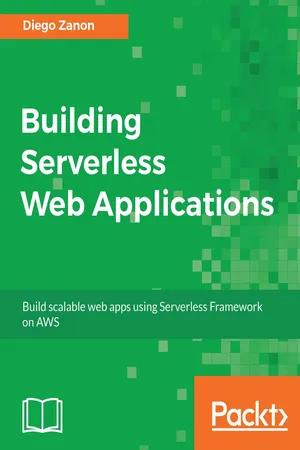
Build scalable, efficient, and highly available web apps using AWSAbout This Book• Get an in-depth understanding of the serverless model• Build a complete serverless web application end to end• Learn how to use the Serverless Framework to improve your productivityWho This Book Is ForIf you're looking to learn more about scalable and cost-efficient architectures, this book is for you. Basic knowledge of Node.js skills or familiarity with cloud services is required. For other topics, we cover the basics.What You Will Learn• Get a grasp of the pros and cons of going serverless and its use cases• Discover how you can use the building blocks of AWS to your advantage• Set up the environment and create a basic app with the Serverless Framework• Host static files on S3 and CloudFront with HTTPS support• Build a sample application with a frontend using React as an SPA• Develop the Node.js backend to handle requests and connect to a SimpleDB database• Secure your applications with authentication and authorization• Implement the publish-subscribe pattern to handle notifications in a serverless application• Create tests, define the workflow for deployment, and monitor your appIn DetailThis book will equip you with the knowledge needed to build your own serverless apps by showing you how to set up different services while making your application scalable, highly available, and efficient.We begin by giving you an idea of what it means to go serverless, exploring the pros and cons of the serverless model and its use cases. Next, you will be introduced to the AWS services that will be used throughout the book, how to estimate costs, and how to set up and use the Serverless Framework.From here, you will start to build an entire serverless project of an online store, beginning with a React SPA frontend hosted on AWS followed by a serverless backend with API Gateway and Lambda functions. You will also learn to access data from a SimpleDB database, secure the application with authentication and authorization, and implement serverless notifications for browsers using AWS IoT. This book will describe how to monitor the performance, efficiency, and errors of your apps and conclude by teaching you how to test and deploy your applications.Style and approachThis book takes a step-by-step approach on how to use the Serverless Framework and AWS services to build Serverless Applications. It will give you a hands-on feeling, allowing you to practice while reading. It provides a brief introduction of concepts while keeping the focus on the practical skills required to develop applications.
- 354 pages
- English
- ePUB (mobile friendly)
- Available on iOS & Android
eBook - ePub
Building Serverless Web Applications
About this book
Information
Building the Frontend
In this chapter, we will build the web pages of our demo application. The objective here is not to teach frontend development, but to demonstrate that you can use modern tools along with serverless. For this demo, we will use React, but you could use Angular, Vue.js, or any other tool, and still take advantage of the serverless features. Also, we will discuss the pros and cons of SPA from a serverless perspective and let's take a look at how we can prerender SPA pages for better Search Engine Optimization (SEO).
In this chapter, we will cover the following topics:
- How to use React to build our web pages
- Pros and cons of Single-Page Applications
- Prerendering pages for a better SEO
After this chapter, you'll have built the frontend of our serverless online store.
Getting started with React
Teaching frontend tools is not the objective of this book, but we need to build something useful to see how serverless deals with modern frontend development. We will use React here because it is currently one of the most popular tools. If you don't know what React is or how to use it, I'll guide you to understand the basic concepts.
React principles
The first thing you should note is that React is a library and not a framework. The difference is that a library provides a set of functionalities to solve a specific problem, and a framework provides a set of libraries centered on a particular methodology.
React is only responsible for the view layer of your application. That's the problem React solves. If you need to make Ajax calls or handle page routes, you need to add other libraries. When you develop with React, you need to think in components. Your user interface is a composition of simple components, where each one of them has an inner state and an HTML definition. When using React, you don't manipulate the web page directly. You change the component's state and React will render it again to match the current state. This approach promotes predictability. For a given state, you always know how the component will render. This is very important for testing and maintaining complex applications.
Another important concept is the virtual DOM. The Document Object Model (DOM) is a representation of all nodes of an HTML page. If something changes on a page and you need to render a different view, the DOM needs to be manipulated. The problem is when you have hundreds of nodes. Recreating the entire view has a performance cost that can be perceived by the user.
The virtual DOM is an abstract version of the real DOM. React tracks the state of all components and knows when one of them was modified. Instead of rerendering the entire view, it compares the modified virtual DOM with the real DOM and makes a small patch containing only the differences. This patch is applied with a much better performance.
In summary, you need to know that React is a library with the specific purpose of handling the view layer, it is based on components, where each one of them has an internal state and a view definition, and you can't modify the DOM directly because that's the responsibility of the virtual DOM.
The Flux pattern
Flux is a pattern for application-state management, and Redux is the most popular Flux-inspired implementation. If you are building a complex React application, you should learn Redux or another Flux-like framework. However, You Might Not Need Redux, as Dan Abramov, the creator of Redux, has blogged about (https://medium.com/@dan_abramov/you-might-not-need-redux-be46360cf367): “People often choose Redux before they need it.”
Redux is a great framework, but it adds complexity to your project. As we are building a small frontend application, we will not use it here, and this decision makes sense for applications that have a short component tree. Again, the objective of this book is to focus on serverless and not on frontend development, so Redux is out of scope for us. In a real-world application, you need to consider the pros and cons. Most of the time, you will choose to use Redux, but not always.
React hello-world
React promotes the usage of JSX, a syntax that mixes JavaScript with XML. You don't need to use JSX, but you should use it to improve the readability of the code. For example, take a look at the following JSX:
 class HelloReact extends React.Component {
 render() {
 return <div>Hello, {this.props.name}!</div>;
 }
 }

 ReactDOM.render(
 <HelloReact name="World"/>,
 document.getElementById('root')
 );
This example defines a <HelloReact/> HTML element and the rendered output will use the value of the name property. If the input is World, the rendered result will be <div>Hello, World!</div>.
However, the browser can't execute this code because JSX doesn't have native support. You need to use a JSX transpiler that will translate this example into the following JavaScript code:
 class HelloReact extends React.Component {
 render() {
 return React.createElement(
 "div", null,
 "Hello, ", this.props.name, "!"
 );
 }
 }

 ReactDOM.render(
 React.createElement(HelloReact, { name: "World" }),
 document.getElementById('root')
 );
Mixing JavaScript code with HTML sounds strange, but we can get used to it. In the end, most people find it more enjoyable and easier to maintain.
To make this piece ...
Table of contents
- Title Page
- Copyright
- Credits
- About the Author
- About the Reviewer
- www.PacktPub.com
- Customer Feedback
- Preface
- Understanding the Serverless Model
- Getting Started with AWS
- Using the Serverless Framework
- Hosting the Website
- Building the Frontend
- Developing the Backend
- Managing a Serverless Database
- Securing the Serverless Application
- Handling Serverless Notifications
- Testing, Deploying, and Monitoring
Trusted by 375,005 students
Access to over 1.5 million titles for a fair monthly price.
Study more efficiently using our study tools.
Frequently asked questions
Yes, you can cancel anytime from the Subscription tab in your account settings on the Perlego website. Your subscription will stay active until the end of your current billing period. Learn how to cancel your subscription
No, books cannot be downloaded as external files, such as PDFs, for use outside of Perlego. However, you can download books within the Perlego app for offline reading on mobile or tablet. Learn how to download books offline
Perlego offers two plans: Essential and Complete
- Essential is ideal for learners and professionals who enjoy exploring a wide range of subjects. Access the Essential Library with 800,000+ trusted titles and best-sellers across business, personal growth, and the humanities. Includes unlimited reading time and Standard Read Aloud voice.
- Complete: Perfect for advanced learners and researchers needing full, unrestricted access. Unlock 1.5M+ books across hundreds of subjects, including academic and specialized titles. The Complete Plan also includes advanced features like Premium Read Aloud and Research Assistant.
We are an online textbook subscription service, where you can get access to an entire online library for less than the price of a single book per month. With over 1.5 million books across 990+ topics, we’ve got you covered! Learn about our mission
Look out for the read-aloud symbol on your next book to see if you can listen to it. The read-aloud tool reads text aloud for you, highlighting the text as it is being read. You can pause it, speed it up and slow it down. Learn more about Read Aloud
Yes! You can use the Perlego app on both iOS and Android devices to read anytime, anywhere — even offline. Perfect for commutes or when you’re on the go.
Please note we cannot support devices running on iOS 13 and Android 7 or earlier. Learn more about using the app
Please note we cannot support devices running on iOS 13 and Android 7 or earlier. Learn more about using the app
Yes, you can access Building Serverless Web Applications by Diego Zanon in PDF and/or ePUB format, as well as other popular books in Computer Science & Programming in JavaScript. We have over 1.5 million books available in our catalogue for you to explore.