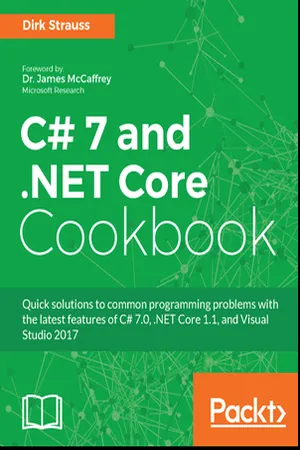
Quick solutions to common programming problems with the latest features of C# 7.0, .NET Core 1.1, and Visual Studio 2017About This Book• Easy-to-follow recipes to get you up-and-running with the new features of C# 7 and.NET Core 1.1• Practical solutions to assist you with microservices and serverless computing in C#• Explore the new Visual Studio environment and write more secure code in itWho This Book Is ForThe book will appeal to C# and.NET developers who have a basic familiarity with C# and the Visual Studio 2015 environmentWhat You Will Learn• Writing better and less code to achieve the same result as in previous versions of C#• Working with analyzers in Visual Studio• Working with files, streams, and serialization• Writing high-performant code in C# and understanding multi-threading• Demystifying the Rx library using Reactive extensions• Exploring.Net Core 1.1 and ASP.NET MVC• Securing your applications and learning new debugging techniques• Designing and building a microservice architecture• Using Azure and AWS for serverless computing with C#In DetailC# has recently been open-sourced and C# 7 comes with a host of new features for building powerful, cross-platform applications.This book will be your solution to some common programming problems that you come across with C# and will also help you get started with.NET Core 1.1. Through a recipe-based approach, this book will help you overcome common programming challenges and get your applications ready to face the modern world.We start by running you through new features in C# 7, such as tuples, pattern matching, and so on, giving you hands-on experience with them. Moving forward, you will work with generics and the OOP features in C#. You will then move on to more advanced topics, such as reactive extensions, Regex, code analyzers, and asynchronous programming. This book will also cover new, cross-platform.NET Core 1.1 features and teach you how to utilize.NET Core on macOS. Then, we will explore microservices as well as serverless computing and how these benefit modern developers. Finally, you will learn what you can do with Visual Studio 2017 to put mobile application development across multiple platforms within the reach of any developer.Style and approachA unique recipe-based guide that will help you gain a solid understanding of the new concepts in C# 7.0 and Visual Studio 2017
- 628 pages
- English
- ePUB (mobile friendly)
- Available on iOS & Android
eBook - ePub
C# 7 and .NET Core Cookbook
About this book
Information
Exploring .NET Core 1.1
This chapter will explore .NET Core 1.1. We will see what .NET Core is and what you can do with it. We will be looking at:
- Creating a simple .NET Core application and running it on a Mac
- Creating your first ASP.NET Core application
- Publishing your ASP.NET Core application
Introduction
There is a lot of buzz these days regarding .NET Core. There are really a lot of articles explaining what .NET Core is and what it does. Simply put, .NET Core allows you to create cross-platform applications that run on Windows, Linux, and macOS. It does this by leveraging a .NET Standard Library that targets all these platforms with the exact same code. You can, therefore, use the language and tools you are comfortable with to create applications. It supports C#, VB, and F#, and even allows the use of constructs such as generics, async support, and LINQ. For more information and documentation on .NET Core, go to https://www.microsoft.com/net/core.
Creating a simple .NET Core application and running it on a Mac
We will take a look at how to create an application on Windows using Visual Studio 2017 and then running that application on a Mac. This kind of application development was previously impossible as you could not run code compiled for Windows on a Mac. .NET Core changes all this.
Getting ready
You will need access to a Mac in order to run the application you created. I'm using a Mac mini (late 2012) with a 2.5 GHz Intel Core i5 CPU running macOS Sierra with 4GB of memory.
In order to use your .NET Core apps on a Mac, there are a few things you need to do:
In order to use your .NET Core apps on a Mac, there are a few things you need to do:
- We need to install Homebrew, which is used to get the latest version of OpenSSL. Open the Terminal on your Mac by typing Terminal into your Spotlight search:

The following steps can also be completed by going to https://www.microsoft.com/net/core#macos and performing these on your Mac.
- Paste the following at the Terminal prompt and press Enter:
/usr/bin/ruby -e "$(curl -fsSL https://raw.githubusercontent.com/Homebrew/install/master/install)"
- If the Terminal asks you for your password, enter your password and press Enter. You will not see anything as you type. This is normal. Just type your password and press Enter to continue.
The requirements for installing Homebrew are an Intel CPU, OS X 10.10 or higher, Command Line Tools (CLT) for Xcode, and a Bourne-compatible shell for installation, such as bash or zsh. Terminal is thus well suited.
Depending on the speed of your Internet connection and whether you have CLT for Xcode installed, the process of installing Homebrew can take some time to complete. When completed, the Terminal should look as follows:

Typing in brew help will show you some useful commands you can use:

Run the following commands one after the other in the Terminal:
- brew update
- brew install openssl
- mkdir -p /usr/local/lib
- ln -s /usr/local/opt/openssl/lib/libcrypto.1.0.0.dylib /usr/local/lib/
- ln -s /usr/local/opt/openssl/lib/libssl.1.0.0.dylib /usr/local/lib/
We then need to install the .NET Code SDK. From the URL https://www.microsoft.com/net/core#macos click on the Download .NET Core SDK button. After the download has completed, click on the .pkg file downloaded. Click on the Continue button to install the .NET Core 1.1.0 SDK:

How to do it...
- We will create a .NET Core console application in Visual Studio 2017. Under Visual C# templates, select .NET Core and a Console App (.NET Core) project:

- When you created your console application, the code will look as follows:
 using System;

 class Program
 {
 static void Main(string[] args)
 {
 Console.WriteLine("Hello World!");
 }
 }
- Modify your code to look as follows:
 static void Main(string[] args)
 {
 Console.WriteLine("I can run on Windows, Linux and macOS");
 GetSystemInfo();
 Console.ReadLine();
 }

 private static void GetSystemInfo()
 {
 var osInfo = System.Runtime.InteropServices.RuntimeInformation.OSDescription;
 Console.WriteLine($"Current OS is: {osInfo}");
 }
- The method GetSystemInfo() just returns the current operating system the console application currently runs on. The csproj file for my application looks as follows:
 <Project ToolsVersion="15.0" xmlns="http://schemas.microsoft.com/developer/msbuild/2003">
 <Import Project="$(MSBuildExtensionsPath)$(MSBuildToolsVersion)
 Microsoft.C...
Table of contents
- Title Page
- Copyright
- Credits
- Foreword
- About the Author
- About the Reviewer
- www.PacktPub.com
- Customer Feedback
- Preface
- New Features in C# 7.0
- Classes and Generics
- Object-Oriented Programming in C#
- Code Analyzers in Visual Studio
- Regular Expressions
- Working with Files, Streams, and Serialization
- Making Apps Responsive with Asynchronous Programming
- High Performance Programming Using Parallel and Multithreading in C#
- Composing Event-Based Programs Using Reactive Extensions
- Exploring .NET Core 1.1
- ASP.NET Core on the MVC Framework
- Choosing and Using a Source Control Strategy
- Creating a Mobile Application in Visual Studio
- Writing Secure Code and Debugging in Visual Studio
- Creating Microservices on Azure Service Fabric
- Azure and Serverless Computing
Trusted by 375,005 students
Access to over 1.5 million titles for a fair monthly price.
Study more efficiently using our study tools.
Frequently asked questions
Yes, you can cancel anytime from the Subscription tab in your account settings on the Perlego website. Your subscription will stay active until the end of your current billing period. Learn how to cancel your subscription
No, books cannot be downloaded as external files, such as PDFs, for use outside of Perlego. However, you can download books within the Perlego app for offline reading on mobile or tablet. Learn how to download books offline
Perlego offers two plans: Essential and Complete
- Essential is ideal for learners and professionals who enjoy exploring a wide range of subjects. Access the Essential Library with 800,000+ trusted titles and best-sellers across business, personal growth, and the humanities. Includes unlimited reading time and Standard Read Aloud voice.
- Complete: Perfect for advanced learners and researchers needing full, unrestricted access. Unlock 1.5M+ books across hundreds of subjects, including academic and specialized titles. The Complete Plan also includes advanced features like Premium Read Aloud and Research Assistant.
We are an online textbook subscription service, where you can get access to an entire online library for less than the price of a single book per month. With over 1.5 million books across 990+ topics, we’ve got you covered! Learn about our mission
Look out for the read-aloud symbol on your next book to see if you can listen to it. The read-aloud tool reads text aloud for you, highlighting the text as it is being read. You can pause it, speed it up and slow it down. Learn more about Read Aloud
Yes! You can use the Perlego app on both iOS and Android devices to read anytime, anywhere — even offline. Perfect for commutes or when you’re on the go.
Please note we cannot support devices running on iOS 13 and Android 7 or earlier. Learn more about using the app
Please note we cannot support devices running on iOS 13 and Android 7 or earlier. Learn more about using the app
Yes, you can access C# 7 and .NET Core Cookbook by Dirk Strauss in PDF and/or ePUB format, as well as other popular books in Computer Science & Programming. We have over 1.5 million books available in our catalogue for you to explore.