eBook - ePub
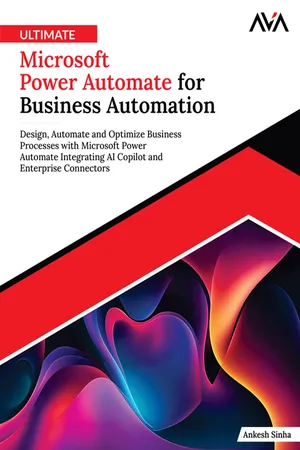
Ultimate Microsoft Power Automate for Business Automation
Design, Automate and Optimize Business Processes with Microsoft Power Automate Integrating AI Copilot and Enterprise Connectors (English Edition)
- English
- ePUB (mobile friendly)
- Available on iOS & Android
eBook - ePub
Ultimate Microsoft Power Automate for Business Automation
Design, Automate and Optimize Business Processes with Microsoft Power Automate Integrating AI Copilot and Enterprise Connectors (English Edition)
About this book
Transform Your Business with Intelligent Automation and Workflows.Key Features? Comprehensive step-by-step workflows from basics to enterprise-grade automation.? Practical real-world examples and use cases across multiple industrial domains.? Expert insights and deep dives into AI Builder, Copilot, APIs, and custom connectors.Book DescriptionMicrosoft Power Automate empowers professionals to eliminate repetitive tasks, connect systems, and accelerate productivity through intelligent, no-code workflows that transform how teams operate.Ultimate Microsoft Power Automate for Business Automation guides you step-by-step from foundational knowledge to enterprise-grade automation. You will begin by understanding Power Automate's core concepts, interface, and flow types, and then move on to building automated workflows that integrate Microsoft 365, SharePoint, Teams, and third-party applications. As you progress, you will master conditional logic, expressions, error handling, and data operations that make your flows smarter and more resilient.Advanced chapters of this book explore Copilot-driven automation, AI Builder for intelligent document and data processing, and Custom connectors for specialized business scenarios. You will also learn to apply governance, security, and scalability best practices essential for enterprise environments. By the end, you will be well-equipped to design, deploy, and manage impactful automations that save time, reduce errors, and drive digital transformation.Start building smarter workflows today—and let automation work for you!What you will learn? Design and build event-driven workflows with triggers, actions, and expressions.? Connect Power Automate with Microsoft 365, SharePoint, Teams, and external services seamlessly.? Implement error handling, retries, and robust debugging methodologies.? Use Copilot and AI Builder for intelligent, document-centric automation.? Build custom connectors and integrate APIs for specialized business needs.? Enforce governance, DLP, security, and monitoring at enterprise scale.Table of Contents1. Getting Started with Power Automate2. Creating Your First Flow3. Expanding Your Workflow with Connectors4. Working with Conditional Logic5. Understanding and Setting Triggers6. Actions in Power Automate for Workflows7. Navigating Data Operations8. Expressions and Functions in Power Automate9. Error-Free Power Automate Workflows10. Debugging Your Automations11. Using Copilot to Develop Power Automate Flows12. Security Measures in Power Automate13. AI Builder in Power Automate14. Building Custom Connectors15. HTTP Requests and API Integration16. Real-World Case Studies IndexAbout the AuthorsAnkesh Sinha is the owner and principal architect at Prudent Autolytics, where he leads digital transformation initiatives for organizations across diverse industries. With over 18 years of experience in the IT industry, Ankesh has established himself as a recognized authority in business process automation, Mi
Information
Subtopic
Business IntelligenceIndex
Computer ScienceTable of contents
- Cover Page
- Title Page
- Copyright Page
- Dedication Page
- About the Author
- About the Technical Reviewer
- Acknowledgements
- Preface
- Get a Free eBook
- Errata
- Table of Contents
- 1. Getting Started with Power Automate
- 2. Creating Your First Flow
- 3. Expanding Your Workflow with Connectors
- 4. Working with Conditional Logic
- 5. Understanding and Setting Triggers
- 6. Actions in Power Automate for Workflows
- 7. Navigating Data Operations
- 8. Expressions and Functions in Power Automate
- 9. Error-Free Power Automate Workflows
- 10. Debugging Your Automations
- 11. Using Copilot to Develop Power Automate Flows
- 12. Security Measures in Power Automate
- 13. AI builder in Power Automate
- 14. Building Custom Connectors
- 15. HTTP Requests and API Integration
- 16. Real-World Case Studies
- Index
Trusted by 375,005 students
Access to over 1.5 million titles for a fair monthly price.
Study more efficiently using our study tools.
Frequently asked questions
Yes, you can cancel anytime from the Subscription tab in your account settings on the Perlego website. Your subscription will stay active until the end of your current billing period. Learn how to cancel your subscription
No, books cannot be downloaded as external files, such as PDFs, for use outside of Perlego. However, you can download books within the Perlego app for offline reading on mobile or tablet. Learn how to download books offline
Perlego offers two plans: Essential and Complete
- Essential is ideal for learners and professionals who enjoy exploring a wide range of subjects. Access the Essential Library with 800,000+ trusted titles and best-sellers across business, personal growth, and the humanities. Includes unlimited reading time and Standard Read Aloud voice.
- Complete: Perfect for advanced learners and researchers needing full, unrestricted access. Unlock 1.5M+ books across hundreds of subjects, including academic and specialized titles. The Complete Plan also includes advanced features like Premium Read Aloud and Research Assistant.
We are an online textbook subscription service, where you can get access to an entire online library for less than the price of a single book per month. With over 1.5 million books across 990+ topics, we’ve got you covered! Learn about our mission
Look out for the read-aloud symbol on your next book to see if you can listen to it. The read-aloud tool reads text aloud for you, highlighting the text as it is being read. You can pause it, speed it up and slow it down. Learn more about Read Aloud
Yes! You can use the Perlego app on both iOS and Android devices to read anytime, anywhere — even offline. Perfect for commutes or when you’re on the go.
Please note we cannot support devices running on iOS 13 and Android 7 or earlier. Learn more about using the app
Please note we cannot support devices running on iOS 13 and Android 7 or earlier. Learn more about using the app
Yes, you can access Ultimate Microsoft Power Automate for Business Automation by Ankesh Sinha in PDF and/or ePUB format, as well as other popular books in Computer Science & Business Intelligence. We have over 1.5 million books available in our catalogue for you to explore.