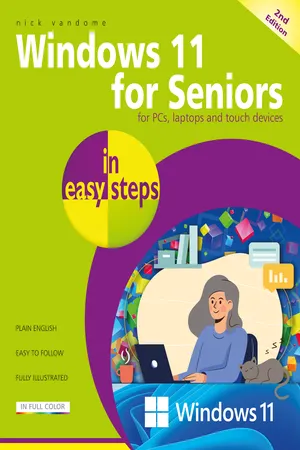
Windows 11 for Seniors in easy steps, 2nd edition
eBook - ePub

Windows 11 for Seniors in easy steps, 2nd edition

  1. 232 pages
  2. English
  3. ePUB (mobile friendly)
  4. Available on iOS & Android
eBook - ePub

Windows 11 for Seniors in easy steps, 2nd edition

About this book

Windows 11 for Seniors in easy steps, 2nd edition is the perfect guide to help you navigate Windows 11 at your own pace. It'll guide you through all the essentials you need to know.

  • Confidently explore the desktop, Start menu and Quick Settings.
  • Harness the power of AI with Copilot to find information and make life easy.
  • Stay connected via Outlook and Teams.
  • Personalize Windows and utilize Accessibility features to suit your needs.
  • Get things done – shop online, book holidays, print photos, and manage household budgets.
  • Keep your computer secure and working in tip-top condition!
  • Packed with helpful tips and designed for seniors, this guide will help you get more from Windows 11 stress-free!
    Trusted by 375,005 students

    Access to over 1.5 million titles for a fair monthly price.

    Study more efficiently using our study tools.

    Information

    Year
    2025
    eBook ISBN
    9781787910416

    Table of contents

    1. Cover
    2. Title
    3. Copyright
    4. Contents
    5. 1 Getting Windows 11
    6. 2 Windows 11 Interface
    7. 3 Windows 11 Desktop
    8. 4 Personalizing your System
    9. 5 The Power of the Internet
    10. 6 Organizing
    11. 7 Getting Things Done
    12. 8 Windows 11 Apps
    13. 9 Outlook for Email and More
    14. 10 Windows Games
    15. 11 Music and Pictures
    16. 12 Networking
    17. 13 Security and Maintenance
    18. Back Cover

    Frequently asked questions

    Yes, you can cancel anytime from the Subscription tab in your account settings on the Perlego website. Your subscription will stay active until the end of your current billing period. Learn how to cancel your subscription
    No, books cannot be downloaded as external files, such as PDFs, for use outside of Perlego. However, you can download books within the Perlego app for offline reading on mobile or tablet. Learn how to download books offline
    Perlego offers two plans: Essential and Complete
    • Essential is ideal for learners and professionals who enjoy exploring a wide range of subjects. Access the Essential Library with 800,000+ trusted titles and best-sellers across business, personal growth, and the humanities. Includes unlimited reading time and Standard Read Aloud voice.
    • Complete: Perfect for advanced learners and researchers needing full, unrestricted access. Unlock 1.5M+ books across hundreds of subjects, including academic and specialized titles. The Complete Plan also includes advanced features like Premium Read Aloud and Research Assistant.
    Both plans are available with monthly, semester, or annual billing cycles.
    We are an online textbook subscription service, where you can get access to an entire online library for less than the price of a single book per month. With over 1.5 million books across 990+ topics, we’ve got you covered! Learn about our mission
    Look out for the read-aloud symbol on your next book to see if you can listen to it. The read-aloud tool reads text aloud for you, highlighting the text as it is being read. You can pause it, speed it up and slow it down. Learn more about Read Aloud
    Yes! You can use the Perlego app on both iOS and Android devices to read anytime, anywhere — even offline. Perfect for commutes or when you’re on the go.
    Please note we cannot support devices running on iOS 13 and Android 7 or earlier. Learn more about using the app
    Yes, you can access Windows 11 for Seniors in easy steps, 2nd edition by Nick Vandome in PDF and/or ePUB format, as well as other popular books in Computer Science & Operating Systems. We have over 1.5 million books available in our catalogue for you to explore.