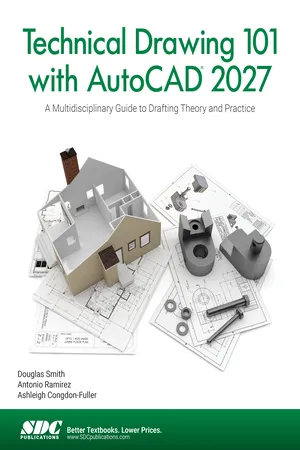
Technical Drawing 101 with AutoCAD 2027
eBook - PDF

Technical Drawing 101 with AutoCAD 2027

A Multidisciplinary Guide to Drafting Theory and Practice

  1. 604 pages
  2. English
  3. PDF
  4. Available on iOS & Android
eBook - PDF

Technical Drawing 101 with AutoCAD 2027

A Multidisciplinary Guide to Drafting Theory and Practice

About this book

  • Blends technical drawing and an introduction to AutoCAD 2027
  • Features mechanical, architectural, civil, and electronic drafting projects
  • Integrates drafting theory throughout the learning process
  • Designed to be used in a single semester, instructor led course
  • Each chapter includes key terms, unit summaries, review questions, and drawing projects

A lot rides on your choice of technical drawing textbook: it could be the gateway leading students to a rewarding career or the foundation for an introductory class that fuels interest in a whole program. Technical Drawing 101 with AutoCAD 2027 is both. More than a traditional technical drawing textbook, it uniquely teaches both the theory and fundamentals of technical drawing and the basics of Autodesk AutoCAD. It covers topics ranging from the most basic, such as making freehand, multi-view sketches of machine parts, to the advanced, such as creating an AutoCAD dimension style containing the style settings defined by the ASME Y14.5-2009 Dimensioning and Tolerancing standard. But unlike the massive technical drawing reference texts on the market, Technical Drawing 101 with AutoCAD presents just the right mix of information and projects for an introductory, one-semester course, including all the supporting materials needed by students and faculty.

The authors distilled all the knowledge and experience gleaned from designing a successful AutoCAD program into this textbook to deliver the best training possible to students. Step-by-step activities, exercises, and projects interest and challenge learners. Technical Drawing 101 with AutoCAD begins with technical and multi-view drawing basics. The CAD portion of the text incorporates drafting theory whenever possible and covers the basics of drawing setup (units, limits, and layers), the tools of the Draw, Modify, and Dimension toolbars, and the fundamentals of 3D modeling. By focusing on the fundamental building blocks of CAD, Technical Drawing 101 with AutoCAD provides a solid foundation for students going on to learn advanced CAD concepts and techniques (xrefs, annotative scaling, etc.) in intermediate CAD courses. The included mechanical and architectural projects as well as chapters on civil drafting and electronic drafting allow students to explore these possible career paths with the perfect amount of background information and designing tasks.

Information

Year
2026
eBook ISBN
9781630578107

Table of contents

  1. PREFACE
  2. Table of Contents
  3. CHAPTER 1 - TECHNICAL DRAWING
  4. CHAPTER 2 - MULTIVIEW DRAWING
  5. CHAPTER 3 - TRADITIONAL DRAFTING TOOLS AND TECHNIQUES
  6. CHAPTER 4 - COMPUTER-AIDED DESIGN BASICS
  7. CHAPTER 5 - DIMENSIONING MECHANICAL DRAWINGS
  8. CHAPTER 6 - DIMENSIONING ARCHITECTURAL DRAWINGS
  9. CHAPTER 7 - ISOMETRIC DRAWINGS
  10. CHAPTER 8 - SECTIONS
  11. CHAPTER 9 - BLOCKS
  12. CHAPTER 10 - 3D MODELING BASICS
  13. CHAPTER 11 - INTRODUCTION TO CIVIL DRAFTING
  14. CHAPTER 12 - INTRODUCTION TO ELECTRONIC DRAFTING
  15. CAPSTONE PROJECT - MECHANICAL WORKING DRAWINGS
  16. CAPSTONE PROJECT - ARCHITECTURAL WORKING DRAWINGS
  17. APPENDIX A
  18. APPENDIX B
  19. APPENDIX C
  20. APPENDIX D
  21. APPENDIX E
  22. GLOSSARY
  23. Index
  24. Worksheets

Trusted by 375,005 students

Access to over 1.5 million titles for a fair monthly price.

Study more efficiently using our study tools.

Frequently asked questions

Yes, you can cancel anytime from the Subscription tab in your account settings on the Perlego website. Your subscription will stay active until the end of your current billing period. Learn how to cancel your subscription
No, books cannot be downloaded as external files, such as PDFs, for use outside of Perlego. However, you can download books within the Perlego app for offline reading on mobile or tablet. Learn how to download books offline
Perlego offers two plans: Essential and Complete
  • Essential is ideal for learners and professionals who enjoy exploring a wide range of subjects. Access the Essential Library with 800,000+ trusted titles and best-sellers across business, personal growth, and the humanities. Includes unlimited reading time and Standard Read Aloud voice.
  • Complete: Perfect for advanced learners and researchers needing full, unrestricted access. Unlock 1.5M+ books across hundreds of subjects, including academic and specialized titles. The Complete Plan also includes advanced features like Premium Read Aloud and Research Assistant.
Both plans are available with monthly, semester, or annual billing cycles.
We are an online textbook subscription service, where you can get access to an entire online library for less than the price of a single book per month. With over 1.5 million books across 990+ topics, we’ve got you covered! Learn about our mission
Look out for the read-aloud symbol on your next book to see if you can listen to it. The read-aloud tool reads text aloud for you, highlighting the text as it is being read. You can pause it, speed it up and slow it down. Learn more about Read Aloud
Yes! You can use the Perlego app on both iOS and Android devices to read anytime, anywhere — even offline. Perfect for commutes or when you’re on the go.
Please note we cannot support devices running on iOS 13 and Android 7 or earlier. Learn more about using the app
Yes, you can access Technical Drawing 101 with AutoCAD 2027 by Ashleigh Congdon-Fuller;Antonio Ramirez;Douglas Smith in PDF and/or ePUB format, as well as other popular books in Ciencia de la computación & CAD/CAM. We have over 1.5 million books available in our catalogue for you to explore.