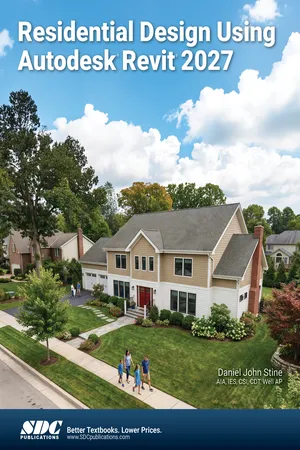
- Begins with a solid introduction to Revit fundamentals
- Project-based tutorials design a complete house from start to finish
- Includes access to extensive video training and bonus chapters
- Tutorial videos parallel the book while tool-specific videos focus on individual features
- Bonus chapters cover Insight 360, finding missing elements, and much more
- Helps you prepare for the Autodesk Revit Architecture Certification Exam
Residential Design Using Autodesk Revit 2027 is designed for users completely new to Autodesk Revit. This text takes a project based approach to learning Autodesk Revit's architectural tools in which you develop a single family residence all the way to photorealistic renderings like the one on the cover. Each book also includes access to extensive video training designed to further help you master Autodesk Revit.
The lessons begin with a basic introduction to Autodesk Revit 2027. The first four chapters are intended to get you familiar with the user interface and many of the common menus and tools.
Throughout the rest of the book a residential building is created and most of Autodesk Revit's tools and features are covered in greater detail. Using step-by-step tutorial lessons, the residential project is followed through to create elevations, sections, floor plans, renderings, construction sets, etc.
Included Videos
Residential Design Using Autodesk Revit 2027 comes with a full suite of videos, including chapter-by-chapter walkthroughs and a comprehensive library of tool-specific videos. This dual-layered video training approach ensures you have robust learning resources at your fingertips, allowing for broader project-based learning and targeted skill development. These videos are meticulously crafted to make Revit's complex features accessible to anyone, providing a visual and practical guide to mastering the software. It's like having an expert guide you through every step, ensuring you leverage the full potential of Autodesk Revit.
Chapter-Based Tutorial Videos: The chapter-based tutorial videos offer a comprehensive, step-by-step guide through the textbook's content, mirroring the structure and progression of the book itself. Each video corresponds to a specific section in the book, providing you with a detailed visual walkthrough of the concepts, techniques, and tutorials found in the text. The tutorial videos enhance your understanding by demonstrating precisely how to perform the steps in each lesson, facilitating a deeper grasp of the design principles and Revit's functionality.
Tool-Specific Videos: The tool-specific videos included with this book focus on individual features and functions of Autodesk Revit, offering targeted instruction on each tool's application and benefits. These videos are perfect for users seeking quick references or needing to brush up on specific functionalities without going through an entire project tutorial. In addition to the core content, these videos delve into extra topics not covered in the book, providing a broader understanding and insight into the software's capabilities. They break down complex tools into manageable, easy-to-understand segments, demonstrating menu selections and operational tips in a concise format. This approach enables you to efficiently learn and master the intricacies of each tool, significantly enhancing your productivity and proficiency in architectural design.
Chapter Tutorial Video Sample
Tool Specific Video Sample