Beginning Server-Side Application Development with Angular
eBook - ePub

Beginning Server-Side Application Development with Angular

,
  1. 110 pages
  2. English
  3. ePUB (mobile friendly)
  4. Available on iOS & Android
eBook - ePub

Beginning Server-Side Application Development with Angular

,

About this book

Discover how to rapidly prototype SEO-friendly web applications with Angular Universal

Key Features

  • Rapidly build an application that's optimized for search performance
  • Develop service workers to make your application truly progressive
  • Automatically update metadata and load in content from external APIs

Book Description

Equip yourself with the skills required to create modern, progressive web applications that load quickly and efficiently. This fast-paced guide to server-side Angular leads you through an example application that uses Angular Universal to render application pages on the server, rather than the client.

You'll learn how to serve your users views that load instantly, while reaping all the SEO benefits of improved page indexing. With differences of just 200 milliseconds in performance having a measurable impact on your users, it's more important than ever to get server-side right.

What you will learn

  • Use the official tools provided by Angular to build an SEO-friendly application
  • Create a dynamic web application that maps to current Angular best practices
  • Manage your Angular applications with Angular CLI
  • Implement server-side rendering for your future web application projects
  • Configure service workers to automatically update your application in the background

Who this book is for

This book is ideal for experienced front-end developers who are looking to quickly work through an intelligent example that demonstrates all the key features of server-side development with Angular. You'll need some prior exposure to Angular, as we skim over the basics and get straight to work.

Frequently asked questions

Yes, you can cancel anytime from the Subscription tab in your account settings on the Perlego website. Your subscription will stay active until the end of your current billing period. Learn how to cancel your subscription.
No, books cannot be downloaded as external files, such as PDFs, for use outside of Perlego. However, you can download books within the Perlego app for offline reading on mobile or tablet. Learn more here.
Perlego offers two plans: Essential and Complete
  • Essential is ideal for learners and professionals who enjoy exploring a wide range of subjects. Access the Essential Library with 800,000+ trusted titles and best-sellers across business, personal growth, and the humanities. Includes unlimited reading time and Standard Read Aloud voice.
  • Complete: Perfect for advanced learners and researchers needing full, unrestricted access. Unlock 1.4M+ books across hundreds of subjects, including academic and specialized titles. The Complete Plan also includes advanced features like Premium Read Aloud and Research Assistant.
Both plans are available with monthly, semester, or annual billing cycles.
We are an online textbook subscription service, where you can get access to an entire online library for less than the price of a single book per month. With over 1 million books across 1000+ topics, we’ve got you covered! Learn more here.
Look out for the read-aloud symbol on your next book to see if you can listen to it. The read-aloud tool reads text aloud for you, highlighting the text as it is being read. You can pause it, speed it up and slow it down. Learn more here.
Yes! You can use the Perlego app on both iOS or Android devices to read anytime, anywhere — even offline. Perfect for commutes or when you’re on the go.
Please note we cannot support devices running on iOS 13 and Android 7 or earlier. Learn more about using the app.
Yes, you can access Beginning Server-Side Application Development with Angular by in PDF and/or ePUB format, as well as other popular books in Computer Science & Programming. We have over one million books available in our catalogue for you to explore.

Information

Beginning Server-Side Application Development with Angular


Table of Contents

Beginning Server-Side Application Development with Angular
Credits
Contributors
About the author
About the reviewer
Packt is searching for authors like you
Why subscribe?
PacktPub.com
Preface
Checking the Version
Development API
Installation of the API
Who This Book is for
Conventions
Reader Feedback
Customer Support
Downloading the Example Code
Errata
Piracy
Questions
1. Creating the Base Application
Lesson Objectives
Server-Side and Client-Side Rendering
Installing Angular CLI
Generating a New Application
Creating a New Application
Serving the Application
Viewing Your Application
Setting Defaults for Angular CLI
Configuring Global Defaults
Configuring Global Styles
Linking to the Style Sheets in global styles.css
Adding Bootstrap and Font Awesome
Showing an Icon on the Page
Creating UI Modules and Components
Creating the UiModule
Importing Our UiModule
Displaying the Current Route
Creating the LayoutComponent
Adding a New Route
Building Our Layout
Creating the HeaderComponent
Updating the LayoutComponent to Reference Our New HeaderComponent
Creating the Actual Header
Creating the FooterComponent
Updating the LayoutComponent to Reference Our New FooterComponent
Creating the Actual Footer
Summary
2. Creating the Application Module and Components
Lesson Objectives
Types of Components
Presentational Components
Container Components
Folder Structure
Generate and Lazy Load the PostsModule
Creating the Container Components
Creating PostsComponent and ProfileComponent
Adding Dummy Post and Profile Data
Creating a Service to Retrieve Data
Generating the Service
Storing Our API URL
Referencing Our New PostsService in Our Container Components
Defining the Public Methods
Importing HttpClientModule in Our AppModule
Creating the Presentational Components
Creating the PostListComponent
Creating the PostItemComponent
Creating the ProfileItemComponent
Creating Resolvers to Retrieve Data Using the Router
Creating Resolvers
Importing Our Resolvers
Using the Data Resolved by the Router
Summary
3. Server-Side Rendering
Lesson Objectives
Generating the Server App
Generating the Angular Universal Application
Making Our Apps Consistent
Adding Dependencies for the Server App
Adding the Server App to Our Angular CLI Configuration
Adding Run Scripts to package.json
Adding npm Scripts
Testing the Builds of Both Apps
Implementing a Web Server
Installing Server Dependencies
Creating the server.ts File
Adding the npm Script to package.json
Starting the Server
Adding Dynamic Metadata
Creating the UiService
Adding Metadata to PostsComponent and ProfileComponent
Summary
4. Service Workers
Lesson Objectives
What Is a Service Worker?
What Is a Progressive Web App?
Installing Dependencies
Enabling the Service Worker
Importing the ServiceWorkerModule
Creating the Service Worker Configuration
Configuring the Service Worker
Asset and Data Groups
Configuring the Asset and Data Groups
Testing the Service Worker
Checking Where the Data Comes from
Enabling Offline Mode
Running a Local Build of the Browser App
Inspecting the Behavior
Setting Our Application to Offline Mode
Debugging the Service Worker
Chrome Developer Tools to the Rescue
Locating the Running Service Worker
Unregistering the Registered Service Worker
Summary
Index

Beginning Server-Side Application Development with Angular

Copyright © 2018 Packt Publishing
All rights reserved. No part of this book may be reproduced, stored in a retrieval system, or transmitted in any form or by any means, without the prior written permission of the publisher, except in the case of brief quotations embedded in critical articles or reviews.
Every effort has been made in the preparation of this book to ensure the accuracy of the information presented. However, the information contained in this book is sold without warranty, either express or implied. Neither the author, nor Packt Publishing, and its dealers and distributors will be held liable for any damages caused or alleged to be caused directly or indirectly by this b...
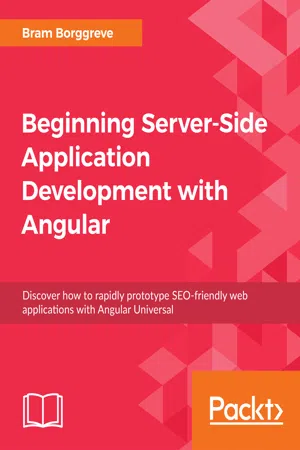
Table of contents

  1. Beginning Server-Side Application Development with Angular