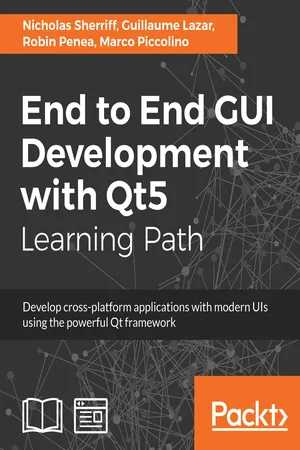
End to End GUI Development with Qt5
eBook - ePub

End to End GUI Development with Qt5

Develop cross-platform applications with modern UIs using the powerful Qt framework

  1. 1,150 pages
  2. English
  3. ePUB (mobile friendly)
  4. Available on iOS & Android
eBook - ePub

End to End GUI Development with Qt5

Develop cross-platform applications with modern UIs using the powerful Qt framework

About this book

Learn the complete Qt ecosystem and its tools and build UIs for mobile and desktop applications

Key Features

  • Unleash the power of the latest Qt 5.9 with C++14
  • Easily compile, run, and debug your applications from the powerful Qt Creator IDE
  • Build multi-platform projects that target Android, iOS, Windows, MacOS, Linux, and more

Book Description

Qt 5.9 is an application development framework that provides a great user experience and develops full-capability applications with Qt Widgets, QML, and even Qt 3D. This learning path demonstrates the power and flexibility of the Qt framework for desktop application development and shows how you can write an application once and deploy it to multiple operating systems. It will address all the challenges while developing cross-platform applications with the Qt framework.

This course will give you a better understanding of the Qt framework and tools to resolve serious issues such as linking, debugging, and multithreading. It will also upskill you by explaining how to create a to-do-style app and taking you through all the stages in building a successful project. You will build a suite of apps; while developing these apps, you'll deepen your knowledge of Qt Quick's layout systems, and see Qt 3D and widgets in action. The next project will be in the industrial and agricultural sectors: making sense of sensor data via a monitoring system. Your apps should run seamlessly across devices and operating systems such as Android, iOS, Windows, or Mac, and be cost-effective by integrating with existing web technologies. You take the role of lead developer and prototype a monitoring system. In doing so, you'll get to know Qt's Bluetooth and HTTP APIs, as well as the Charts and Web Engine UI modules. These projects will help you gain a holistic view of the Qt framework.

What you will learn

  • Install and configure the Qt Framework and Qt Creator IDE
  • Implement a rich user interface with QML
  • Learn the fundamentals of QtTest and how to integrate unit testing
  • Create stunning UIs with Qt Widget and Qt Quick
  • Develop powerful, cross-platform applications with the Qt framework
  • Design GUIs with Qt Designer and build a library in it for UI previews
  • Build a desktop UI with widgets and Designer
  • Get familiar with multimedia components to handle visual input and output

Who this book is for

This book will appeal to developers and programmers who would like to build GUI-based applications. Knowledge of C++ is necessary and a basic familiarity with Qt would be helpful.

Tools to learn more effectively

Saving Books

Saving Books

Keyword Search

Keyword Search

Annotating Text

Annotating Text

Listen to it instead

Listen to it instead

Information

Persistence

In Chapter 5, Data, we created a framework for capturing and holding data in memory. However, this is only half of the story, as without persisting the data to some external destination, it will be lost as soon as we close the application. In this chapter, we will build on our earlier work and save our data to disk in a SQLite database so that it can live on beyond the lifetime of the application. Once saved, we will also build methods for finding, editing, and deleting our data. To get all these operations for free in our various data models, we will extend our data entities so that they can load and save to our database automatically, without us having to write boilerplate code in each class. We will cover the following topics:
  • SQLite
  • Primary keys
  • Creating clients
  • Finding clients
  • Editing clients
  • Deleting clients

SQLite

General purpose database technology has fragmented in the recent years with the explosion of NoSQL and Graph databases. However, SQL databases are still fighting fit and absolutely an appropriate choice in a lot of applications. Qt comes with built-in support for several SQL database driver types, and can be extended with custom drivers. MySQL and PostgreSQL are very popular open source SQL database engines and are both supported by default, but are intended for use on servers and require administration, which makes them a bit unnecessarily complicated for our purposes. Instead, we will use the much more lightweight SQLite, which is commonly used as a client-side database and is very popular in mobile applications due to its small footprint.
According to the official website at https://www.sqlite.org, "SQLite is a self-contained, high-reliability, embedded, full-featured, public-domain, SQL database engine. SQLite is the most used database engine in the world". Paired with Qt's SQL related classes, it's a snap to create a database and store your data.
The first thing we need to do is add the SQL module to our library project to get access to all of Qt’s SQL goodness. In cm-lib.pro, add the following:
QT += sql
Next, we’ll take onboard what we discussed in the previous chapter and implement our database-related functionality behind an interface. Create a new i-database-controller.h header file in cm-lib/source/controllers:
#ifndef IDATABASECONTROLLER_H #define IDATABASECONTROLLER_H #include <QJsonArray> #include <QJsonObject> #include <QList> #include <QObject> #include <QString> #include <cm-lib_global.h> namespace cm { namespace controllers { class CMLIBSHARED_EXPORT IDatabaseController : public QObject { Q_OBJECT public: IDatabaseController(QObject* parent) : QObject(parent){} virtual ~IDatabaseController(){} virtual bool createRow(const QString& tableName, const QString& id, 
const QJsonObject& jsonObject) const = 0;
virtual bool deleteRow(const QString& tableName, const QString& id)
const = 0;
virtual QJsonArray find(const QString& tableName, const QString&
searchText) const = 0;
virtual QJsonObject readRow(const QString& tableName, const
QString& id) const = 0;
virtual bool updateRow(const QString& tableName, const QString& id,
const QJsonObject& jsonObject) const = 0;
}; }} #endif
Here, we are implementing the four basic functions of (Create, Read, Update, and Delete) CRUD, which are relevant to persistent storage in general, not just SQL databases. We supplement these functions with an additional find() method that we will use to find an array of matching clients based on supplied search text.
Now, let’s create a concrete implementation of the interface. Create a new DatabaseController class in cm-lib/source/controllers.
database-controller.h:
#ifndef DATABASECONTROLLER_H #define DATABASECONTROLLER_H #include <QObject> #include <QScopedPointer> #include <controllers/i-database-controller.h> #include <cm-lib_global.h> namespace cm { namespace controllers { class CMLIBSHARED_EXPORT DatabaseController : public IDatabaseController { Q_OBJECT public: explicit DatabaseController(QObject* parent = nullptr); ~DatabaseController(); bool createRow(const QString& tableName, const QString& id, const 
QJsonObject& jsonObject) const override;
bool deleteRow(const QString& tableName, const QString& id) const
override;
QJsonArray find(const QString& tableName, const QString&
searchText) const override;
QJsonObject readRow(const QString& tableName, const QString& id)
const override;
bool updateRow(...

Table of contents

  1. Title Page - Courses
  2. Copyright and Credits - Courses
  3. Packt Upsell - Courses
  4. Preface
  5. Learn Qt 5
  6. Hello Qt
  7. Project Structure
  8. User Interface
  9. Style
  10. Data
  11. Unit Testing
  12. Persistence
  13. Web Requests
  14. Wrapping Up
  15. Mastering Qt 5
  16. Discovering QMake Secrets
  17. Dividing Your Project and Ruling Your Code
  18. Conquering the Desktop UI
  19. Dominating the Mobile UI
  20. Even Qt Deserves a Slice of Raspberry Pi
  21. Third-Party Libraries Without a Headache
  22. Animations - Its Alive, Alive!
  23. Keeping Your Sanity with Multithreading
  24. Need IPC? Get Your Minions to Work
  25. Having Fun with Serialization
  26. You Shall (Not) Pass with QTest
  27. All Packed and Ready to Deploy
  28. Qt Hat Tips and Tricks
  29. Qt 5 Projects
  30. Writing Acceptance Tests and Building a Visual Prototype
  31. Defining a Solid and Testable App Core
  32. Wiring User Interaction and Delivering the Final App
  33. Learning About Laying Out Components by Making a Page Layout Tool
  34. Creating a Scene Composer to Explore 3D Capabilities
  35. Building an Entity-Aware Text Editor for Writing Dialogue
  36. Sending Sensor Readings to a Device with a Non-UI App
  37. Building a Mobile Dashboard to Display Real-Time Sensor Data
  38. Running a Web Service and an HTML5 Dashboard
  39. Additional and Upcoming Qt Features
  40. Bibliography

Frequently asked questions

Yes, you can cancel anytime from the Subscription tab in your account settings on the Perlego website. Your subscription will stay active until the end of your current billing period. Learn how to cancel your subscription
No, books cannot be downloaded as external files, such as PDFs, for use outside of Perlego. However, you can download books within the Perlego app for offline reading on mobile or tablet. Learn how to download books offline
Perlego offers two plans: Essential and Complete
  • Essential is ideal for learners and professionals who enjoy exploring a wide range of subjects. Access the Essential Library with 800,000+ trusted titles and best-sellers across business, personal growth, and the humanities. Includes unlimited reading time and Standard Read Aloud voice.
  • Complete: Perfect for advanced learners and researchers needing full, unrestricted access. Unlock 1.4M+ books across hundreds of subjects, including academic and specialized titles. The Complete Plan also includes advanced features like Premium Read Aloud and Research Assistant.
Both plans are available with monthly, semester, or annual billing cycles.
We are an online textbook subscription service, where you can get access to an entire online library for less than the price of a single book per month. With over 1 million books across 990+ topics, we’ve got you covered! Learn about our mission
Look out for the read-aloud symbol on your next book to see if you can listen to it. The read-aloud tool reads text aloud for you, highlighting the text as it is being read. You can pause it, speed it up and slow it down. Learn more about Read Aloud
Yes! You can use the Perlego app on both iOS and Android devices to read anytime, anywhere — even offline. Perfect for commutes or when you’re on the go.
Please note we cannot support devices running on iOS 13 and Android 7 or earlier. Learn more about using the app
Yes, you can access End to End GUI Development with Qt5 by Nicholas Sherriff, Guillaume Lazar, Robin Penea, Marco Piccolino in PDF and/or ePUB format, as well as other popular books in Informatique & Applications de bureau. We have over one million books available in our catalogue for you to explore.