eBook - ePub
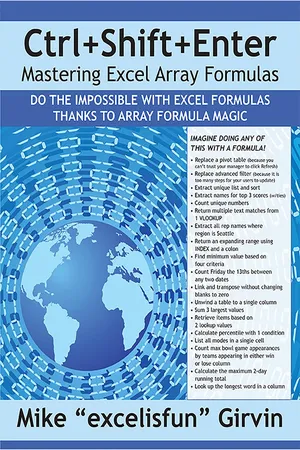
Ctrl+Shift+Enter Mastering Excel Array Formulas
Do the Impossible with Excel Formulas Thanks to Array Formula Magic
- 338 pages
- English
- ePUB (mobile friendly)
- Available on iOS & Android
eBook - ePub
Ctrl+Shift+Enter Mastering Excel Array Formulas
Do the Impossible with Excel Formulas Thanks to Array Formula Magic
About this book
Designed with Excel gurus in mind, this handbook outlines how to create formulas that can be used to solve everyday problems with a series of data values that standard Excel formulas cannot or would be too arduous to attempt. Beginning with an introduction to array formulas, this manual examines topics such as how they differ from ordinary formulas, the benefits and drawbacks of their use, functions that can and cannot handle array calculations, and array constants and functions. Among the practical applications surveyed include how to extract data from tables and unique lists, how to get results that match any criteria, and how to utilize various methods for unique counts. This book contains 529 screen shots.
Information
Chapter 1: Formula Basics
Excel Files
To follow along with the examples in this chapter, you can download the accompanying files, as explained in the Introduction.
What This Book Assumes
This book assumes that you already know how to create formulas. This chapter presents a condensed list of what you should know before starting on the examples in this book. If you feel that you need a review, check out the free Excel Basics Series at the excelisfun channel at YouTube (http://goo.gl/nFDAUp) or purchase the DVD Ctrl+Shift+Enter: Mastering Excel Array Formulas (a separate product from this book). The first video on this DVD contains 31 examples that demonstrate all the formula basics you need in order to succeed with this book.
Excel’s Golden Rule
Excel has a Golden Rule: If formula input data can change, put it in a cell and refer to it with cell references. If data will not change, you can hard code it into a formula. Examples of data that does not change are things like 24 hours in a day and the number 1 in a formula to calculate the complement of a tax rate.
The Golden Rule is the original idea that Dan Bricklin and Bob Frankston had in mind when they invented the first spreadsheet, VisiCalc. Formulas instantly update when you change the value in a cell; this is the leading advantage of formulas over other features in Excel, such as filters and PivotTables.
Formula Elements
To become skilled in creating array formulas, you need to understand the different elements that can go into formulas. Here is a list of the types of things you can put into formulas:
- Equal sign (starts every formula as the first character in a cell)
- Cell references (including defined names, sheet references, workbook references, and table nome...
Table of contents
- Ctrl+Shift+Enter: Mastering Excel Array Formulas
- Dedications
- About the Author
- Acknowledgements
- Introduction
- Chapter 1: Formula Basics
- Chapter 2: Introduction to Array Formulas
- Chapter 3: Math Array Operations
- Chapter 4: Comparative Array Operations and Aggregate Calculations with One or More Conditions
- Chapter 5: Join Array Operations
- Chapter 6: Function Argument Array Operations
- Chapter 7: Array Constants
- Chapter 8: Array Formulas That Deliver More Than One Value
- Chapter 9: A First Look at Array Functions: TRANSPOSE, MODE.MULT, and TREND
- Chapter 10: The Amazing SUMPRODUCT Function (and SUMIFS, Too)
- Chapter 11: Boolean Logic: AND Criteria and OR Criteria
- Chapter 12: When Is an Array Formula Really Needed?
- Chapter 13: Dynamic Ranges with the INDEX and OFFSET Functions
- Chapter 14: Array Formula Efficiency Rules
- Chapter 15: Extracting Data, Based on Criteria
- Chapter 16: The FREQUENCY Array Function
- Chapter 17: Unique Counting Formulas and the Power of the FREQUENCY Function
- Chapter 18: The MMULT Array Function
- Chapter 19: Extracting Unique Lists and Sorting Formulas
- Chapter 20: Conditional Formatting with Array Formulas
- Chapter 21: Data Tables
- Chapter 22: The LINEST Array Function
- Chapter 23: Can You Figure Out How the Huge Array Formula Works?
- Chapter 24: Three Bonus Examples
- Appendix: Array Formula Recap
- Index
Trusted by 375,005 students
Access to over 1.5 million titles for a fair monthly price.
Study more efficiently using our study tools.
Frequently asked questions
Yes, you can cancel anytime from the Subscription tab in your account settings on the Perlego website. Your subscription will stay active until the end of your current billing period. Learn how to cancel your subscription
No, books cannot be downloaded as external files, such as PDFs, for use outside of Perlego. However, you can download books within the Perlego app for offline reading on mobile or tablet. Learn how to download books offline
Perlego offers two plans: Essential and Complete
- Essential is ideal for learners and professionals who enjoy exploring a wide range of subjects. Access the Essential Library with 800,000+ trusted titles and best-sellers across business, personal growth, and the humanities. Includes unlimited reading time and Standard Read Aloud voice.
- Complete: Perfect for advanced learners and researchers needing full, unrestricted access. Unlock 1.5M+ books across hundreds of subjects, including academic and specialized titles. The Complete Plan also includes advanced features like Premium Read Aloud and Research Assistant.
We are an online textbook subscription service, where you can get access to an entire online library for less than the price of a single book per month. With over 1.5 million books across 990+ topics, we’ve got you covered! Learn about our mission
Look out for the read-aloud symbol on your next book to see if you can listen to it. The read-aloud tool reads text aloud for you, highlighting the text as it is being read. You can pause it, speed it up and slow it down. Learn more about Read Aloud
Yes! You can use the Perlego app on both iOS and Android devices to read anytime, anywhere — even offline. Perfect for commutes or when you’re on the go.
Please note we cannot support devices running on iOS 13 and Android 7 or earlier. Learn more about using the app
Please note we cannot support devices running on iOS 13 and Android 7 or earlier. Learn more about using the app
Yes, you can access Ctrl+Shift+Enter Mastering Excel Array Formulas by Mike ExcelisFun Girvin in PDF and/or ePUB format, as well as other popular books in Computer Science & Desktop Applications. We have over 1.5 million books available in our catalogue for you to explore.