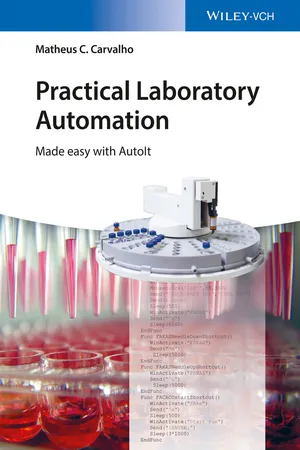
By closing the gap between general programming books and those on laboratory automation, this timely book makes accessible to every laboratory technician or scientist what has traditionally been restricted to highly specialized professionals. Following the idea of "learning by doing", the book provides an introduction to scripting using AutoIt, with many workable examples based on real-world scenarios.
A large portion of the book tackles the traditionally hard problem of instrument synchronization, including remote, web-based synchronization. Automated result processing, database operation, and creation of graphical user interfaces are also examined.
Readers of this book can immediately profit from the new knowledge in terms of both increased efficiency and reduced costs in laboratory operation. Above all, laboratory technicians and scientists will learn that they are free to choose whatever equipment they desire when configuring an automated analytical setup, regardless of manufacturers suggested specifications.
- English
- ePUB (mobile friendly)
- Available on iOS & Android
eBook - ePub
About this book
Information
Table of contents
- Cover
- Title Page
- Copyright
- Dedication
- Table of Contents
- Foreword
- Preface
- Acknowledgments
- Chapter 1: Introduction
- Chapter 2: The Very Basics of AutoIt
- Chapter 3: Timed Scripts
- Chapter 4: Interactive Scripting
- Chapter 5: Scripting with Controls
- Chapter 6: E-mail and Phone Alarms
- Chapter 7: Using Low-Cost Equipment for Laboratory Automation
- Chapter 8: Arrays and Strings
- Chapter 9: Data Processing with Spreadsheets
- Chapter 10: Working with Databases
- Chapter 11: Simple Remote Synchronization
- Chapter 12: Remote Synchronization Using Remote Control Software
- Chapter 13: Text-Based Remote Synchronization
- Chapter 14: Remote Synchronization Using IRC
- Chapter 15: Remote Synchronization Using Windows LAN Tools
- Chapter 16: Remote Synchronization Using Third-Party LAN Software
- Chapter 17: Interacting with Devices via COM Ports
- Chapter 18: Introduction to Graphical User Interface (GUI)
- Chapter 19: Using GUI to Control Instruments
- Chapter 20: Multitasking GUIs
- Chapter 21: Adding Graphical Elements to a GUI
- Chapter 22: Creating GUIs Using Koda
- Chapter 23: Some Suggestions
- Appendix A: Other SciTE Features
- Appendix B: Optical Character Recognition
- Appendix C: Scripting with Nonstandard Controls (UIA)
- Index
- End User License Agreement
Trusted by 375,005 students
Access to over 1.5 million titles for a fair monthly price.
Study more efficiently using our study tools.
Frequently asked questions
Yes, you can cancel anytime from the Subscription tab in your account settings on the Perlego website. Your subscription will stay active until the end of your current billing period. Learn how to cancel your subscription
No, books cannot be downloaded as external files, such as PDFs, for use outside of Perlego. However, you can download books within the Perlego app for offline reading on mobile or tablet. Learn how to download books offline
Perlego offers two plans: Essential and Complete
- Essential is ideal for learners and professionals who enjoy exploring a wide range of subjects. Access the Essential Library with 800,000+ trusted titles and best-sellers across business, personal growth, and the humanities. Includes unlimited reading time and Standard Read Aloud voice.
- Complete: Perfect for advanced learners and researchers needing full, unrestricted access. Unlock 1.5M+ books across hundreds of subjects, including academic and specialized titles. The Complete Plan also includes advanced features like Premium Read Aloud and Research Assistant.
We are an online textbook subscription service, where you can get access to an entire online library for less than the price of a single book per month. With over 1.5 million books across 990+ topics, we’ve got you covered! Learn about our mission
Look out for the read-aloud symbol on your next book to see if you can listen to it. The read-aloud tool reads text aloud for you, highlighting the text as it is being read. You can pause it, speed it up and slow it down. Learn more about Read Aloud
Yes! You can use the Perlego app on both iOS and Android devices to read anytime, anywhere — even offline. Perfect for commutes or when you’re on the go.
Please note we cannot support devices running on iOS 13 and Android 7 or earlier. Learn more about using the app
Please note we cannot support devices running on iOS 13 and Android 7 or earlier. Learn more about using the app
Yes, you can access Practical Laboratory Automation by Matheus C. Carvalho in PDF and/or ePUB format, as well as other popular books in Physical Sciences & Analytic Chemistry. We have over 1.5 million books available in our catalogue for you to explore.