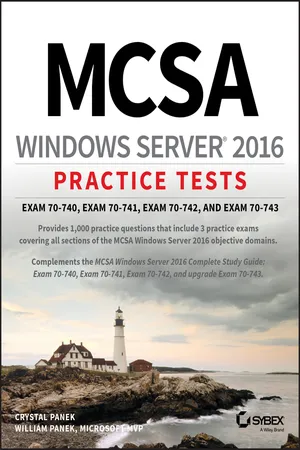
MCSA Windows Server 2016 Practice Tests
Exam 70-740, Exam 70-741, Exam 70-742, and Exam 70-743
- English
- ePUB (mobile friendly)
- Available on iOS & Android
MCSA Windows Server 2016 Practice Tests
Exam 70-740, Exam 70-741, Exam 70-742, and Exam 70-743
About this book
Get prepared for the high-stakes MCSA Windows Server 2016 certification exam
Windows Server 2016 is the latest version of Microsoft's Windows server operating system, and the ideal server for Windows 8/8.1 and Windows 10 desktop clients. Windows Server 2016 will include many new and updated features, including enhancements to Hyper-V, Storage Spaces, and Active Directory.
MCSA Windows Server 2016 Practice Tests provides 10 unique 85-question chapter tests, covering theten MCSA Windows Server 2016 objective domains, PLUSthree additional50-question practice exams, for a total of 1000 practice test questions.
• Practice tests are a popular way for certification candidates to prepare for taking exams
• The practice test questions provide comprehensive coverage of the exam objectives
• Covers all three exams: 70-740, 70-741, 70-742
• Written by a five-time Microsoft MVP Winner
This book helps you gain the confidence you need and prepares you for taking the three required Exams 70-740, 70-741, and 70-742, or upgrade Exam 70-743. The practice test questions prepare you for test success.
Frequently asked questions
- Essential is ideal for learners and professionals who enjoy exploring a wide range of subjects. Access the Essential Library with 800,000+ trusted titles and best-sellers across business, personal growth, and the humanities. Includes unlimited reading time and Standard Read Aloud voice.
- Complete: Perfect for advanced learners and researchers needing full, unrestricted access. Unlock 1.4M+ books across hundreds of subjects, including academic and specialized titles. The Complete Plan also includes advanced features like Premium Read Aloud and Research Assistant.
Please note we cannot support devices running on iOS 13 and Android 7 or earlier. Learn more about using the app.
Information
Chapter 1
Installing Windows Servers in Host and Compute Environments
- 1.1 Install, upgrade, and migrate servers and workloads

- This objective may include but is not limited to: Determine Windows Server 2016 installation requirements; determine appropriate Windows Server 2016 editions per workloads; install Windows Server 2016; install Windows Server 2016 features and roles; install and configure Windows Server Core; manage Windows Server Core installations using Windows PowerShell, command line, and remote management capabilities; implement Windows PowerShell Desired State Configuration (DSC) to install and maintain integrity of installed environments; perform upgrades and migrations of servers and core workloads from Windows Server 2008 and Windows Server 2012 to Windows Server 2016; determine the appropriate activation model for server installation, such as Automatic Virtual Machine Activation (AVMA), Key Management Service (KMS), and Active Directory-Based Activation
- 1.2 Install and configure Nano Server

- This objective may include but is not limited to: Determine appropriate usage scenarios and requirements for Nano Server; install Nano Server; implement Roles and Features on Nano Server; use Nano Server Image Builder; manage and configure Nano Server; manage Nano Server remotely using MMC, Windows PowerShell, and Server Management Tools
- 1.3 Create, manage, and maintain images for deployment

- This objective may include but is not limited to: Plan for Windows Server virtualization; assess virtualization workloads using the Microsoft Assessment and Planning (MAP) Toolkit; determine considerations for deploying workloads into virtualized environments; update images with patches, hotfixes, last cumulative updates, and drivers; install roles and features in offline images; manage and maintain Windows Server Core, Nano Server images, and VHDs using Windows PowerShell
- You are the administrator for your company network and you are looking to install Windows Server 2016. You need to decide which version would best fit your environment. You maintain a small office that has only 10 users and about 20 devices. Which version of Windows Server would fit your needs?
- Windows Server 2016 Datacenter
- Windows Server 2016 Essentials
- Windows Server 2016 Standard
- Windows Server 2016 Web Server Core
- You are the administrator for your company network and you need to figure out what installation type of Windows Server 2016 you want to use. You are looking for a server type that is designed for private clouds and datacenters that will allow you to remotely administer the server operating system. What version should you install?
- Windows Server 2016 (Desktop Experience)
- Windows Server 2016 Server Core
- Windows Server 2016 Nano Server
- Windows Server 2016 Web Server Core
- You are the administrator for your company network. You have a Windows Server 2016 server named Server1. You want to configure Server1 as a multitenant RAS Gateway. What should you install on Server1?
- Network Policy and Access Services server role
- Remote Access server role
- Data Center Bridging feature
- Network Controller server role
- You are the administrator for your company network. You have a Windows Server 2016 server named Server1. This server hosts a line-of-business application named App1. App1 has a memory leak that occasionally causes it to consume an excessive amount of memory. You want to log the event in the Application event log whenever this application consumes more than 4 GB of memory. What should you do?
- Create a system configuration information data collector.
- Create a performance counter data collector.
- Create a performance counter alert data collector.
- Create an event trace data collector.
- You are the administrator for your company network. You have just finished installing Windows Server 2016 on a new server. Your colleague has informed you that it is essential that you activate Windows Server. Which of the following command-line tools can be used to activate Windows Server?
- Netdom C:\windows\system32\slmgr.vbs -ato
- Netsh C:\wind...
Table of contents
- Cover
- Title Page
- Copyright
- Dedication
- Acknowledgments
- About the Author
- About the Technical Editor
- Introduction
- Chapter 1 Installing Windows Servers in Host and Compute Environments
- Chapter 2 Implement Storage Solutions
- Chapter 3 Implement Hyper-V
- Chapter 4 Implement Windows Containers
- Chapter 5 Implement High Availability
- Chapter 6 Implement Domain Name System (DNS)
- Chapter 7 Implement Network Connectivity and Remote Access Solutions
- Chapter 8 Implement an Advanced Network Infrastructure
- Chapter 9 Install and Configure Active Directory Domain Services (AD DS)
- Chapter 10 Implement Identity Federation and Access Solutions
- Chapter 11 Practice Exam 70-740: Installation, Storage, and Compute with Windows Server 2016
- Chapter 12 Practice Exam 70-741: Networking with Windows Server 2016
- Chapter 13 Practice Exam 70-742: Identity with Windows Server 2016
- Appendix Answers to Practice Tests
- Index
- Advert
- End User License Agreement