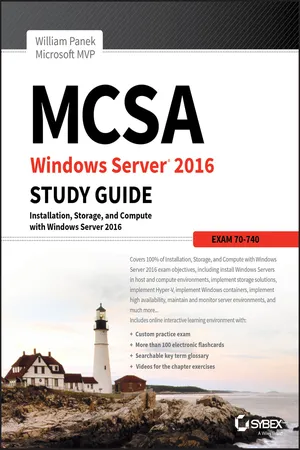
MCSA Windows Server 2016 Study Guide: Exam 70-740
eBook - ePub

MCSA Windows Server 2016 Study Guide: Exam 70-740

  1. English
  2. ePUB (mobile friendly)
  3. Available on iOS & Android
eBook - ePub

MCSA Windows Server 2016 Study Guide: Exam 70-740

About this book

The bestselling MCSA 70-740 study guide, updated for the latest exam

MCSA Windows Server 2016 Study Guide is your ultimate resource for Exam 70-740. Covering 100% of all exam objectives, this study guide goes far beyond concept review with real-world scenarios containing expert insights, chapter review questions, hands-on practice exercises while the Sybex interactive learning environment provides additional last minute review through practice exams, electronic flashcards, and searchable glossary. This new edition has been fully updated to align with the Windows Server 2016 exam, featuring authoritative coverage of installation, configuration, server roles, Hyper-V, core network services, Active Directory, Group Policy, security, remote access, disaster recovery, and more.

The vast majority of servers around the world use Windows Server, and the 2016 release includes a host of new features and updates. This study guide has been updated to prepare you for these changes so you can be confident on exam day and beyond.

  • Study 100% of Exam 70-740 objectives
  • Gain hands-on practice performing critical tasks
  • Link concept to practice through real-world scenarios
  • Access to the Sybex interactive learning environment

Whether you want to sit for the exam, or simply improve your job performance, this Sybex study guide will give you the expert insight to learn the key concepts and latest updates to Windows Server 2016.


Frequently asked questions

Yes, you can cancel anytime from the Subscription tab in your account settings on the Perlego website. Your subscription will stay active until the end of your current billing period. Learn how to cancel your subscription.
No, books cannot be downloaded as external files, such as PDFs, for use outside of Perlego. However, you can download books within the Perlego app for offline reading on mobile or tablet. Learn more here.
Perlego offers two plans: Essential and Complete
  • Essential is ideal for learners and professionals who enjoy exploring a wide range of subjects. Access the Essential Library with 800,000+ trusted titles and best-sellers across business, personal growth, and the humanities. Includes unlimited reading time and Standard Read Aloud voice.
  • Complete: Perfect for advanced learners and researchers needing full, unrestricted access. Unlock 1.4M+ books across hundreds of subjects, including academic and specialized titles. The Complete Plan also includes advanced features like Premium Read Aloud and Research Assistant.
Both plans are available with monthly, semester, or annual billing cycles.
We are an online textbook subscription service, where you can get access to an entire online library for less than the price of a single book per month. With over 1 million books across 1000+ topics, we’ve got you covered! Learn more here.
Look out for the read-aloud symbol on your next book to see if you can listen to it. The read-aloud tool reads text aloud for you, highlighting the text as it is being read. You can pause it, speed it up and slow it down. Learn more here.
Yes! You can use the Perlego app on both iOS or Android devices to read anytime, anywhere — even offline. Perfect for commutes or when you’re on the go.
Please note we cannot support devices running on iOS 13 and Android 7 or earlier. Learn more about using the app.
Yes, you can access MCSA Windows Server 2016 Study Guide: Exam 70-740 by William Panek in PDF and/or ePUB format, as well as other popular books in Computer Science & Certification Guides in Computer Science. We have over one million books available in our catalogue for you to explore.

Chapter 1
Installing Windows Server 2016

THE FOLLOWING 70-740 EXAM OBJECTIVES ARE COVERED IN THIS CHAPTER:
  • images
    Install, upgrade, and migrate servers and workloads
    • This objective may include but is not limited to: Determine Windows Server 2016 installation requirements; determine appropriate Windows Server 2016 editions per workloads; install Windows Server 2016; install Windows Server 2016 features and roles; install and configure Windows Server Core; manage Windows Server Core installations using Windows PowerShell, command line, and remote management capabilities; implement Windows PowerShell Desired State Configuration (DSC) to install and maintain integrity of installed environments; perform upgrades and migrations of servers and core workloads from Windows Server 2008 and Windows Server 2012 to Windows Server 2016; determine the appropriate activation model for server installation, such as Automatic Virtual Machine Activation (AVMA), Key Management Service (KMS), and Active Directory-based Activation.
  • images
    Install and configure Nano Server
    • This objective may include but is not limited to: Determine appropriate usage scenarios and requirements for Nano Server; install Nano Server; implement Roles and Features on Nano Server.
So, you have decided to start down the track of Windows Server 2016. The first question you must ask yourself is what’s the first step? Well, the first step is to learn about what Windows Server 2016 features and benefits are available and how these features can help improve your organization’s network.
So that’s where I am going to start. I will talk about the different Windows Server 2016 versions and what version may be best for you. After I show you some of the new and improved Windows Server 2016 features, I will then show you how to install these different versions onto your network.
I will also show you how to use some PowerShell commands in the Windows Server 2016 installation. Let’s dive right into the server by talking about some of the new features and advantages of Windows Server 2016.

The Windows Server 2016 installations will all be done on a virtual server. You can use any virtual software as long as its supports Windows Server 2016 and 64-bit processors.

Features and Advantages of Windows Server 2016

Before I show how to install and configure Windows Server 2016, let’s take a look at some of the new features and the advantages it offers. Microsoft has stated that Windows Server 2016 is “the cloud-ready operating system.” This means that many of the features of Windows Server 2016 are built and evolve around cloud based software and networking.

Since many of you will be upgrading from previous versions of Windows Server, these are the new and/or improved features introduced by Microsoft since then. I will specifically identify any new features or advantages that are new to Windows Server 2016 only.
I will talk about all of these features in greater detail throughout this book. What follows are merely brief descriptions.
Built-in Security Microsoft has always tried to make sure that their operating systems are as secure as possible, but with Windows Server 2016, Microsoft has included built-in breach resistance. This feature helps stop attackers on your system and allows a company to meet any compliance requirements.
Active Directory Certificate Services Active Directory Certificate Services (AD CS) provides a customizable set of services that allow you to issue and manage public key infrastructure (PKI) certificates. These certificates can be used in software security systems that employ public key technologies.
Active Directory Domain Services Active Directory Domain Services (AD DS) includes new features that make deploying domain controllers simpler and that let you implement them faster. AD DS also makes the domain controllers more flexible, both to audit and to authorize for access to files. Moreover, AD DS has been designed to make performing administrative tasks easier through consistent graphical and scripted management experiences.
Active Directory Rights Management Services Active Directory Rights Management Services (AD RMS) provides management and development tools that let you work with industry security technologies, including encryption, certificates, and authentication. Using these technologies allows organizations to create reliable information protection solutions.
BitLocker BitLocker is a tool that allows you to encrypt the hard drives of your computer. By encrypting the hard drives, you can provide enhanced protection against data theft or unauthorized exposure of your computers or removable drives that are lost or stolen.
BranchCache BranchCache allows data from files and web servers on a wide area network (WAN) to be cached on computers at a local branch office. By using BranchCache, you can improve application response times while also reducing WAN traffic. Cached data can be either distributed across peer client computers (distributed cache mode) or centrally hosted on a server...

Table of contents

  1. Cover
  2. Title page
  3. Copyright
  4. Dedication
  5. Acknowledgments
  6. About the Author
  7. Introduction
  8. Assessment Test
  9. Chapter 1 Installing Windows Server 2016
  10. Chapter 2 Installing in the Enterprise
  11. Chapter 3 Configuring Storage and Replication
  12. Chapter 4 Understanding Hyper-V
  13. Chapter 5 Configuring High Availability
  14. Chapter 6 Understanding Clustering
  15. Chapter 7 Configuring Windows Containers
  16. Chapter 8 Maintaining Windows Server
  17. Chapter 9 Understanding Monitoring
  18. Appendix Answers to the Review Questions
  19. Advert
  20. EULA