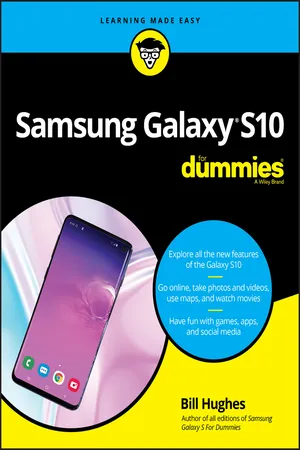
Samsung Galaxy S10 For Dummies
eBook - ePub

Samsung Galaxy S10 For Dummies

  1. English
  2. ePUB (mobile friendly)
  3. Available on iOS & Android
eBook - ePub

Samsung Galaxy S10 For Dummies

About this book

The bestselling guide to your new Samsung 

This book documents all the features and capabilities of Samsung Galaxy S10 device, approaching them from the point of view of a user who is intimidated by the technology and baffled by the documentation and online support that comes with the phones. All aspects of the suite of devices are covered, from setup and configuration, to extensive use of the phone features and capabilities:  texting, e-mailing, accessing the Internet, maps, navigation, camera and video, social networking, taking pictures, watching movies, downloading apps, synching with a PC, and expanding the phone's potential with new software releases.

The accessible and fun writing style provides clear direction and doesn't hinder the book's important content and coverage. Readers will keep this book close by, referring to it often as they explore the features of their new Samsung Galaxy S10 smartphone. 

  • Navigate your phone
  • Use mobile data technology
  • Send and receive messages
  • Have fun with apps 

If you're baffled by the documentation and online support that comes with your phone, your solution is here!

Trusted by 375,005 students

Access to over 1.5 million titles for a fair monthly price.

Study more efficiently using our study tools.

Information

Publisher
For Dummies
Year
2019
Print ISBN
9781119579397
Edition
1
eBook ISBN
9781119579441
Part 1

Getting Started with the Samsung Galaxy S10

IN THIS PART …
Review the capabilities of cellphones and what sets smartphones apart.
Turn off your phone and manage sleep mode.
Chapter 1

Exploring What You Can Do with Your Phone

IN THIS CHAPTER
Bullet
Reviewing the basic capabilities of just about any mobile phone
Bullet
Understanding what sets smartphones apart
Bullet
Mapping out what makes Samsung Galaxy S10 phones so cool
Bullet
Getting you prepared to enjoy your phone
Whether you want just the basics from a mobile phone (make and take phone calls, customize your ringtone, take some pictures, maybe use a Bluetooth headset) or you want your phone to be always by your side (a tool for multiple uses throughout your day), you can make that happen. In this chapter, I outline all the things your Samsung Galaxy S10 can do — from the basics to what makes Galaxy S10 phones different from the rest.

Discovering the Basics of Your Phone

All mobile phones on the market today include basic functions, and even some entry-level phones are a little more sophisticated. Of course, Samsung includes all basic functions on the Galaxy S10 model. In addition to making and taking calls (see Chapter 3) and sending and receiving texts (see Chapter 4), the Galaxy S10 sports the following basic features:
  • 16MP digital camera: This resolution is more than enough for posting good-quality images on the Internet and even having 8-x-10-inch prints made. There is also a front-facing camera with 10MP that is useful for videoconference calls and selfies. Your phone has some amazing capabilities (see Chapter 9 for more information).
  • Ringtones: You can replace the standard ringtone with custom ringtones that you download to your phone. You also can specify different rings for different numbers.
  • Bluetooth: The Galaxy S10 phone supports stereo and standard Bluetooth devices. (See Chapter 3 for more on Bluetooth.)
  • High-resolution screen: The Galaxy S10 and S10+ offer the highest-resolution touchscreens on the market (3,200 x 1,800 pixels); the S10E is not too far behind, with full HD+ resolution.
  • Capacitive touchscreen: The Galaxy S10 phone offers a very slick touchscreen that’s sensitive enough to allow you to interact with the screen accurately, but not so sensitive that it’s hard to manage. In addition, it has an optional setting that steps up the sensitivity for special circumstances, like when you want to use one hand!

Taking Your Phone to the Next Level: The Smartphone Features

In addition to the basic capabilities of any entry-level phone, the Galaxy S10, which is based on the popular Android platform for mobile devices, has capabilities associated with other smartphones, such as the Apple iPhone:
  • Internet access: Access websites through a web browser on your phone.
  • Photos: The Galaxy S10 comes with a very intelligent camera that has millions of combinations of settings, filters, and resolutions and also has the capability to manage photos. The S10 and the S10+ also come with a wide-angle lens and a telephoto lens.
  • Wireless email: Send and receive email from your phone.
  • Multimedia: Play music and videos on your phone.
  • Contact Manager: The Galaxy S10 lets you take shortcuts that save you from having to enter someone’s ten-digit number each time you want to call or text a friend. In fact, the Contact Manager can track all the numbers that an individual might have, store an email address and photo for the person, and synchronize with the program you use for managing contacts on both your personal and work PCs!
  • Digital camcorder: The Galaxy S10 comes with a built-in digital camcorder that records live video at a resolution that you can set, including 4K/UHD (ultra-high definition, which is the resolution that is available on the newest televisions).
  • Mapping and directions: The Galaxy S10 uses GPS (Global Positioning System) along with other complementary positioning systems to tell you where you are, find local services that you need, and give you directions to where you want to go.
  • Fitness information: The Galaxy S10 automatically tracks important health information within the phone and with external sensors.
  • Business applications: The Galaxy S10 can keep you productive while you’re away from the office.
I go into each of these capabilities in greater detail in the following sections.

Internet access

Until a few years ago, the only way to access the Internet when you were away from a desk was with a laptop. Smartphones are a great alternative to laptops because they’re small, convenient, and ready to launch their web browsers right away. Even more important, when you have a smartphone, you can access the Internet wherever you are — whether Wi-Fi is available or not.
The drawback to smartphones, however, is that their screen size is smaller than that of even the most basic laptop. On the Galaxy S10 phone, you can use the standard version of a website if you want. You can pinch and stretch your way to get the information you want. (See Chapter 2 for more information on pinching and stretching. For more information on accessing the Internet from your Galaxy S10 phone, turn to Chapter 7.)
To make things a bit easier, many popular websites offer an easier-to-use app that you can download and install on your phone. This is discussed in detail in Chapter 8. Essentially, the website reformats the information from the site so that it’s easier to read and navigate in the mobile environment. Figure 1-1 compares a regular website with the app version of that website.
Screen captures depicting full web page and mobile app home page of yelp.com.
FIGURE 1-1: A website and the app version of the main site.

Photos

The image application on your phone helps you use the digital camera on your Galaxy S10 phone to its full potential. It would almost make sense to call the Samsung Galaxy S10 a smart camera with a built-in phone! There are all kinds of smarts in these applications that automatically figure out what you’re trying to do and make it so that you’re suddenly the next Ansel Adams.
Studies have found that cellphone users tend to snap a bunch of pictures within the first month of phone usage. After that, the photos sit on the phone (instead of being downloaded to a computer), and the picture-taking rate drops dramatically.
The Galaxy S10 image management application is different. You can integrate your camera images into your home photo library, as well as photo-sharing sites such as Google Photos and Instagram, with minimal effort.
For more on how to use the Photo applications, turn ...

Table of contents

  1. Cover
  2. Table of Contents
  3. Introduction
  4. Part 1: Getting Started with the Samsung Galaxy S10
  5. Part 2: Communicating with Other People
  6. Part 3: Living on the Internet
  7. Part 4: Having Fun with Your Phone
  8. Part 5: Getting Down to Business
  9. Part 6: The Part of Tens
  10. Index
  11. About the Author
  12. Advertisement Page
  13. Connect with Dummies
  14. End User License Agreement

Frequently asked questions

Yes, you can cancel anytime from the Subscription tab in your account settings on the Perlego website. Your subscription will stay active until the end of your current billing period. Learn how to cancel your subscription
No, books cannot be downloaded as external files, such as PDFs, for use outside of Perlego. However, you can download books within the Perlego app for offline reading on mobile or tablet. Learn how to download books offline
Perlego offers two plans: Essential and Complete
  • Essential is ideal for learners and professionals who enjoy exploring a wide range of subjects. Access the Essential Library with 800,000+ trusted titles and best-sellers across business, personal growth, and the humanities. Includes unlimited reading time and Standard Read Aloud voice.
  • Complete: Perfect for advanced learners and researchers needing full, unrestricted access. Unlock 1.5M+ books across hundreds of subjects, including academic and specialized titles. The Complete Plan also includes advanced features like Premium Read Aloud and Research Assistant.
Both plans are available with monthly, semester, or annual billing cycles.
We are an online textbook subscription service, where you can get access to an entire online library for less than the price of a single book per month. With over 1.5 million books across 990+ topics, we’ve got you covered! Learn about our mission
Look out for the read-aloud symbol on your next book to see if you can listen to it. The read-aloud tool reads text aloud for you, highlighting the text as it is being read. You can pause it, speed it up and slow it down. Learn more about Read Aloud
Yes! You can use the Perlego app on both iOS and Android devices to read anytime, anywhere — even offline. Perfect for commutes or when you’re on the go.
Please note we cannot support devices running on iOS 13 and Android 7 or earlier. Learn more about using the app
Yes, you can access Samsung Galaxy S10 For Dummies by Bill Hughes in PDF and/or ePUB format, as well as other popular books in Computer Science & Computer Networking. We have over 1.5 million books available in our catalogue for you to explore.