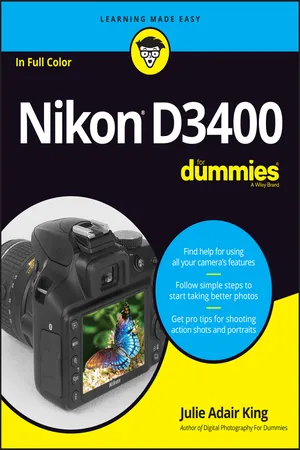
Nikon D3400 For Dummies
eBook - ePub

Nikon D3400 For Dummies

  1. English
  2. ePUB (mobile friendly)
  3. Available on iOS & Android
eBook - ePub

Nikon D3400 For Dummies

About this book

Discover the essentials to getting better photos with the Nikon DLSLR D3400

The Nikon D3400 hits stores as Nikon's most advanced entry-level DSLR camera. Along with the pixel power to deliver sharp images, it also offers tools to be instantly creative and quickly share photos to a smartphone. This book will get you up to speed on the D3400 in a flash—teaching you all the basic photography skills needed to get great shots from a DSLR camera, while also giving you clear, hands-on guidance through the D3400's specific controls.

Nikon D3400 for Dummies helps you learn the ins and outs of the Nikon D3400, including how to get started right away in auto mode, get creative with scene modes, and take full control in manual mode. Filled with practical, easy-to-follow instructions, this book will help you transform from an inexperienced beginner to an advanced shutterbug whose shots could grace the cover of any popular magazine.

  • Get the lowdown on the controls and settings on a Nikon D3400
  • Learn how pro photographers set their cameras to get better shots
  • Discover the tools that control your camera's exposure settings
  • Put your newfound knowledge together to shoot better portraits, action shots, and low-light images

If you're ready to put down your dinky, dim-lit, non-zooming smartphone and pick up a real professional-grade DSLR camera, do so with the help of Nikon D3400 for Dummies.

Frequently asked questions

Yes, you can cancel anytime from the Subscription tab in your account settings on the Perlego website. Your subscription will stay active until the end of your current billing period. Learn how to cancel your subscription.
No, books cannot be downloaded as external files, such as PDFs, for use outside of Perlego. However, you can download books within the Perlego app for offline reading on mobile or tablet. Learn more here.
Perlego offers two plans: Essential and Complete
  • Essential is ideal for learners and professionals who enjoy exploring a wide range of subjects. Access the Essential Library with 800,000+ trusted titles and best-sellers across business, personal growth, and the humanities. Includes unlimited reading time and Standard Read Aloud voice.
  • Complete: Perfect for advanced learners and researchers needing full, unrestricted access. Unlock 1.4M+ books across hundreds of subjects, including academic and specialized titles. The Complete Plan also includes advanced features like Premium Read Aloud and Research Assistant.
Both plans are available with monthly, semester, or annual billing cycles.
We are an online textbook subscription service, where you can get access to an entire online library for less than the price of a single book per month. With over 1 million books across 1000+ topics, we’ve got you covered! Learn more here.
Look out for the read-aloud symbol on your next book to see if you can listen to it. The read-aloud tool reads text aloud for you, highlighting the text as it is being read. You can pause it, speed it up and slow it down. Learn more here.
Yes! You can use the Perlego app on both iOS or Android devices to read anytime, anywhere — even offline. Perfect for commutes or when you’re on the go.
Please note we cannot support devices running on iOS 13 and Android 7 or earlier. Learn more about using the app.
Yes, you can access Nikon D3400 For Dummies by Julie Adair King in PDF and/or ePUB format, as well as other popular books in Media & Performing Arts & Digital Media. We have over one million books available in our catalogue for you to explore.

Information

Publisher
For Dummies
Year
2016
Print ISBN
9781119336242
eBook ISBN
9781119336327
Part 1

Fast Track to Super Snaps

IN THIS PART …
Familiarize yourself with the basics of using your camera, from attaching lenses to navigating menus.
Find out how to select the exposure mode, Release mode, Image Size (resolution), and Image Quality (JPEG or Raw file type).
Discover options available for flash photography.
Get step-by-step help with shooting your first pictures in Auto Mode, Flash Off Mode, and the Scene modes.
Chapter 1

Getting Up and Running

IN THIS CHAPTER
check
Preparing the camera for its first outing
check
Getting acquainted with camera features
check
Viewing and adjusting camera settings
check
Setting a few basic preferences
check
Restoring original camera settings
Shooting for the first time with a camera as sophisticated as the Nikon D3400 can produce a blend of excitement and anxiety. On one hand, you can’t wait to start using your new equipment, but on the other, you’re a little intimidated by all its buttons, dials, and menu options.
Well, fear not: This chapter provides the information you need to start getting comfortable with your D3400. The first section walks you through initial camera setup; following that, you can get an overview of camera controls, discover how to view and adjust camera settings, and get my take on some basic setup options.

Preparing the Camera for Initial Use

After unpacking your camera, you have to assemble a few parts. In addition to the camera body and the supplied battery (be sure to charge it before the first use), you need a lens and a memory card. Later sections in this chapter provide details about working with lenses and memory cards, but here’s what you need to know up front:
  • Lens: You can mount a wide range of lenses on your D3400, but some aren’t compatible with all camera features. For example, to enjoy autofocusing, you need an AF-P or AF-S lens. (The 18-55mm lens featured in this book and sold in a kit with the D3400 body is an AF-P lens.) Your camera manual offers details about lens compatibility.
    technicalstuff
    The AF in AF-S and AF-P stands for autofocus. The S in AF-S stands for a silent wave focusing motor; the P refers to an autofocusing technology known as a “stepping motor.” Both are designed to deliver faster and quieter autofocusing. How you implement autofocusing differs between the two types, however. Read more about this issue later in this chapter, in the section “Familiarizing Yourself with the Lens.”
  • SD (Secure Digital) memory card: Your camera accepts only this type of card. A card with the simple SD designation is an older, lower capacity card that holds a maximum of 4GB of data. Newer SD cards carry the designation SDHC (for High Capacity) or SDXC (for eXtended Capacity), depending on how many gigabytes (GB) of data they hold. SDHC cards hold from 4GB to 32GB of data; the SDXC moniker is assigned to cards with capacities greater than 32GB.
With camera, lens, battery, and card within reach, take these steps:
  1. Turn off the camera.
  2. Install the battery into the compartment on the bottom of the camera.
  3. Attach a lens.
    First, remove the caps that cover the front of the camera and the back of the lens. Then align the mounting index (white dot) on the lens with the one on the camera body, as shown in Figure 1-1. After placing the lens on the camera mount, rotate the lens toward the shutter-button side of the camera. You should feel a solid click as the lens locks into place.
  4. Insert a memory card.
    Open the card-slot cover on the right side of the camera and orient the card, as shown in Figure 1-2. (The label faces the back of the camera.) Push the card gently into the slot and close the cover. The memory-card access light, labeled in the figure, illuminates briefly to let you know that the camera recognizes the card.
  5. Turn on the camera.
  6. If using a retractable lens, unlock and extend the lens.
    The lens barrels of AF-P kit lenses, as well as some AF-S lenses, extend and retract. When you’re not shooting, you can retract the lens so that it takes up less space in your camera bag. But before you can take a picture or even access most camera menu items, you must unlock and extend the lens. A message appears on the camera monitor to remind you of this step.
    remember
    To extend the lens, press the retractable-lens barrel button, highlighted in Figure 1-3, while rotating the lens barrel toward the shutter-button side of the camera. To retract the lens, press the button while rotating the lens in the other direction.
  7. Set the camera language, time zone, date, and time.
    When you power up the camera for the first time, the monitor displays a message asking you to select the menu language and set the time zone, date, and time. Navigate the screens and adjust the settings by using the Multi Selector and the OK button (refer to Figure 1-2):
    • Press the edge of the Multi Selector up and down to move the highlight cursor vertically; press right/left to travel horizontally. Press OK or press the Multi Selector right to reveal options related to the highlighted setting.
    • When a value box is highlighted, press the Multi Selector up/down to change the value. Press left/right to jump to the next value box.
    • After making your selections on a screen, press OK.
    (The later section “Ordering from camera menus” provides more help with using menus.)
    The date/time information is included as metadata (hidden data) in the picture file. You can view metadata in some playback display modes (see Chapter 9) and in certain photo programs, including Nikon ViewNX-i and Nikon Capture NX-D. (Refer to Chapter 10.)
  8. Adjust the viewfinder to your eyesight.
    Tucked behind the right side of the rubber eyepiece that surrounds the viewfinder is a dial that enables you to adjust the viewfinder focus to accommodate your eyesight. I highlighted the dial in Figure 1-4.
    warning
    This step is critical: If you don’t...

Table of contents

  1. Cover
  2. Title Page
  3. Table of Contents
  4. Introduction
  5. Part 1: Fast Track to Super Snaps
  6. Part 2: Beyond the Basics
  7. Part 3: After the Shot
  8. Part 4: The Part of Tens
  9. Appendix: Intro to Nikon SnapBridge
  10. Glossary of Digital Photography Terms
  11. About the Author
  12. Connect with Dummies
  13. End User License Agreement