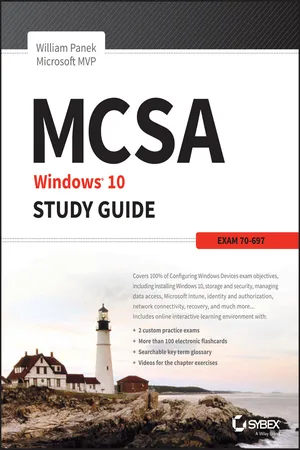
MCSA Microsoft Windows 10 Study Guide
eBook - ePub

MCSA Microsoft Windows 10 Study Guide

Exam 70-697

  1. English
  2. ePUB (mobile friendly)
  3. Available on iOS & Android
eBook - ePub

MCSA Microsoft Windows 10 Study Guide

Exam 70-697

About this book

NOTE: The correct URL to access the Sybex interactive online test bank and study tools is www.wiley.com/go/sybextestprep. The book's back cover, Introduction, and last page in the bookprovided the wrong URL. We apologize for any confusion and inconvenience this may have caused you.
Master 100 percent of Microsoft Windows 10 exam with real-world hands-on practice

MCSA: Microsoft Windows 10 Complete Study Guide is your ultimate preparation resource for the new Windows 10 certification. Fully updated to align with the latest version of the exam, this new edition digs deeper into the intricacies of the Windows OS and provides the most up-to-date information on new Windows 10 technologies. With complete coverage of all exam topics, this invaluable guide walks you through device planning, deployment, and management; network and storage configuration; access, data, app, and recovery management, and much more to help you master the exam material. You also get access to the Sybex interactive online learning environment, featuring electronic flashcards, a searchable glossary, an assessment test, and bonus practice exams designed to give you a preview of exam day.

MCSA: Microsoft Windows 10 is the Microsoft Certified Solutions Associate certification for Windows 10, testing your abilities in a broad variety of associate-level tasks. This book rounds them up into a comprehensive knowledge base to help you clarify, memorize, and deepen your understanding so you can approach exam day with confidence.

  • Master 100 percent of exam 70-697, Configuring Windows Devices, objectives
  • Get more hands-on practice in real-world scenarios
  • Test your knowledge with challenging review questions
  • Access digital study aids and practice tests for comprehensive prep

Windows is the world's leading operating system, with an estimated 90 percent share of the desktop OS market. There are currently over 110 million Windows 10 users, and that number is expected to rise—putting Windows 10 Specialists in high demand in the job market. If you're ready to fill the growing need for trained Windows 10 associates, Microsoft Configuring Windows Devices Study Guide Exam 70-697 has you covered for complete and detailed exam preparation.

Frequently asked questions

Yes, you can cancel anytime from the Subscription tab in your account settings on the Perlego website. Your subscription will stay active until the end of your current billing period. Learn how to cancel your subscription.
No, books cannot be downloaded as external files, such as PDFs, for use outside of Perlego. However, you can download books within the Perlego app for offline reading on mobile or tablet. Learn more here.
Perlego offers two plans: Essential and Complete
  • Essential is ideal for learners and professionals who enjoy exploring a wide range of subjects. Access the Essential Library with 800,000+ trusted titles and best-sellers across business, personal growth, and the humanities. Includes unlimited reading time and Standard Read Aloud voice.
  • Complete: Perfect for advanced learners and researchers needing full, unrestricted access. Unlock 1.4M+ books across hundreds of subjects, including academic and specialized titles. The Complete Plan also includes advanced features like Premium Read Aloud and Research Assistant.
Both plans are available with monthly, semester, or annual billing cycles.
We are an online textbook subscription service, where you can get access to an entire online library for less than the price of a single book per month. With over 1 million books across 1000+ topics, we’ve got you covered! Learn more here.
Look out for the read-aloud symbol on your next book to see if you can listen to it. The read-aloud tool reads text aloud for you, highlighting the text as it is being read. You can pause it, speed it up and slow it down. Learn more here.
Yes! You can use the Perlego app on both iOS or Android devices to read anytime, anywhere — even offline. Perfect for commutes or when you’re on the go.
Please note we cannot support devices running on iOS 13 and Android 7 or earlier. Learn more about using the app.
Yes, you can access MCSA Microsoft Windows 10 Study Guide by William Panek in PDF and/or ePUB format, as well as other popular books in Ciencia de la computación & Guías de certificación en ciencias computacionales. We have over one million books available in our catalogue for you to explore.

Chapter 1
Installing Windows 10

MICROSOFT EXAM OBJECTIVES COVERED IN THIS CHAPTER:
  • ✓ Migrate and configure user data.
    • This objective may include but is not limited to the following subobjectives: migrate user profiles; configure folder location; configure profiles including profile version, local, roaming, and mandatory.
  • ✓ Configure and manage updates.
    • This objective may include but is not limited to the following subobjectives: Configure update settings, configure Windows Update policies, manage update history, roll back updates, update Windows Store apps.
inline
Welcome to Windows 10 and the future of Microsoft Windows computing. In previous editions of Microsoft Windows, Microsoft introduced the networking world to using the cloud for storage. Windows 10 starts to take this even further.
But let’s start at the beginning. Before you can master any Microsoft product, you must know about the different versions of Windows 10 and also how to properly install Windows 10. In this chapter, I will show you the many different features of Windows 10 and describe each edition. I will then show you how to install Windows 10 and set up the user profiles. This is a straightforward process that can be highly automated and user friendly.
Preparing for the installation of Windows 10 involves making sure your hardware meets the minimum requirements and is supported by the operating system. Another consideration when installing Windows 10 is whether you are going to upgrade from a previous version of Windows or install a clean copy on your computer. An upgrade attempts to preserve existing settings; a clean install puts a fresh copy of the operating system on your computer. Installation preparation also involves making choices about your system’s configuration, such as selecting a disk-partitioning scheme.
To complete the Windows 10 installation, you will need to activate the product through Windows Activation. This process is used to reduce software piracy. After Windows 10 is installed, you can keep the operating system up-to-date with postinstallation updates.

Introducing Windows 10

Microsoft Windows 10 is the newest version of Microsoft’s client operating system software. Windows 10 combines the best of Windows 7 and Windows 8.
At the time this book was written, Microsoft has currently released six different versions of the Windows 10 operating system:
  • Windows 10 Home
  • Windows 10 Professional
  • Windows 10 Enterprise
  • Windows 10 Education
  • Windows 10 Mobility
  • Windows 10 Mobility Enterprise
inline
Two of the versions listed previously will not be covered in this book, Windows 10 Mobility and Windows 10 Mobility Enterprise. If you go to Microsoft’s website, you will see both listed and you can see what each offers. But neither of them can be put onto a network, so we don’t cover them in this book.
Windows 10 has been improved in many of the weak areas that plagued Windows 8. Windows 10 has a much faster boot time and shutdown compared to Windows 8. It also brings back the previous Start button that we are all so familiar with from previous editions.
The Windows 10 operating system functions are also faster than their previous counterparts. The processes for opening, moving, extracting, compressing, and installing files and folders are more efficient than they were in previous versions of Microsoft’s client operating systems.
Let’s take a look at some of the features of each Windows 10 edition (this is just an overview of some of the benefits to using Windows 10). Table 1.1 shows each edition and what some of the “core experiences” are for those editions.
Table 1.1 Windows 10 Core Experiences
Feature Home Pro Enterprise Education
Battery saver
Built-in ink support
Cortana integration
Customizable Start Menu
Enterprise-level biometric security
Fast startup with Hiberboot and InstantGo ●...

Table of contents

  1. Cover
  2. Title page
  3. Copyright
  4. Dedication
  5. Acknowledgments
  6. About the Author
  7. Introduction
  8. Assessment Test
  9. Answers to Assessment Test
  10. Chapter 1 Installing Windows 10
  11. Chapter 2 Automated Windows 10 Deployments
  12. Chapter 3 Configuring Storage and Security
  13. Chapter 4 Managing Data Access
  14. Chapter 5 Managing the Windows 10 Environment
  15. Chapter 6 Planning and Managing Microsoft Intune
  16. Chapter 7 Configuring Applications
  17. Chapter 8 Managing Identity and Authorization
  18. Chapter 9 Configuring Network Connectivity
  19. Chapter 10 Configuring Recovery
  20. Appendix Answers to the Review Questions
  21. Advert
  22. EULA