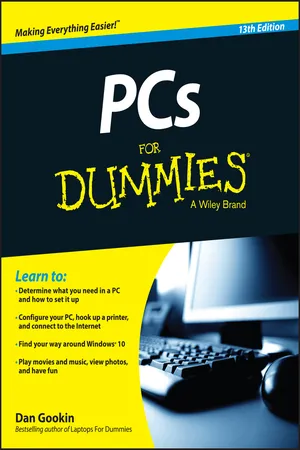
PCs For Dummies
About this book
The bestselling PC reference on the planetânow available in its 13th edition
Completely updated to cover the latest technology and software, the 13th edition of PCs For Dummies tackles using a computer in friendly, human terms. Focusing on the needs of the beginning computer user, while also targeting those who are familiar with PCs, but need to get up to speed on the latest version of Windows. This hands-on guide takes the dread out of working with a personal computer.
Leaving painful jargon and confusing terminology behind, it covers Windows 10 OS, connecting to and using services and data in the cloud, and so much more. Written by Dan Gookin, the original For Dummies author, it tells you how to make a PC purchase, what to look for in a new PC, how to work with the latest operating system, ways to protect your files, what you can do online, media management tips, and even basic topics you're probably too shy to ask a friend about.
- Determine what you need in a PC and how to set it up
- Configure your PC, hook up a printer, and connect to the Internet
- Find your way around Windows 10 OS with ease and confidence
- Play movies and music, view photos, and explore social media
If you're a first-time PC user at home or at work or just need to brush up on the latest technological advancements, the new edition of this bestselling guide gets you up and running fast.
Frequently asked questions
- Essential is ideal for learners and professionals who enjoy exploring a wide range of subjects. Access the Essential Library with 800,000+ trusted titles and best-sellers across business, personal growth, and the humanities. Includes unlimited reading time and Standard Read Aloud voice.
- Complete: Perfect for advanced learners and researchers needing full, unrestricted access. Unlock 1.4M+ books across hundreds of subjects, including academic and specialized titles. The Complete Plan also includes advanced features like Premium Read Aloud and Research Assistant.
Please note we cannot support devices running on iOS 13 and Android 7 or earlier. Learn more about using the app.
Information
Hello, PC!


What Is This Thing, This PC?


Some Quick Questions to Get Out of the Way
âWhat is a PC?â

- The term PC generically refers to any computer that can run the Windows operating system.
- Although your car or sewing machine or the machine that goes âboopâ at the hospital may contain computer electronics, those devices are not PCs.
- Curiously, IBM got out of the PC manufacturing business in the early 2000s.
- The success of the PC is based on its use of off-the-shelf parts that are easily replaced. The PC can also be configured and upgraded with ease, which is the main reason that itâs so popular.

âWhy not just use a tablet or smartphone instead of a PC?â
- Mobile devices are designed for data consumption, not data production. If youâre merely passing through this digital life, you can get by with a phone or tablet and never own a PC. If you need to create something, you need a computer.
- PCs offer several input devices â specifically, the keyboard and the mouse. You can even add a touchscreen to a PC, if youâre into that touchy-tappy-swipey stuff.
- Mobile devices lack the expandability of a PC. You can upgrade a PC, adding more storage, memory, a better monitor, a mouse with 20,000 buttons, and so on.
- The typical computer lasts for years. A mobile device is usually replaced every other year.
âShould I buy a Dell?â
âWill my computer explode?â
Table of contents
- Cover
- Title Page
- Table of Contents
- Introduction
- Part I: Hello, PC!
- Part II: The Nerdâs-Eye View
- Part III: Basic Computing
- Part IV: Your Digital Life
- Part V: Security and Maintenance
- Part VI: The Part of Tens
- About the Author
- Cheat Sheet
- Advertisement Page
- Connect with Dummies
- End User License Agreement