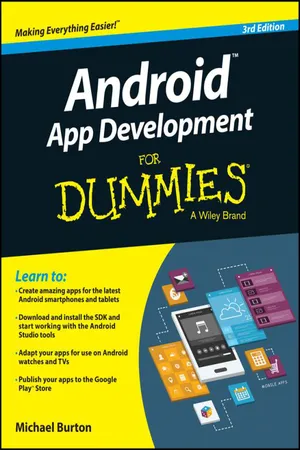
Android App Development For Dummies
eBook - ePub

Android App Development For Dummies

  1. English
  2. ePUB (mobile friendly)
  3. Available on iOS & Android
eBook - ePub

Android App Development For Dummies

About this book

The updated edition of the bestselling guide to Android app development

If you have ambitions to build an Android app, this hands-on guide gives you everything you need to dig into the development process and turn your great idea into a reality! In this new edition of Android App Development For Dummies, you'll find easy-to-follow access to the latest programming techniques that take advantage of the new features of the Android operating system. Plus, two programs are provided: a simple program to get you started and an intermediate program that uses more advanced aspects of the Android platform.

Android mobile devices currently account for nearly 80% of mobile phone market share worldwide, making it the best platform to reach the widest possible audience. With the help of this friendly guide, developers of all stripes will quickly find out how to install the tools they need, design a good user interface, grasp the design differences between phone and tablet applications, handle user input, avoid common pitfalls, and turn a "meh" app into one that garners applause.

  • Create seriously cool apps for the latest Android smartphones and tablets
  • Adapt your existing apps for use on an Android device
  • Start working with programs and tools to create Android apps
  • Publish your apps to the Google Play Store

Whether you're a new or veteran programmer, Android App Development For Dummies will have you up and running with the ins and outs of the Android platform in no time.
Tools to learn more effectively

Saving Books

Saving Books

Keyword Search

Keyword Search

Annotating Text

Annotating Text

Listen to it instead

Listen to it instead

Information

Part I

Getting Started with Your First Android Application

image
webextra
Visit www.dummies.com for great Dummies content online.
In this part . . .
Part I introduces you to the Android platform and describes what makes a spectacular Android application. You explore various parts of the Android software development kit (SDK) and see how to use them in your applications. You install the tools and frameworks necessary to develop Android applications.
Chapter 1

Developing Spectacular Android Applications

In This Chapter
arrow
Seeing reasons to develop Android apps
arrow
Starting with the basics of Android development
arrow
Working with the hardware
arrow
Getting familiar with the software
Google rocks! Google acquired the Android platform in 2005 (see the sidebar “The roots of Android,” later in this chapter) to ensure that a mobile operating system (OS) can be created and maintained in an open platform. Google continues to pump time and resources into the Android project. Though devices have been available only since October 2008, over a billion Android devices have now been activated, and more than a million more are being added daily. In only a few years, Android has already made a huge impact.
It has never been easier for Android developers to make money by developing apps. Android users trust Google, and because your app resides in the Google Play Store, many users will be willing to trust your app, too.

Why Develop for Android?

The real question is, “Why not develop for Android?” If you want your app to be available to millions of users worldwide or if you want to publish apps as soon as you finish writing and testing them or if you like developing on an open platform, you have your answer. But in case you’re still undecided, continue reading.

Market share

As a developer, you have an opportunity to develop apps for a booming market. The number of Android devices in use is greater than the number of devices on all other mobile operating systems combined. The Google Play Store puts your app directly and easily into a user’s hands. Users don’t have to search the Internet to find an app to install — they can simply go to the preinstalled Google Play Store on their devices and have access to all your apps. Because the Google Play Store comes preinstalled on most Android devices (see Chapter 19 for some exceptions), users typically search the Google Play Store for all their application needs. It isn’t unusual to see an app’s number of downloads soar in only a few days.

Time to market

Because of all the application programming interfaces (APIs) packed into Android, you can easily develop full‐featured applications in a relatively short time frame. After you register as a developer at the Google Play Store, simply upload your apps and publish them. Unlike other mobile marketplaces, the Google Play Store has no app approval process. All you have to do is write apps and publish them.
Though anyone can publish almost any type of app, maintain your good karma — and your compliance with the Google terms of service — by producing family‐friendly apps. Android has a diverse set of users from all over the world and of all ages.

Open platform

The Android operating system is an open platform: Any hardware manufacturer or provider can make or sell Android devices. As you can imagine, the openness of Android has allowed it to gain market share quickly. Feel free to dig into the Android source code to see how it works, by visiting https://source.android.com. By using open source code, manufacturers can create custom user interfaces (UIs) and even add new features to certain devices.

Device compatibility

Android can run on devices of many different screen sizes and resolutions, including watches, phones, tablets, televisions, and more. Android comes supplied with tools to help you develop applications that support multiple types of devices. If your app requires a front‐facing camera, for example, only devices with front‐facing cameras can “see” your app in the Google Play Store — an arrangement known as feature detection. (For more information on publishing your apps to the Google Play Store, see Chapter 8.)

Mashup capability

A mashup combines two or more services to create an application. You can create a mashup by using the camera and the Android location services, for example, to take a photo with the exact location displayed on the image. Or you can use the Map API with the Contacts list to show all contacts on a map. You can easily make apps by combining services or libraries in countless new and exciting ways. A few other types of mashups that can help your brain juices start pumping out ideas include the following:
  • Geolocation and social networking: Suppose that you want to write an app that tweets a user’s current location every ten minutes throughout the day. Using the Android location services and a third‐party Twitter API (such as iTwitter), you can do it easily.
  • Geolocation and gaming: Location‐based gaming, which is increas...

Table of contents

  1. Cover
  2. Title Page
  3. Table of Contents
  4. Introduction
  5. Part I: Getting Started with Your First Android Application
  6. Part II: Building and Publishing Your First Application
  7. Part III: Creating a Feature‐Rich Application
  8. Part IV: Android Is More than Phones
  9. Part V: The Part of Tens
  10. About the Author
  11. Cheat Sheet
  12. Connect with Dummies
  13. End User License Agreement

Frequently asked questions

Yes, you can cancel anytime from the Subscription tab in your account settings on the Perlego website. Your subscription will stay active until the end of your current billing period. Learn how to cancel your subscription
No, books cannot be downloaded as external files, such as PDFs, for use outside of Perlego. However, you can download books within the Perlego app for offline reading on mobile or tablet. Learn how to download books offline
Perlego offers two plans: Essential and Complete
  • Essential is ideal for learners and professionals who enjoy exploring a wide range of subjects. Access the Essential Library with 800,000+ trusted titles and best-sellers across business, personal growth, and the humanities. Includes unlimited reading time and Standard Read Aloud voice.
  • Complete: Perfect for advanced learners and researchers needing full, unrestricted access. Unlock 1.4M+ books across hundreds of subjects, including academic and specialized titles. The Complete Plan also includes advanced features like Premium Read Aloud and Research Assistant.
Both plans are available with monthly, semester, or annual billing cycles.
We are an online textbook subscription service, where you can get access to an entire online library for less than the price of a single book per month. With over 1 million books across 990+ topics, we’ve got you covered! Learn about our mission
Look out for the read-aloud symbol on your next book to see if you can listen to it. The read-aloud tool reads text aloud for you, highlighting the text as it is being read. You can pause it, speed it up and slow it down. Learn more about Read Aloud
Yes! You can use the Perlego app on both iOS and Android devices to read anytime, anywhere — even offline. Perfect for commutes or when you’re on the go.
Please note we cannot support devices running on iOS 13 and Android 7 or earlier. Learn more about using the app
Yes, you can access Android App Development For Dummies by Michael Burton in PDF and/or ePUB format, as well as other popular books in Computer Science & Software Development. We have over one million books available in our catalogue for you to explore.