Chapter 1
It’s a Digital World
In This Chapter
Reviewing the types of personal computers
Discovering about powerful multi-user computer systems
Finding out about different types of software
Seeing how it’s all connected
Finding out what’s out there online
The world has changed dramatically in the last few decades, thanks to computer technology. Every second of every day, billions of bits of electronic data are whizzing around the globe and bouncing off satellites to deliver data to businesses and individuals.
This chapter provides a look at the most popular computing devices in use today and how they fit together to make up the digital world in which we live. You’ll learn about the types of computers and software, the networks used to enable them to connect, and what you can accomplish by using them.
PCs: Discovering the Personal Computing Connection
When most people think about computers, they picture a personal computer, or PC. It’s designed for only one person to use at a time. Most of the computers you and your friends and family have are probably personal computers.
The term PC has different meanings in popular culture. On one hand, it means any computer designed for personal use. That’s the meaning it has in this chapter. On the other hand, it is also sometimes used to refer specifically to a computer that runs Microsoft Windows, as in “Which is better: Macs or PCs?”
Personal computers fall into several categories, differentiated mainly by their sizes:
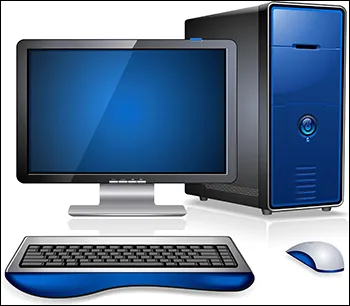
- Desktop: A desktop computer, shown in Figure 1-1, is designed to be used at a desk and seldom moved. It consists of a large box called the system unit that contains most of the essential components. The monitor, keyboard, and mouse all plug into it using cables (or in some cases, using a wireless technology). Desktops offer a lot of computing power and performance for the price, and they’re flexible because you can connect whatever monitor, keyboard, and mouse you want to it, as well as install additional storage drives, memory, and expansion cards that add new capabilities.
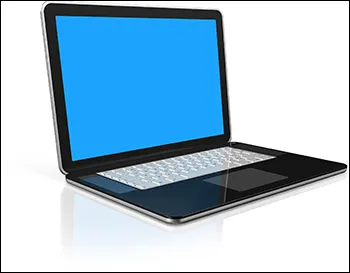
- Notebook: A notebook, as its name implies, is a portable computer designed to fold up like a notebook for carrying and storage. As shown in Figure 1-2, its cover opens up to reveal a built-in screen, keyboard, and pointing device, which substitutes for a mouse. A notebook can run most of the same software as a desktop, and is similar to it in performance. Some people call it a laptop. Notebooks allow you to take your computer with you almost anywhere. They’re more expensive than desktops of the same level of performance, however, and not very customizable or upgradable.
- Netbook: Short for Internet notebook, a netbook is a smaller and less powerful notebook computer designed primarily for accessing the Internet. A netbook is usually cheaper than a notebook or desktop, and is lighter and more convenient to carry around, but may not have enough memory and a powerful enough processor to run all desktop applications.
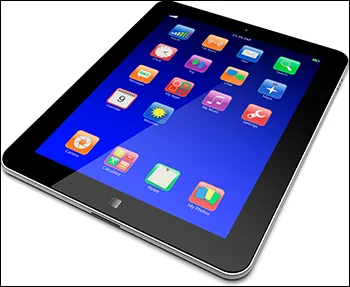
- Tablet: A tablet is a portable computer that consists of a touch-sensitive screen mounted on a tablet-size plastic frame with a small computer inside. There is no keyboard or pointing device; a software-based keyboard pops up onscreen when needed, and your finger sliding on the screen serves as a pointing device (see Figure 1-3). Tablets are extremely portable and convenient, but usually do not run desktop computer applications and have limited memory and storage capabilities.
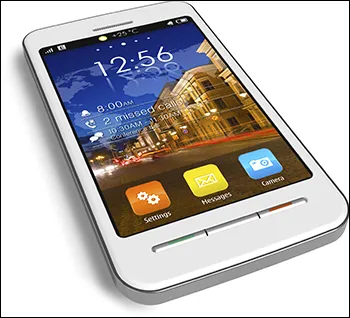
- Smart phone: A smart phone, like the one shown in Figure 1-4, is a mobile phone that can run applications and has Internet capability. Smart phones usually have touch-sensitive screens. Many have a variety of location-aware applications, such as global positioning system (GPS) and mapping programs and local business guides. Smart phones have a lot in common with computers, but they lack the power and flexibility of larger computing devices.
The Business End: Multi-User Computer Systems
Multi-user computers are designed to serve groups of people all at a time, from a small office to a huge international enterprise. Here are some types of multi-user computers to be aware of:
- Server: A server is a computer that is dedicated to serving and supporting a group of network users and their information needs. There are different kinds of servers, varying greatly in size and power and performing different functions. For example, a file server stores files in a central location where multiple people can access them. A database server stores a database, such as a product inventory, and allows users to look up information in the database from their own computers. A print server manages a group of shared printers, controlling and prioritizing print jobs. Servers can be various sizes and designs. A tower server looks a lot like a regular desktop computer (Figure 1-1). Rack servers are stacked in multiples on storage racks, and accessed via a network interface rather than having their own keyboards and monitors.
- Mainframe: A mainframe is a large, powerful computer capable of processing and storing large amounts of business data. The main difference between a mainframe and a server is that the mainframe functions as the processing brain for multiple individual user terminals; it’s not just a helper, but the primary processing device. For example, a mainframe might run several dozen cash registers in a large department store.
- Supercomputer: A supercomputer is the largest and most powerful type of computer. It can occupy a large room, or even an entire floor of a building. Supercomputers are used when a job requires a huge amount of processing power, such as molecular modeling, weather forecasting, or cryptanalysis (code-breaking). They are found in high-tech academic, government, and scientific research facilities.
Computer Software
All the computer types you’ve learned about so far in this chapter have been hardware — that is, the physical computing devices you can see and touch. But it’s actually the software — the instructions given to the hardware — that makes things happen. Without software, the hardware, no matter how grand and expensive it is, would be a useless lump of metal and plastic.
Here’s a quick look at the software that makes a computer do what it does.
BIOS
The hardware has a small amount of software permanently built into it on a chip, just enough to help it start up when you apply power to it. This basic startup software is called the Basic Input Output System, or BIOS (pronounced buy-ohss). Because this software is permanently installed, it occupies a somewhat gray area between hardware and software, so it is someti...