Learning a 3D visualization software is a daunting task under any circumstances and while it may be easy to find online tutorials that tell you what to do to perform certain tasks you'll seldom learn "why" you are performing the steps. This book approaches training from a top-down perspective way you will first learn important concepts of 3D visualization and functionality of 3ds Max before moving into the finer detail of the command structure. By learning how things work and why you might choose one method over another the book will not only teach you where the buttons are, but more importantly how to think about the holistic process of 3D design so that you can then apply the lessons to your own needs. The goal of the learning presented here is to familiarize the new user of 3ds Max with a typical workflow from a production environment from planning to modeling, materials, and lighting, and then applying special effects and compositing techniques for a finished product.
eBook - ePub
Getting Started in 3D with 3ds Max
Model, Texture, Rig, Animate, and Render in 3ds Max
- 436 pages
- English
- ePUB (mobile friendly)
- Available on iOS & Android
eBook - ePub
About this book
Information
PART 1
Concepts

Concepts—image by Ted Boardman.
Concepts in 3ds Max
3ds Max is a “mature” piece of software that has evolved over many years into an extremely powerful and complex program. The original designers of 3ds Max could never have imagined what it would become, but in fact 3ds Max has evolved through constant refinement into the software you are using today.
There are a number of major concepts that are part of the core software that you need to know to be productive and to utilize the available computer hardware efficiently.
You need to learn and understand these concepts to maintain flexibility and efficiency throughout your workflow. For example, you’ll learn why it’s important not to scale or mirror objects in 3ds Max. The concept is simple and the workarounds are easy, but if you ignore this basic concept, its consequences will plague you throughout your 3ds Max career.
In Part 1—Concepts, you will be introduced to the important fundamental concepts without focusing much on what it is you are creating. Pay close attention to how the concepts fit into the “big picture” of 3D visualization. Once you understand how to take advantage of the fundamental concepts, the process of learning 3ds Max will become easier and more logical. You will understand why certain processes might be better than others in the long run when there are multiple methods of reaching the same goal.
3ds Max training simply walks you through a series of numbered steps to accomplish a task without explaining the concepts behind the approach and the methodology teaches you only to do and not to think. Problem solving is one of the most valuable lessons to be learned in this book. Having a good understanding of the fundamental concepts is essential in a production environment.
Part 1 will include the following topics presented in a form that frees you from getting bogged down into the details of which buttons to push in which order to complete a given task.
• User Interface: Learn to locate tools and commands and navigate through 3D scenes.
• Creating objects: Create 3D primitives and 2D shapes to be used as the basis for more complex 3D models.
• Object transforms: Move, rotate, and scale (safely) objects through space with accuracy and control.
• Object selection: Much of your production time is spent selecting objects in scenes, and here you’ll learn important fundamental techniques to aid in that selection process.
• Object cloning: Proper cloning, or copying, objects can increase flexibility and efficiency.
• 2D Shapes: Learn to create shapes that are used as a basis for 3D modeling.
• Modifiers: Modifiers are applied to 2D or 3D objects to provide complex editing and creation.
• Lofting: Lofting is a powerful modeling technique that offers flexibility and efficiency.
• Lighting: Learn the fundamentals of placing and adjusting lights in your scene.
• Materials: Enhance the surface of objects by learning to create and apply basic materials.
• Mapping Coordinates: Adjust the size and position of patterns used in materials to provide convincing results.
• Camera basics: Learn to place and adjust cameras in 3ds Max.
• Rendering basics: Render scenes and adjust parameters to create images for your clients.
Again, the purpose of the Part 1 chapters of this book is to provide you with a platform of knowledge about how to take advantage of the design and workflow of 3ds Max to help you make better choices for creating your 3D scenes quickly and efficiently. Other training and tutorials will make much more sense when you know why you are choosing one method over another rather than just learning to push a set number of buttons to reach an end result. You will learn to think about what you’re doing.
CHAPTER 1
User Interface
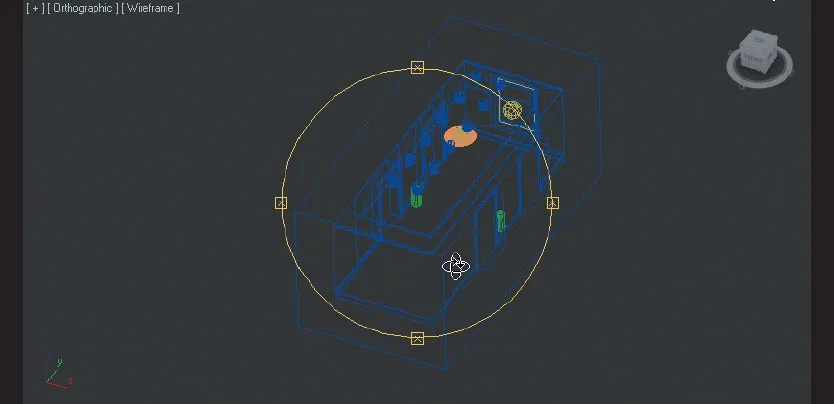
Much of your 3ds Max career will be spent navigating the user interface. It’s important that you learn the layout and structure of the user interface to efficiently perform steps like finding commands, moving through 3D space in viewports, or animating objects just to name a few.
The software designers are constantly trying to make 3ds Max easier to use by redesigning the user interface, but in such a complex program, there will always seem to be cumbersome command sequences, hidden menus, and confusing workflow. You, the user, need to familiarize yourself with as much of the user interface as possible and adapt a workflow based on your preferences for navigating 3ds Max. No two users will use the same navigation techniques; there are many cases where commands can be accessed from several locations and might even perform a bit differently depending on the access method you choose.
Although trying to memorize all the buttons and options in the 3ds Max user interface is not a productive use of your time, this chapter will introduce you to the fundamentals of the default layout, some of the most commonly accessed menu options, and some of the navigation tools that may not be readily obvious to the new 3ds Max user.
The information presented here will be broken down into several sections that introduce you to the main areas and options, such as:
• User interface overview
• Viewport display types
• UI (user interface) navigation
• Viewport navigation
• File management
Note
Many commands and processes in 3ds Max have preassigned keyboard shortcuts that allow you to choose options buried deep in the menu system with a few simple keystrokes. You can also customize the user interface to add your own keyboard shortcuts. In this book, you will learn a few of the more commonly used keyboard shortcuts, but the author feels that it is important for new 3ds Max users to understand the structure of the menus and the proper sequence of processes first before using a lot of shortcuts. In this way, you’ll develop an overall feel for the software to utilize it productively.
As you learn the 3ds Max user interface, you can then begin to employ the keyboard shortcuts to increase your productivity.
Once you have familiarized yourself with layout and navigation capabilities in the 3ds Max user interface, the best thing to do is to start work immediately and investigate and experiment to “learn by doing.” Although many things might be confusing at first, it only takes a little bit of practice and experience before you are comfortable navigating through your daily workflow.
1.1 User Interface Overview
At first, 3ds Max can be overwhelming as you look at all the options and...
Table of contents
- Cover
- Half Title
- Title Page
- Copyright Page
- Table of Contents
- If you are using 3ds Max Design
- PART 1: Concepts
- PART 2: Workflow
- Index
Trusted by 375,005 students
Access to over 1.5 million titles for a fair monthly price.
Study more efficiently using our study tools.
Frequently asked questions
Yes, you can cancel anytime from the Subscription tab in your account settings on the Perlego website. Your subscription will stay active until the end of your current billing period. Learn how to cancel your subscription
No, books cannot be downloaded as external files, such as PDFs, for use outside of Perlego. However, you can download books within the Perlego app for offline reading on mobile or tablet. Learn how to download books offline
Perlego offers two plans: Essential and Complete
- Essential is ideal for learners and professionals who enjoy exploring a wide range of subjects. Access the Essential Library with 800,000+ trusted titles and best-sellers across business, personal growth, and the humanities. Includes unlimited reading time and Standard Read Aloud voice.
- Complete: Perfect for advanced learners and researchers needing full, unrestricted access. Unlock 1.5M+ books across hundreds of subjects, including academic and specialized titles. The Complete Plan also includes advanced features like Premium Read Aloud and Research Assistant.
We are an online textbook subscription service, where you can get access to an entire online library for less than the price of a single book per month. With over 1.5 million books across 990+ topics, we’ve got you covered! Learn about our mission
Look out for the read-aloud symbol on your next book to see if you can listen to it. The read-aloud tool reads text aloud for you, highlighting the text as it is being read. You can pause it, speed it up and slow it down. Learn more about Read Aloud
Yes! You can use the Perlego app on both iOS and Android devices to read anytime, anywhere — even offline. Perfect for commutes or when you’re on the go.
Please note we cannot support devices running on iOS 13 and Android 7 or earlier. Learn more about using the app
Please note we cannot support devices running on iOS 13 and Android 7 or earlier. Learn more about using the app
Yes, you can access Getting Started in 3D with 3ds Max by Ted Boardman in PDF and/or ePUB format, as well as other popular books in Computer Science & Computer Graphics. We have over 1.5 million books available in our catalogue for you to explore.