This essential, hands-on guide is filled with examples of what a composition should look like and example of poorly designed layouts. Spot potential problems before they cost time and money, and adapt creative solutions for your own projects with this invaluable resource for beginner and intermediate artists. With Beauty and the Beast examples and Simpson character layouts, readers will learn how to develop character layout and background layout as well as strengthen composition styles with a creative toolset of trick shot examples and inspirational case studies. A companion website will include further technique based tools, finalized layout and composition examples and tutorials for further artistic skill development.
- 208 pages
- English
- ePUB (mobile friendly)
- Available on iOS & Android
eBook - ePub
Layout and Composition for Animation
About this book
Information
1 Story Tools
© 2010 Elsevier, Inc. All rights reserved. 10.1016/B978-0-240-81441-4.50001-4
© Disney Enterprises, Inc.
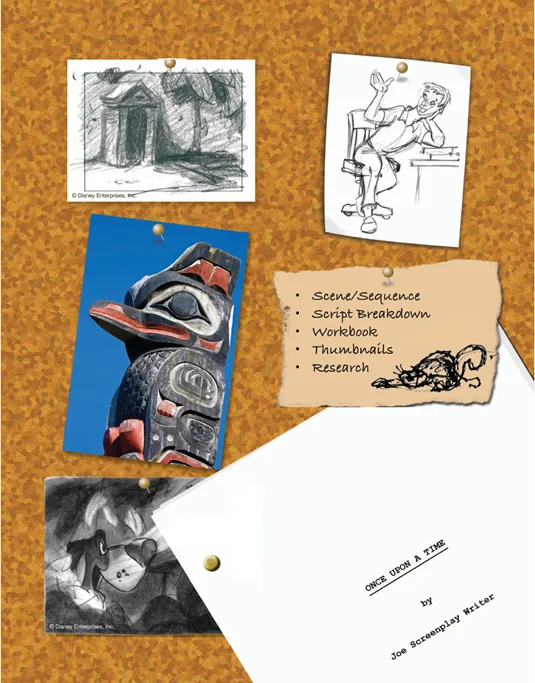
This chapter gives you some insights about how to manage the thought process behind supporting a story artistically. It discusses how to break down a script into its major action or plot points and then pair those with technical and the storytelling needs in your artwork and show why it’s important to research, research, research!
Scene Sequence
A scene is made up of visuals that tell a specific piece of a story. It is an element, which along with other scenes in an orderly progression become a sequence. Multiple sequences make up the entire picture or show.
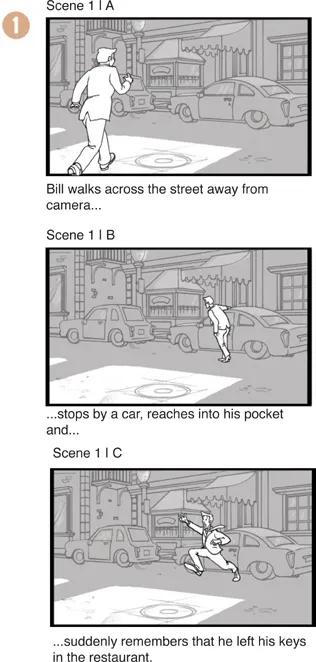
In example 1, the script would read, “Bill walks across the street away from camera, stops by a car, reaches into his pocket and suddenly remembers that he left his keys in the restaurant.” The following examples show a series of storyboard panels that represent one scene.
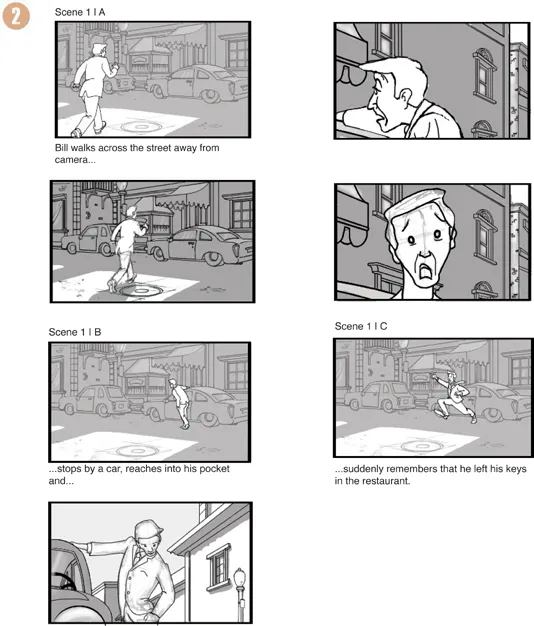
Alternatively, the scene could be done with cuts inserted (example 2), which would change the final pace of the final product by making multiple scenes. In animation, these multiple scenes form a sequence, and a series of sequences strung together form a movie.
Script Breakdown
First, read the script! Read the whole thing, not just the scene at hand. While this might seem an obvious step, you’d be surprised how often this is not done. It’s important to have a comprehensive view of the entire story so your work remains consistent throughout.
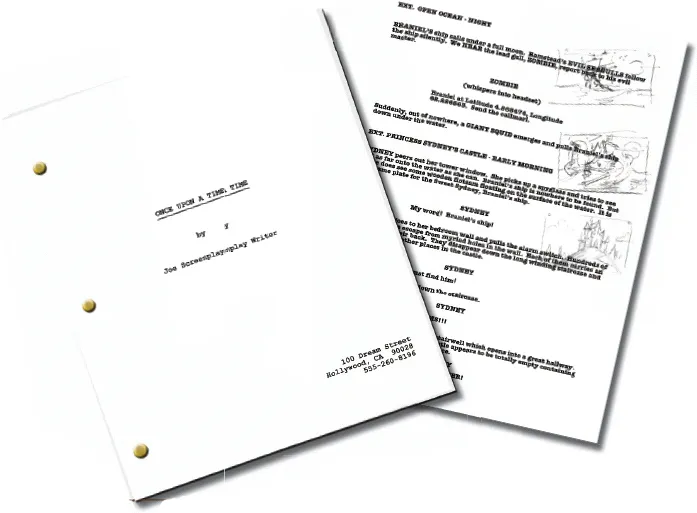
After you’ve read the script, break it down. Storyboard artists will do this for story and action, but layout will not necessarily follow that breakdown exactly. As a practical matter, if you’re working as a freelancer, you’ll certainly want to answer these questions about the artwork so you can provide an accurate quote. If you’re on staff, you’ll need to know this so you can estimate the amount of time art production will take. You’ll want to take a view of the entire story so your work remains consistent throughout. I draw quick thumbnails in the margins of the script so I have a rough count of how many and how challenging each layout might be.
Scene Number
Helps you keep track of where in the script a particular layout will be located.
Scene Description
What happens and what is the point of the scene? How can your artwork best push forward the beats in the scene?
What character is the lead in the scene?
Placement of the lead character in the composition will either strengthen or weaken the story being told.
Time of Day
Values can affect how busy a scene or composition is. It can also create large clear spaces for characters to work within or against.
Day: Shadows important?
Night: Lighting important?
Movement/Action
Path of action for character
A path of action or clearing for the characters or objects to move will define where and how much detail is put into each background. A path of action can be implemented in a still shot by leaving some “air” around the character. If the field is too tight the character seems trapped and unable to move. Trapping a character this way might send the wrong message about the scene.
Camera move (subjective or objective?)
Ninety-percent of the time camera only moves because a lead character moves off-screen. Because of this, camera should never lead the action unless called for.
For instance, handheld camera moves work as an effect, not a constant! If your character is woozy or confused, you might use this effect, but you wouldn’t want to abuse the technique. Use it only to tell a significant part of the story. Otherwise, it just distracts from the overall action and (to me) becomes an annoying point of view. The camera should never lead the action. Leave that to the characters and their emotional connection to the audience. There are exceptions to this rule and usually occur as establishing shots or when a director wants to show a local. Another instance would be when the camera moves off the characters and up to the sky as a scene cut or dissolve device.
Point of View (POV)
Submissive: Down shot
Anger: Upshot with slight rotation (dutch angle)
Leader: Upshot
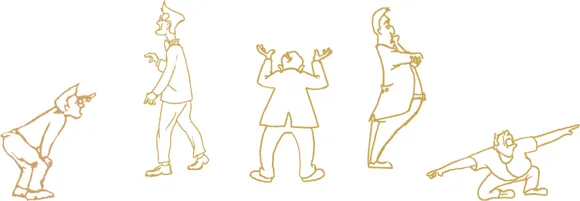
Lost/Hiding: Character small in field or fearful large in foreground and crowded to one side or the other.
Psychotic: Tilted or dutch angles
Atmosphere
All have an effect on the visual look, and the physics and physical actions of the characters.
• Rainy
• Cloudy
• Sunny
• Underwater
• Outer Space
• Smoky
• Foggy
• Dusty
Mood
Happy: Long shots with lots of air (space) around the characters
Sad: Downshot with space above characters
Bored: Static, symmetrical
Excited/Chase: Chaotic, usually strong camera moves
Claustrophobic: Tight shots, closeups
Color and Technique Required
Could be…
• Monochromatic/Noir
• Graphic/Flat/Paint by numbers
• Realistic/Fully rendered
• Airbrush/Soft-mixed/Blended
• Backlight, high-contrast color
Timing
Ask:
• How long is the scene?
• Is the action: Fast, slow, sporadic?
• Do you have to match speed or position of a previous scene?
Size of Layout
Sometimes you’ll know right away what size to use, but sometimes, if a scene is complex (for instance it contains a long travel shot) you’ll need to create layouts that will encompass a lot of action at once.
Object Specifics
Ask:
• What set pieces are relevant and necessary to the action described in the script?
• Which are layout objects?
• Which are held objects to be drawn by animators rather than by a layout artist?
Workbook
The workbook process is part of how layout art...
Table of contents
- Cover
- Title
- Copyright
- Dedication
- Acknowledgments
- Contents
- Intro once upon a time
- 1. Story Tools
- 2. Perspectives
- 3. Composition
- 4. Camera
- 5. Lighting Effects
- 6. Workflow
- Index
Trusted by 375,005 students
Access to over 1.5 million titles for a fair monthly price.
Study more efficiently using our study tools.
Frequently asked questions
Yes, you can cancel anytime from the Subscription tab in your account settings on the Perlego website. Your subscription will stay active until the end of your current billing period. Learn how to cancel your subscription
No, books cannot be downloaded as external files, such as PDFs, for use outside of Perlego. However, you can download books within the Perlego app for offline reading on mobile or tablet. Learn how to download books offline
We are an online textbook subscription service, where you can get access to an entire online library for less than the price of a single book per month. With over 1.5 million books across 990+ topics, we’ve got you covered! Learn about our mission
Look out for the read-aloud symbol on your next book to see if you can listen to it. The read-aloud tool reads text aloud for you, highlighting the text as it is being read. You can pause it, speed it up and slow it down. Learn more about Read Aloud
Yes! You can use the Perlego app on both iOS and Android devices to read anytime, anywhere — even offline. Perfect for commutes or when you’re on the go.
Please note we cannot support devices running on iOS 13 and Android 7 or earlier. Learn more about using the app
Please note we cannot support devices running on iOS 13 and Android 7 or earlier. Learn more about using the app
Yes, you can access Layout and Composition for Animation by Ed Ghertner in PDF and/or ePUB format, as well as other popular books in Media & Performing Arts & Digital Media. We have over 1.5 million books available in our catalogue for you to explore.