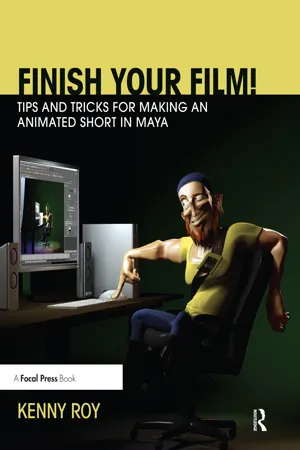
Finish Your Film! Tips and Tricks for Making an Animated Short in Maya is a first-of-its-kind book that walks the reader step-by-step through the actual production processes of creating a 3D Short film with Maya. Other books focus solely on the creative decisions of 3D Animation and broadly cover the multiple phases of animation production with no real applicable methods for readers to employ. This book shows you how to successfully manage the entire Maya animation pipeline. This book blends together valuable technical tips on film production and real-world shortcuts in a step-by-step approach to make sure you do not get lost. Follow along with author and director Kenny Roy as he creates a short film in front of your eyes using the exact same methods he shows you in the book. Armed with this book, you'll be able to charge forth into the challenge of creating a short film, confident that creativity will show up on screen instead of being stifled by the labyrinth that is a 3D animation pipeline.
- 360 pages
- English
- ePUB (mobile friendly)
- Available on iOS & Android
eBook - ePub
Finish Your Film! Tips and Tricks for Making an Animated Short in Maya
About this book
Information
CHAPTER 1
Introduction to Short Film
Congratulations on embarking on the exciting journey of making an animated short film in Maya. Even though this process is long, difficult, tiring, and sometimes maddening, you are in good hands with this book. Before we sectione into the technical and creative discussion of actually making your film, we should make sure you are up to speed on the overall concept of short film making. We need to be sure we know what we’re getting ourselves into!
Key Characteristics of Short Filmmaking
The only technical characteristics you will find when researching short filmmaking is that the Academy of Motion Picture Arts and Sciences defines an animated short film as “not more than 40 minutes, including all credits.”1
This leaves us with a wide-open idea of what a short should be, at least technically. In actuality, the fact is that most animated short films are between one and ten minutes long, with the average somewhere around two–three minutes for an insectionidual effort and five–eight minutes for a group effort. Don’t worry, you are not expected to produce a 40-minute masterpiece after reading this book!
So what are the characteristics of short filmmaking? To phrase it simply, I prefer to call what we are doing “short film making” rather than “short filmmaking.” This acknowledges the key technical and artistic differences between what we are doing and what the major studios are doing. Simply put, we are NOT just doing a shorter version of what Pixar or Dreamworks puts in theaters. We are NOT employing the same techniques and decisions throughout the process on a smaller scale. And most importantly, we are not operating with a mentality that our film will have the same scale as its feature-length counterparts.
The real key characteristic of short film as it applies to us animating at home is that we are going to be economical in all of our decisions. From story choices to character descriptions, our film has to convey as much as possible while still being possible to complete insectionidually or in a small group. We will talk more about these decisions in the next few chapters, but suffice it to say that being economical does not mean being boring. On the contrary, some of the best short films in history are the simplest in both story and technical achievement. We will talk about how to strike the perfect balance in this book.
Learn to ask yourself, “Am I showing exactly what needs to be shown to get my point across?” and, “How can I improve the message and make it easier on myself to get this done?” These questions should be answered repeatedly throughout your production, not just at the beginning.
One of the last characteristics of this process that is worth considering is that it is very intensive and difficult no matter how much preparation you make or how economical you are in your choices. There are literally tens of thousands of animators around the world who have the technical skill to pull off a short film, but for some reason we don’t see thousands and thousands of shorts every year. We see a couple of dozen. This should be a sobering fact and make you really consider if you are in the right place to make a film. Not just technically or with a good enough idea, but in the right place in your life to embark on this journey. To get a film completed you must sacrifice a lot of time and energy. You may work many late nights and weekends to finish it. Especially if you have a full-time job and a family, starting a short film should be a decision taken very seriously. The entire aim of this book is to get you to finish the film, so if you do not feel like you are in a good place to finish, you should not start.
Finish by Making a Plan
The first thing you need to do is create a plan to finish your film. The best advice I can give, repeated by all of the filmmakers in this book and by the many artists I’ve encountered in my career, is to set a rigid schedule to follow. If you are taking time off of work to complete your film, make sure you start at the same time every single day. Even if you only have nights and weekends to work on the short, the most helpful thing to do for yourself is to set aside time every day for your work. This schedule should be explained to your loved ones so that there is no conflict; a short film can be as stressful for a spouse and kids as for an animator. Better yet, post your schedule up where everyone can see it. This has the double benefit of not only helping everyone see your plan but also making you probably a little bit more responsible in keeping to the schedule since your family is watching!
Workspace is Essential
Having done a lot of freelance work from home, I can state with certainty that you have to separate your work area from the rest of the house. A room that can serve as your office is the best situation: you can go inside, close the door when it is time for work, and emerge only when you need to. Get yourself completely out of the way of distractions for the best chance of success.
If you don’t have a separate room that can be utilized as your workstation, or if you have a shared workspace with a spouse or family member, the schedule will come very much into play. If you are a young animator still living at home with your parents, for instance, and your siblings have to use your animation computer for homework, then it is good for you to schedule your work time right after school; more than likely homework is going to hog the computer “until it’s done,” meaning that once your siblings get on the computer, they aren’t getting off for the night. In this way you will get some work time in before the computer is hogged.
Older animators living on their own should still heed the workspace warning. From experience I can say that even when there are no distractions, having your workspace in or near your common area can lead to huge problems. First, you are probably more likely to take unnecessary breaks when you are staring over your monitor in the kitchen or the bathroom hallway. Second, you will more likely be able to keep your schedule if there is at least an area partitioned off for work; experience has shown that when you go into a certain area just for work, you are more likely to stick to the task. Your mind sort of switches modes when you enter your space. This also means that you should not be using your workspace for common purposes. Hopefully you have an animation computer and then as well a laptop or tablet (or even another desktop) that you can use for other purposes such as emailing and web browsing. You should not be going into your work area to watch YouTube or catch up on Facebook posts in your breaks. Lastly, and perhaps most importantly, if you are working in your house all day without a separate workspace, you will start hating your house. I know it sounds weird, but there’s a feeling that starts creeping in as you work for long hours in your home with no separation between workspace and living space. Your short film will be filled with struggles, frustration, and a ton of hard work (and that’s if everything goes right). In the same way, you do not want your home life to encroach on your work: you have to be able to unplug after a long work session and feel like you are actually getting away from the film. A chance to unwind, relax, gather your thoughts for the next time you sit down for work. Earlier in my career I would really “burn out” my house by trying to work in the middle of the living room. The result was a very distracted animator always feeling like he was not getting anything done and then stewing on the work when it was family time. To really feel like you are getting away from the film when your work session is over is to give yourself the benefit of a daily sense of accomplishment.
Further Removing Distractions
There are even more ways to remove distractions from your work. If you have more than one computer it is much easier, simply because you cannot connect your work computer to the internet. This solves 90 percent of all problems to do with focusing. YouTube, email, Facebook, etc., are all going to be things that stand in the way of your finished film. You may not thin...
Table of contents
- Cover
- Half Title
- Title Page
- Copyright Page
- Dediation
- Table of Contents
- Acknowledgements
- Foreword by Bill Kroyer
- Chapter 1: Introduction to Short Film
- Chapter 2: Introduction to 3D Production
- Chapter 3: Story
- Chapter 4: Pre-production
- Chapter 5: 3D Pre-production
- Chapter 6: 3D Production
- Chapter 7: 2D Production
- Chapter 8: Editorial
- Chapter 9: Sound
- Chapter 10: Finaling
- Chapter 11: Festivals and Markets
- Glossary
- Index
Trusted by 375,005 students
Access to over 1.5 million titles for a fair monthly price.
Study more efficiently using our study tools.
Frequently asked questions
Yes, you can cancel anytime from the Subscription tab in your account settings on the Perlego website. Your subscription will stay active until the end of your current billing period. Learn how to cancel your subscription
No, books cannot be downloaded as external files, such as PDFs, for use outside of Perlego. However, you can download books within the Perlego app for offline reading on mobile or tablet. Learn how to download books offline
Perlego offers two plans: Essential and Complete
- Essential is ideal for learners and professionals who enjoy exploring a wide range of subjects. Access the Essential Library with 800,000+ trusted titles and best-sellers across business, personal growth, and the humanities. Includes unlimited reading time and Standard Read Aloud voice.
- Complete: Perfect for advanced learners and researchers needing full, unrestricted access. Unlock 1.5M+ books across hundreds of subjects, including academic and specialized titles. The Complete Plan also includes advanced features like Premium Read Aloud and Research Assistant.
We are an online textbook subscription service, where you can get access to an entire online library for less than the price of a single book per month. With over 1.5 million books across 990+ topics, we’ve got you covered! Learn about our mission
Look out for the read-aloud symbol on your next book to see if you can listen to it. The read-aloud tool reads text aloud for you, highlighting the text as it is being read. You can pause it, speed it up and slow it down. Learn more about Read Aloud
Yes! You can use the Perlego app on both iOS and Android devices to read anytime, anywhere — even offline. Perfect for commutes or when you’re on the go.
Please note we cannot support devices running on iOS 13 and Android 7 or earlier. Learn more about using the app
Please note we cannot support devices running on iOS 13 and Android 7 or earlier. Learn more about using the app
Yes, you can access Finish Your Film! Tips and Tricks for Making an Animated Short in Maya by Kenny Roy in PDF and/or ePUB format, as well as other popular books in Media & Performing Arts & Computer Graphics. We have over 1.5 million books available in our catalogue for you to explore.