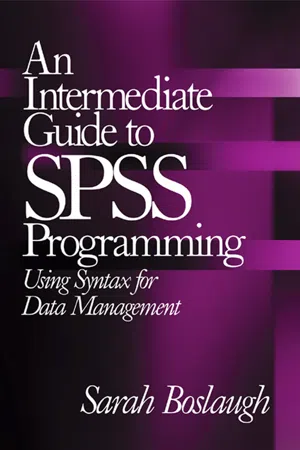
An Intermediate Guide to SPSS Programming: Using Syntax for Data Management introduces the major tasks of data management and presents solutions using SPSS syntax. This book fills an important gap in the education of many students and researchers, whose coursework has left them unprepared for the data management issues that confront them when they begin to do independent research. It also serves as an introduction to SPSS programming. All the basic features of SPSS syntax are illustrated, as are many intermediate and advanced topics such as using vectors and loops, reading complex data files, and using the SPSS macro language.
An Intermediate Guide to SPSS Programming will be a welcome addition to advanced undergraduate and graduate statistics courses across the social sciences, education, and health. Professional researchers, data managers, and statisticians will also find this an invaluable reference for SPSS and data management.
SPSS is a statistical analysis package produced and sold by the multinational company SPSS Inc. SPSS was developed in the late 1960s by Norman H. Nie, C. Hadlai Hull, and Dale H. Brent. Their purpose was to develop “a software system based on the idea of using statistics to turn raw data into information essential to decision-making” (SPSS Inc., n.d., About SPSS, para. 2). Originally, the initials “SPSS” stood for “Statistical Package for the Social Sciences,” but since the market for SPSS is much broader today, SPSS is now simply the name used for the product and company and not an acronym.
Because SPSS consists of a large collection of syntax written by different people at different times, terminology is not always consistent between procedures. Also, because new procedures have been added while older procedures have been retained, there are often multiple ways to achieve the same result. Neither situation is unique to SPSS, but they may be confusing to the beginning programmer. Neither, however, should present serious obstacles to learning SPSS syntax.
SPSS AS A HIGH-LEVEL PROGRAMMING LANGUAGE
All programming languages serve as an interface between the computer and the human being who wishes to use the computer to do something. Computer programmers typically speak of four levels or generations of computer languages, classified by distance between the syntax written by the programmer and the instructions executed by the computer. The first level is machine code, which is very close to the instructions executed by the computer, and very difficult for humans to learn. Assembly language is the second level, and general-purpose languages such as C are the third level. The fourth level refers to programs developed for a specific purpose or domain, such as SQL and SPSS (FOLDOC). The syntax of fourth-generation languages is far removed from the instructions executed by the computer, and they are easy to use because their syntax often resembles statements in human languages. For instance, you don’t have to be an SPSS programmer to guess what the following program will do:
GET FILE = ‘data.sav’.
SORT CASES by id.
FREQUENCIES VARIABLES = age sex race.
These commands will open a file called data.sav, sort it by the variable id, and produce tables showing the frequency of different values for the variables age, sex, and race.
SPSS AS A STATISTICAL ANALYSIS PACKAGE
Some people don’t consider SPSS a programming language at all, but rather a statistical analysis package (Stone & Fox, 1997). This distinction emphasizes the specialized nature of SPSS and the limited options available when users want to go beyond the preprogrammed procedures provided. In fact, there is no question that SPSS was developed to perform particular data management and statistical tasks, and those origins are still evident in SPSS today. However, for most users, it is not a critical issue whether SPSS should be considered a programming language or a statistical analysis package. This book emphasizes efficient and flexible use of SPSS syntax to perform common procedures. The SPSS macro language discussed in Chapter 26 allows advanced users to go beyond the preprogrammed routines supplied with SPSS.
CHAPTER 2
Interacting With SPSS
This chapter discusses some basic aspects of using SPSS, including the following topics:
The SPSS session
SPSS windows
Basic rules about SPSS commands
Order of execution for SPSS commands
Interactive and batch mode
A warning: Some of this information is system-specific and will not apply to every installation of SPSS. Programmers not using SPSS on a Windows or Macintosh computer should seek further information from other users at their sites or from the SPSS manuals.
THE SPSS SESSION
An SPSS session begins when you open the SPSS program, and it ends when you shut down the program. This is an important concept because SPSS “remembers” certain things for the course of a session, then “forgets” them when the session ends. One example is the declaration of file locations with the FILE HANDLE command (discussed below): An alias associated with a location remains in force during an SPSS session but does not carry over from one session to the next. This has two implications:
In some versions of SPSS, it is not possible to change the location of a file handle during a session, and in others, it is possible, but a warning message will be issued.
FILE HANDLE commands must be executed in each session before the files referred to can be accessed.
SPSS WINDOWS
SPSS for Windows and Macintosh has a system of three windows that allow the user to open data sets, issue commands, and view output. These windows are
The Syntax Editor, which displays syntax files
The Data Editor, which displays the active data file
The Viewer or Draft Viewer window, which holds output produced during the session
The Data Editor has two parts:
The Data View window, which displays data from the active file in spreadsheet format
The Variable View window, which displays metadata or information about the data in the active file, such as variable names and labels, value labels, formats, and missing value indicators
When you begin an SPSS session, the Data Editor window opens automatically. Data files may be opened through the menu or with syntax, and you must have data in the Data Editor in order to execute most SPSS commands. When SPSS commands are issued, either from a syntax file or from the menu system, they are executed on the active data file (the one in the Data Editor) and results are sent to the Viewer window.
BASICS ABOUT SPSS COMMANDS
The name of an SPSS command is also the first word or words in the syntax specifying it: Examples of SPSS commands include FREQUENCIES, COMPUTE, and GET DATA. A synonym for command is statement, so we can refer to either a COMPUTE command or a COMPUTE statement. Programmers also use the term command to mean the total set of elements necessary for a unit of syntax to run, including subcommands and variables. Subcommands, functions, and operators are referred to as keywords because they are a permanent part of the SPSS language, as opposed to variable and file names, which refer to a particular data set.
Most SPSS keywords can be abbreviated to three or four letters, so the commands FREQ VAR and FREQUENCIES VARIABLES will produce the same results. Shortened forms of commands are used frequently in this text. One exception is that the first word in multiword commands such as FILE TYPE generally cannot be abbreviated. SPSS is not case-sensitive when reading syntax, so FREQ, freq, and Freq will produce the same result.
Commands and subcommands may be included on the same line or on separate lines, so the following two examples of code will execute identically:
FREQ VAR = ALL / FORMAT = NOTABLE.
FREQ VAR = ALL
/ FORMAT = NOTABLE.
SPSS requires a delimiter between command elements: An element is anything other than punctuation that is required for a command, such as keywords and variable names. Usually spaces are used as delimiters, but commas or other symbols may be used. Multiple spaces can be used instead of one, and, with a few exceptions, commands may be continued over multiple lines. Subcommands are introduced by a slash (/). It is optional to put spaces before and after the slash, but they are included in this book to make the syntax easier to read. Similarly, it is not necessary to include spaces before and after the equals sign (=) in syntax, but they are included in this book for the sake of readability.
ORDER OF EXECUTION OF SPSS COMMANDS
In general, SPSS executes commands in the order they appear in the syntax file, so commands that read or create variables must precede those that manipulate them. Commands that perform statistical procedures and commands related to file management are executed as soon as they are read by the computer. Other commands, mainly those that transform data, are read but not executed until an EXECUTE statement or a command of the first type is executed. A third type of command, which affects only the data dictionary or settings, is executed immediately but will not cause data transformation commands to be executed. Lists of the first and third type of commands are included in the SPSS 11.0 Syntax Reference Guide (SPSS Inc., 2001), which also gives several syntax examples demonstrating how order of execution can trip up the unsuspecting programmer.
BATCH MODE AND INTERACTIVE MODE
There are two ways to submit syntax to a computer: batch mode and interactive mode. In batch mode, you prepare a syntax file, submit it in its entirety, and wait for the computer to return the results to you. In interactive mode, you submit small blocks of syntax, receive the results, edit the syntax, resubmit, and so on. Batch mode is the older way of submitting programs and is associated with mainframe systems. Interactive processing i...
Table of contents
Cover Page
Title
Copyright
Contents
Preface
Part I: An Introduction to SPSS
1. What Is SPSS?
2. Interacting With SPSS
3. Types of Files in SPSS
4. Customizing the SPSS Environment
Part II: An Introduction to Computer Programming With SPSS
5. An Introduction to Computer Programming
6. Programming Errors
7. Documenting Syntax, Data, and Output Files
Part III: Reading and Writing Data Files in SPSS
8. Reading Raw Data in SPSS
9. Reading SPSS System and Portable Files
10. Reading Data Files Created by Other Programs
11. Reading Complex Data Files
12. Saving Data Files
Part IV: File Manipulation and Management in SPSS
13. Inspecting a Data File
14. Combining Data Files
15. Data File Management
16. Restructuring Files
17. Missing Data in SPSS
18. Using Random Processes in SPSS
Part V: Variables and Variable Manipulations
19. Variables and Variable Formats
20. Variable and Value Labels
21. Recoding and Creating Variables
22. Numeric Operations and Functions
23. String Functions
24. Date and Time Variables
Part VI: Other Topics
25. Automating Tasks Within Your Program
26. A Brief Introduction to the SPSS Macro Language
27. Resources for Learning More About SPSS Syntax
References
Index
About the Author
Trusted by 375,005 students
Access to over 1.5 million titles for a fair monthly price.
Study more efficiently using our study tools.
Frequently asked questions
Yes, you can cancel anytime from the Subscription tab in your account settings on the Perlego website. Your subscription will stay active until the end of your current billing period. Learn how to cancel your subscription
No, books cannot be downloaded as external files, such as PDFs, for use outside of Perlego. However, you can download books within the Perlego app for offline reading on mobile or tablet. Learn how to download books offline
Perlego offers two plans: Essential and Complete
Essential is ideal for learners and professionals who enjoy exploring a wide range of subjects. Access the Essential Library with 800,000+ trusted titles and best-sellers across business, personal growth, and the humanities. Includes unlimited reading time and Standard Read Aloud voice.
Complete: Perfect for advanced learners and researchers needing full, unrestricted access. Unlock 1.5M+ books across hundreds of subjects, including academic and specialized titles. The Complete Plan also includes advanced features like Premium Read Aloud and Research Assistant.
Both plans are available with monthly, semester, or annual billing cycles.
We are an online textbook subscription service, where you can get access to an entire online library for less than the price of a single book per month. With over 1.5 million books across 990+ topics, we’ve got you covered! Learn about our mission
Look out for the read-aloud symbol on your next book to see if you can listen to it. The read-aloud tool reads text aloud for you, highlighting the text as it is being read. You can pause it, speed it up and slow it down. Learn more about Read Aloud
Yes! You can use the Perlego app on both iOS and Android devices to read anytime, anywhere — even offline. Perfect for commutes or when you’re on the go. Please note we cannot support devices running on iOS 13 and Android 7 or earlier. Learn more about using the app
Yes, you can access An Intermediate Guide to SPSS Programming by Sarah Boslaugh in PDF and/or ePUB format, as well as other popular books in Social Sciences & Social Science Research & Methodology. We have over 1.5 million books available in our catalogue for you to explore.