- 162 pages
- English
- PDF
- Available on iOS & Android
eBook - PDF
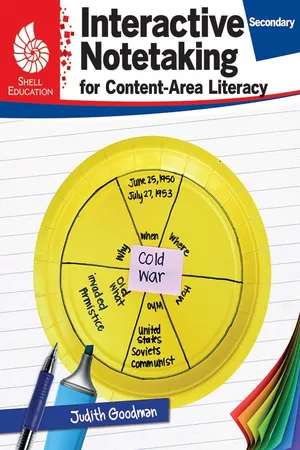
Interactive Notetaking for Content-Area Literacy, Secondary
About this book
Help students build content area literacy through interactive notetaking! This resource provides creative strategies for developing students' interactive notetaking skills across the content areas. Lessons focus on topics including partner work, vocabulary, comprehension, and summarizing to engage students in critical thinking and analysis. This grade-range-specific resource differentiates instruction to support the needs of students at each grade level. Aligned to standards, this essential classroom resource will allow students to practice effective learning strategies, increasing retention and achievement in mathematics, language arts, social studies, and science.
Information
Topic
EducationSubtopic
Teaching LanguagesTable of contents
- Cover
- Credits
- Page 3 - Table of Contents
- Page 4 - Author’s Note
- Page 5 - What Is an Interactive Notebook?
- Page 6 - Using Interactive Notebooks for Content-Area Literacy
- Page 7 - Implementing Interactive Notebooks
- Page 10 - Strategies Overview
- Page 13 - How to Use This Book
- Page 14 - Correlations to Standards
- Page 15 - A Biography of J. K. Rowling
- Page 25 - Excerpt from The Time Machine
- Page 33 - Modern World Leaders
- Page 43 - Many Ways to Look at It
- Page 53 - Understanding Triangles
- Page 61 - Measuring Surface Area
- Page 69 - The Periodic Table
- Page 79 - Biomes
- Page 89 - Plate Tectonics
- Page 97 - The Civil Rights Movement
- Page 109 - The Constitution of the United States
- Page 119 - Atlanta, Georgia
- Page 127 - Navigating Social Media
- Page 137 - Anne Frank
- Page 147 - Struggle for Survival: Fire
- Page 157 - Definitions of Folds and Cuts
- Page 158 - Attaching Text to the Lesson Input Pages
- Page 160 - References Cited
- Page 160 - Digital Resources
- Thank You
Trusted by 375,005 students
Access to over 1.5 million titles for a fair monthly price.
Study more efficiently using our study tools.
Frequently asked questions
Yes, you can cancel anytime from the Subscription tab in your account settings on the Perlego website. Your subscription will stay active until the end of your current billing period. Learn how to cancel your subscription
No, books cannot be downloaded as external files, such as PDFs, for use outside of Perlego. However, you can download books within the Perlego app for offline reading on mobile or tablet. Learn how to download books offline
Perlego offers two plans: Essential and Complete
- Essential is ideal for learners and professionals who enjoy exploring a wide range of subjects. Access the Essential Library with 800,000+ trusted titles and best-sellers across business, personal growth, and the humanities. Includes unlimited reading time and Standard Read Aloud voice.
- Complete: Perfect for advanced learners and researchers needing full, unrestricted access. Unlock 1.5M+ books across hundreds of subjects, including academic and specialized titles. The Complete Plan also includes advanced features like Premium Read Aloud and Research Assistant.
We are an online textbook subscription service, where you can get access to an entire online library for less than the price of a single book per month. With over 1.5 million books across 990+ topics, we’ve got you covered! Learn about our mission
Look out for the read-aloud symbol on your next book to see if you can listen to it. The read-aloud tool reads text aloud for you, highlighting the text as it is being read. You can pause it, speed it up and slow it down. Learn more about Read Aloud
Yes! You can use the Perlego app on both iOS and Android devices to read anytime, anywhere — even offline. Perfect for commutes or when you’re on the go.
Please note we cannot support devices running on iOS 13 and Android 7 or earlier. Learn more about using the app
Please note we cannot support devices running on iOS 13 and Android 7 or earlier. Learn more about using the app
Yes, you can access Interactive Notetaking for Content-Area Literacy, Secondary by Judith Goodman in PDF and/or ePUB format, as well as other popular books in Education & Teaching Languages. We have over 1.5 million books available in our catalogue for you to explore.