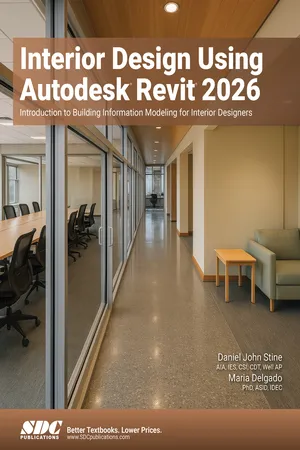
Interior Design Using Autodesk Revit 2026
eBook - PDF

Interior Design Using Autodesk Revit 2026

Introduction to Building Information Modeling for Interior Designers

  1. 720 pages
  2. English
  3. PDF
  4. Available on iOS & Android
eBook - PDF

Interior Design Using Autodesk Revit 2026

Introduction to Building Information Modeling for Interior Designers

About this book

  • A Revit guide tailored for interior designers
  • Uses beginner friendly, project-based tutorials
  • Teaches you how to bring your interior design visions to life with precision and efficiency
  • Prepares you for the Autodesk Revit Architecture Certified User exam

Discover how Revit empowers interior designers to iterate faster, visualize in 3D, and produce error-free deliverables from day one. Meticulously crafted for both students and professionals, this book will teach you to use Revit the way interior designers actually work, regardless of your prior experience. In this project-driven guide you'll plan, model and document every detail of a two-story law office. These resources are designed to provide you with an in-depth understanding of Revit's powerful features, enabling you to realize your creative visions with greater precision and efficiency.

This book uses an engaging, tutorial-style approach centered around developing the interior of a two-story law office. You'll begin with a provided architectural model, complete with established columns, beams, exterior walls, and structural elements, allowing you to dive straight into the intricacies of interior design rather than architectural modeling. The chapters are structured chronologically, mirroring the typical design process, to help you efficiently develop your design ideas and skills.

The first chapter introduces you to Revit, Building Information Modeling (BIM), and essential file-management tasks such as opening, saving, and starting new projects. In the next two chapters you will develop core modeling skills, learning to create essential elements like walls, doors, and windows. These core chapters demonstrate Revit's powerful capabilities and sets the stage for deeper exploration throughout the rest of the book.

As you progress, the focus shifts to interior specialization, where you'll develop every facet of the law-office interior. You will navigate the 3D model, create and manage materials, and lay out spaces using walls, doors, and windows. As the design evolves, selected areas of the office serve as hands-on laboratories for practicing key Revit commands and workflows.

By the end of the book, you will confidently model floor finishes, ceilings with soffits, casework, a custom reception desk, restrooms, furniture, and lighting. You will also generate tags, schedules, and photorealistic renderings, equipping you with a portfolio-ready project and a solid grasp of professional documentation.

Whether you are a faculty member searching for a complete BIM curriculum, a student preparing for certification, or a practicing designer moving from 2D CAD or SketchUp to a collaborative Revit workflow, Interior Design Using Autodesk Revit 2026 delivers the step-by-step instruction, multimedia support and depth of reference you need to create inspired interiors that are accurately documented, beautifully rendered and BIM-ready.

Frequently asked questions

Yes, you can cancel anytime from the Subscription tab in your account settings on the Perlego website. Your subscription will stay active until the end of your current billing period. Learn how to cancel your subscription.
No, books cannot be downloaded as external files, such as PDFs, for use outside of Perlego. However, you can download books within the Perlego app for offline reading on mobile or tablet. Learn more here.
Perlego offers two plans: Essential and Complete
  • Essential is ideal for learners and professionals who enjoy exploring a wide range of subjects. Access the Essential Library with 800,000+ trusted titles and best-sellers across business, personal growth, and the humanities. Includes unlimited reading time and Standard Read Aloud voice.
  • Complete: Perfect for advanced learners and researchers needing full, unrestricted access. Unlock 1.4M+ books across hundreds of subjects, including academic and specialized titles. The Complete Plan also includes advanced features like Premium Read Aloud and Research Assistant.
Both plans are available with monthly, semester, or annual billing cycles.
We are an online textbook subscription service, where you can get access to an entire online library for less than the price of a single book per month. With over 1 million books across 1000+ topics, we’ve got you covered! Learn more here.
Look out for the read-aloud symbol on your next book to see if you can listen to it. The read-aloud tool reads text aloud for you, highlighting the text as it is being read. You can pause it, speed it up and slow it down. Learn more here.
Yes! You can use the Perlego app on both iOS or Android devices to read anytime, anywhere — even offline. Perfect for commutes or when you’re on the go.
Please note we cannot support devices running on iOS 13 and Android 7 or earlier. Learn more about using the app.
Yes, you can access Interior Design Using Autodesk Revit 2026 by Maria Delgado PhD, ASID, IDEC;Daniel John Stine AIA, IES, CSI, CDT, Well AP in PDF and/or ePUB format, as well as other popular books in Computer Science & CAD-CAM. We have over one million books available in our catalogue for you to explore.

Information

Table of contents

  1. Preface
  2. Foreword
  3. Table of Contents
  4. Lesson 1: Getting Started with Autodesk Revit 2026
  5. Lesson 2: Model Navigation
  6. Lesson 3: Quick Start: Small Office
  7. Lesson 4: Revit Materials
  8. Lesson 5: Programming
  9. Lesson 6: Floor Plans
  10. Lesson 7: Curtain Wall
  11. Lesson 8: Stairs and Railings
  12. Lesson 9: Ceilings
  13. Lesson 10: Work Room and Lunch Room
  14. Lesson 11: Toilet Room Design
  15. Lesson 12: Floors
  16. Lesson 13: Custom Reception Desk and Sign
  17. Lesson 14: Furniture, Groups, and Design Options
  18. Lesson 15: Detailing
  19. Lesson 16: Schedules
  20. Lesson 17: Lighting and Rendering
  21. Lesson 18: Sheets and Revisions
  22. Index