The impact of ICT on the teaching of classical languages, literature and culture has not until now been extensively described and evaluated. Nevertheless, educational technology has made a huge difference to the ways in which Classics is taught at junior, senior and college level. The book brings together twenty major approaches to the use of technology in the classroom and presents them for a wide, international audience. It thus forms a record of current and developing practice, promotes further discussion and use among practitioners (teachers, learners and trainers) and offers suggestions for changes in pedagogical practices in the teaching of Classics for the better.
The many examples of practice from both UK and US perspectives are applicable to countries throughout the world where Classics is being taught. The more traditional curricula of high-school education in the UK and Europe are drawing more and more on edutech, whereas educational jurisdictions in the US are increasingly expecting high-school students to use ICT in all lessons, with some actively dissuading schools from using traditional printed textbooks. This book presents school teachers with a vital resource as they adapt to this use of educational technology in Classics teaching. This is no less pertinent at university level, in the UK and US, where pedagogy tends to follow traditionalist paradigms: this book offers lecturers frameworks for understanding and assimilating the models of teaching and learning which are prevalent in schools and experienced by their students.
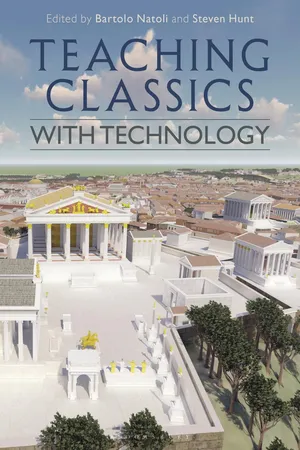
- 264 pages
- English
- ePUB (mobile friendly)
- Available on iOS & Android
eBook - ePub
About this book
Information
PART I
BLENDED AND DISTANCE MODELS
CHAPTER 1
FLIPPING ROMANS: EXPERIMENTS
IN USING TECHNOLOGY FOR TEACHING
IN HIGHER EDUCATION
Kate Gilliver
Introduction
The experiments in teaching outlined in this chapter arose from an invitation to join an interdisciplinary group at Cardiff University during the 2016–17 academic year, which was investigating student preferences for different media used to present the ‘taught’ element of a course that had been flipped (e.g. PowerPoint presentation, Prezi, podcast, transcript or recording of lecture). Like several others involved in the project, I had little previous experience of flipped learning, so the learning curve in implementing this method of teaching was as steep for me as it was for my students. I chose to flip an entire course rather than just to trial a few lectures, but I intended to do so in a way that would allow a reversion to traditional lecturing should the experiment not prove a success. The class I chose was a course on the Roman Army that was taught almost entirely by myself, which has traditionally been very popular with students. The content was delivered in the form of pre-recorded lectures, produced using the Panopto recording and streaming program,1 that students were required to watch in advance of the weekly class. The success of this experiment, from the experience of both the students and myself, led me to employ a similar approach the following year on another course, but with some adjustments to the way the taught content was provided.2
Flipped learning has been used as a teaching technique in both schools and tertiary education for some time now. Mazur developed a form of flipped learning to teach physics undergraduates at Harvard in the early 90s (Crouch and Mazur 2001, Mazur 2009), and a similar approach was developed by Bergmann and Sams, two Colorado chemistry schoolteachers who helped to popularize the teaching method, including the terms ‘flipped learning’ and ‘the flipped classroom’ (Bergmann and Sams 2012). Many published examples of flipped learning relate to the teaching of sciences, including mathematics, or of economics (Lage et al. 2000, Gavrin 2006, Mazur 2009); few relate to the teaching of humanities. However, in humanities higher education, we have been using flipped learning for a long time, possibly without actually realizing it or giving it a particular name. It is standard practice in many humanities subjects to set our students work to read before coming to seminars. This might include assigning modern scholarship so that students have an understanding of different theoretical approaches to the theme to be discussed, or expecting students to come to seminars having not just read a range of set primary sources, but having considered various pre-circulated questions relating to the materials read. Nonetheless, outside the seminar, the formal lecture remains a central aspect of teaching humanities at many universities. Lectures may be more or less interactive, perhaps with some form of discussion or dialogue taking place within the context of a lecture, or a pause in the lecture to watch a video clip, but many courses still revolve around the long-established tradition of an expert standing up and speaking to an audience. In the flipped learning model, instead of students listening to an academic standing at the front of the room lecturing, the timetabled classroom session is used for active learning and builds on materials reviewed and studied by students in advance of the class.
Bishop and Verleger (2013) discussed the pedagogic theories behind flipped learning, stressing that the point of it is not so much rearranging teaching activities and using technology to capture lectures, but the active learning, and in particular the group-based activities that students in flipped classes are engaged in. Active learning incorporates peer-assisted learning (encompassing cooperative and collaborative learning as well as peer tutoring) along with problem-based learning (Foot and Howe 1998). The latter appears to have a positive effect on skills rather than knowledge (Dochy et al. 2003). However, peer-assisted learning underpins flipped learning: Topping and Ehly (1998) posit that this is a broad enough term to encompass both Piaget’s theory of cognitive development and Vygotsky’s zone of proximal development. Though the two forays into flipped learning described here found peer-assisted learning to be an effective, engaging and exciting approach to teaching, technology was central to the success of the courses and to student achievement and satisfaction, because having the full set of recorded lectures which had formed almost the entirety of the formal teaching for previous cohorts gave students the confidence to embrace a new way of learning.
Lecturing to the webcam
Panopto is a lecture capture system used by many universities and it will be familiar to many colleagues working in higher education. The software provides a means of recording lectures in either video or audio format, editing them and streaming them, usually through Virtual Learning Environment (VLE) hosts. When replaying a lecture, the programme simultaneously displays PowerPoint slides or other audio-visual (AV) resources, such as film clips or output from a digital whiteboard or writing pad, and video of the lecturer if a webcam is being employed. Preview panes allow the viewer to navigate to a particular section of the lecture, should they wish. The program is regularly used for recording live lectures, but can also be used for personal capture by using any networked computer with a webcam or microphone. Opting for personal capture allowed considerable flexibility, including the ability to record lectures outside the university, and meant it was not necessary to book a lecture theatre; the office or home study became the lecture theatre. Using a webcam instead of the wider angle of cameras in a lecture theatre set-up also allowed for a more personal interface for those watching, as they could see the lecturer’s facial expression rather than just a distant figure.
I recorded each fifty-minute lecture in sections, each approximately twenty minutes long, in case a technical problem resulted in the loss of a recording (this only happened once, with an irreconcilable lack of synchronicity between audio and video). These lecture sections were considerably longer than the six-minute optimum recommended by Guo (2013), but I wanted time to develop complex arguments and felt that shorter sections would have broken up the flow. I also aimed to give the students a ‘normal’ lecture experience through the recordings, should they choose to revert to traditional teaching when given the option. As discussed below, the students gave themselves pauses when watching the lectures. Dividing up lectures also meant I would be able to refresh lecture notes further and edit the PowerPoint slides between recording each section of the lecture. In addition, I would be able to replace a whole section of a lecture to reflect new developments and interpretations for future iterations of the course, rather than having to rerecord an entire fifty-minute lecture.
Lecturing to a webcam rather than live to a group of students took some adjustment. Being able to pause, rephrase material to ensure greater clarity (particularly necessary given that there was no audience reaction to provide a cue if the explanation was not clear) and edit slides even during the course of a recording were positives, but the spontaneity of a live lecture was sorely missed, resulting in fewer digressions and less wit. However, without the need to interact with students or rephrase material as in a live lecture, there was more time to explore the material: on average seven to eight minutes more in a fifty-minute lecture. Post-recording editing was relatively straightforward, particularly as there was no attempt to get a flawless recording. The following year, for a new course that required lectures written from scratch, partly in response to student feedback from the previous year I chose to record ‘lecture shorts’ of twenty to thirty minutes for each class, rather than a full fifty-minute lecture. Students still fulfilled the learning outcomes of the module, but those who tended to rely too heavily on lecture content rather than on a balance of lectures and library work did not perform as well. Time pressures also led me to record as podcasts, with just voice accompanying the AV aids, rather than video; this was considerably quicker, as I could work much more extensively from full notes since maintaining eye contact with the webcam was not necessary.
As with any new technology, it took a while to become confident with editing recordings and publishing them to the university’s VLE (Blackboard) with the correct permissions. I did not attempt to produce a flawless lecture, however; the audience was restricted only to the students on the course and I continued lecturing from notes in my usual style. One of the advantages of editing the lecture was being able to splice in video clips taken either from YouTube or from Box of Broadcasts (BoB), a shared off-air media-recording and archive service for educational institutions in the UK.3 Clips from movies, television series and re-enactment groups helped to bring liveliness to the lectures, in addition to illustrating points being made. As I grew increasingly familiar with both the technology and its potential, I took to directing students to pause the recording either to think about a question that I had posed, or to read a key article or some sources before continuing the lecture with the material fresh in their minds. Thus, despite not having a live audience, the recorded lectures were still interactive. Students were given pointers that a particular question I posed would be discussed in class subsequently and so could they prepare more effectively for upcoming classes.
The recorded lectures were made available several days before the timetabled class via Blackboard, along with additional resources: the PowerPoint slides from the lecture, any handouts, an additional bibliography including PDFs of key articles and book reviews, and a word list. The latter was popular with students, and it was their suggestion to include it to make up for the lack of a physical board on which I would write unfamiliar words during traditional lectures.
The flipped … lecture theatre
Limitations in the teaching estate at my institution and the size of the cohort (over sixty students) meant the teaching room was a traditional raked lecture theatre, not ideal for active learning; however, the 150-seat lecture theatre provided some room for flexibility simply by virtue of its size, and the acoustics were good for interaction across the whole student cohort. The following year, the smaller class size allowed for use of a teaching space designed and organized for flipped learning, a space far more conducive to effective discussion and group activities. Such an arrangement would potentially be less practicable with a class size of over fifty. Each fifty-minute class started with question time, a standard feature of the flipped classroom (Lage et al. 2000), to ensure that students had understood the recorded lecture and to provide an opportunity to explore a topic in more depth, and it was normally during this part of the class that students were asked to discuss any questions posed during the recorded lecture. This was not intended to become a series of mini-lectures, however, and this part of the class was never more than a few minutes long.
To facilitate in-class discussion, and in an attempt to address the general reticence of undergraduates to speak in front of a large class, students were divided into groups of five or six. Each group appointed, on a rotational basis, a ‘centurion’ to lead the discussion and a ‘scribe’ to present the group’s views to the rest of the class, the idea being that no-one was required to speak individually, but on behalf of their group. Once familiar with this approach, most students adjusted and were happy to present to the full class when their group was called each week. General discussion might ensue, with individual students joining in, but the format was deliberately kept flexible. Whilst groups were in discussion, I would circulate to ask and prompt questions as appropriate. The questions the groups discussed provided a stepped increase in the complexity of the tasks over the course of a class: factual and o...
Table of contents
- Cover
- Half-Title Page
- Series Text
- Title Page
- Contents
- List of Figures
- Editors and Contributors
- Foreword Kenneth Kitchell
- Acknowledgements
- Introduction Bartolo Natoli and Steven Hunt
- Part I Blended and Distance Models
- 1 Flipping Romans: Experiments in Using Technology for Teaching in Higher Education Kate Gilliver
- 2 Auream Quisquis Mediocritatem Diligit: The Joyful Learning Community Model for Learning Latin Online Justin M. Schwamm, Jr
- 3 Distance Learning and Technology: Teaching Latin, Greek and Classical Civilization at a Distance from the UK Verity Walden
- 4 Making IT Count: Measuring Student Engagement with Online Latin Resources at the Open University Mair E. Lloyd and James Robson
- 5 VLEs, Latin Literature, and Student Voice Elizabeth Lewis
- 6 Going Digital: The Principles Behind CyberCaesar Alan Chadwick
- 7 Una Vita: Exploring the Relationship between Play, Learning Science and Cultural Competency Stephen T. Slota and Kevin Ballestrini
- Part II Classics Without Language: Literature, Culture and Outreach Models
- 8 Using Virtual Learning Environments for Classics Outreach Emma Searle
- 9 From Research on Roman History to Cartoons and Outreach in UK Schools Ray Laurence
- 10 Vase Animations and Primary-aged Learners Sonya Nevin
- 11 SketchUp and Digital Modelling for Classics Matthew Nicholls
- 12 iPad Technology and the Latin Classroom Caron Downes
- 13 ‘Just-in-time Learning’: Using Hand-held Voting Devices in the Undergraduate Lecture Room Helen Lovatt
- 14 Teaching Ancient Geography with Digital Tools Scott Lawin Arcenas
- Part III Using Technology in the Ancient Language Classroom
- 15 Bridging the Gap between Students and Antiquity: Language Acquisition Videos with Minecraft and CI/TPRS Jessie Craft
- 16 On Stage and Screen: ‘Big Book’ Latin and Dialogic Teaching Steven Hunt
- 17 Using Annotations in Google Docs to Foster Authentic Classics Learning Roger Travis
- 18 Project-based Learning, Technology and the Advanced Language Classroom Bartolo Natoli
- 19 In the Classroom with Multi-modal Teaching Lisa Hay
- Appendix I Glossary of Terms
- Appendix II Comparison of UK and US Educational Systems
- Index
- Copyright
Trusted by 375,005 students
Access to over 1.5 million titles for a fair monthly price.
Study more efficiently using our study tools.
Frequently asked questions
Yes, you can cancel anytime from the Subscription tab in your account settings on the Perlego website. Your subscription will stay active until the end of your current billing period. Learn how to cancel your subscription
No, books cannot be downloaded as external files, such as PDFs, for use outside of Perlego. However, you can download books within the Perlego app for offline reading on mobile or tablet. Learn how to download books offline
Perlego offers two plans: Essential and Complete
- Essential is ideal for learners and professionals who enjoy exploring a wide range of subjects. Access the Essential Library with 800,000+ trusted titles and best-sellers across business, personal growth, and the humanities. Includes unlimited reading time and Standard Read Aloud voice.
- Complete: Perfect for advanced learners and researchers needing full, unrestricted access. Unlock 1.5M+ books across hundreds of subjects, including academic and specialized titles. The Complete Plan also includes advanced features like Premium Read Aloud and Research Assistant.
We are an online textbook subscription service, where you can get access to an entire online library for less than the price of a single book per month. With over 1.5 million books across 990+ topics, we’ve got you covered! Learn about our mission
Look out for the read-aloud symbol on your next book to see if you can listen to it. The read-aloud tool reads text aloud for you, highlighting the text as it is being read. You can pause it, speed it up and slow it down. Learn more about Read Aloud
Yes! You can use the Perlego app on both iOS and Android devices to read anytime, anywhere — even offline. Perfect for commutes or when you’re on the go.
Please note we cannot support devices running on iOS 13 and Android 7 or earlier. Learn more about using the app
Please note we cannot support devices running on iOS 13 and Android 7 or earlier. Learn more about using the app
Yes, you can access Teaching Classics with Technology by in PDF and/or ePUB format, as well as other popular books in Éducation & Enseignement des langues. We have over 1.5 million books available in our catalogue for you to explore.