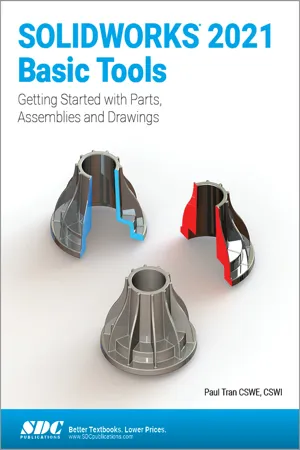
SOLIDWORKS 2021 Basic Tools
eBook - PDF

SOLIDWORKS 2021 Basic Tools

Getting started with Parts, Assemblies and Drawings

  1. English
  2. PDF
  3. Available on iOS & Android
eBook - PDF

SOLIDWORKS 2021 Basic Tools

Getting started with Parts, Assemblies and Drawings

About this book

  • Starts at an introductory level, designed for beginners
  • Comprehensive coverage of beginning tools and techniques
  • Uses a step by step, tutorial approach with real world projects
  • Covers the creation of parts, assemblies and drawings
  • Features a quick reference guide and a Certified SOLIDWORKS Associate practice exam
  • The first book of a three book series

SOLIDWORKS 2021 Basic Tools is the first book in a three part series. It introduces new users to the SOLIDWORKS interface, SOLIDWORKS tools and basic modeling techniques. It provides you with a strong understanding of SOLIDWORKS and covers the creation of parts, assemblies and drawings. Every lesson and exercise in this book was created based on real world projects. Each of these projects has been broken down and developed into easy and comprehensible steps. Furthermore, at the end of every chapter there are self test questionnaires to ensure that you have gained sufficient knowledge from each section before moving on to more advanced lessons. This book takes the approach that in order to understand SOLIDWORKS, inside and out, you should create everything from the beginning and take it step by step.

Who this book is for

This book is for the beginner who is not familiar with the SOLIDWORKS program and its add ins.

Frequently asked questions

Yes, you can cancel anytime from the Subscription tab in your account settings on the Perlego website. Your subscription will stay active until the end of your current billing period. Learn how to cancel your subscription.
At the moment all of our mobile-responsive ePub books are available to download via the app. Most of our PDFs are also available to download and we're working on making the final remaining ones downloadable now. Learn more here.
Perlego offers two plans: Essential and Complete
  • Essential is ideal for learners and professionals who enjoy exploring a wide range of subjects. Access the Essential Library with 800,000+ trusted titles and best-sellers across business, personal growth, and the humanities. Includes unlimited reading time and Standard Read Aloud voice.
  • Complete: Perfect for advanced learners and researchers needing full, unrestricted access. Unlock 1.4M+ books across hundreds of subjects, including academic and specialized titles. The Complete Plan also includes advanced features like Premium Read Aloud and Research Assistant.
Both plans are available with monthly, semester, or annual billing cycles.
We are an online textbook subscription service, where you can get access to an entire online library for less than the price of a single book per month. With over 1 million books across 1000+ topics, we’ve got you covered! Learn more here.
Look out for the read-aloud symbol on your next book to see if you can listen to it. The read-aloud tool reads text aloud for you, highlighting the text as it is being read. You can pause it, speed it up and slow it down. Learn more here.
Yes! You can use the Perlego app on both iOS or Android devices to read anytime, anywhere — even offline. Perfect for commutes or when you’re on the go.
Please note we cannot support devices running on iOS 13 and Android 7 or earlier. Learn more about using the app.
Yes, you can access SOLIDWORKS 2021 Basic Tools by Paul Tran CSWE, CSWI in PDF and/or ePUB format, as well as other popular books in Computer Science & CAD-CAM. We have over one million books available in our catalogue for you to explore.

Information

Table of contents

  1. Acknowledgments
  2. Foreword
  3. Author’s Note
  4. About the Training Files
  5. Who this book is for?
  6. The organization of the book
  7. The conventions in this book
  8. SOLIDWORKS 2021
  9. Start and exit SOLIDWORKS
  10. Using the Toolbars
  11. Using the task pane
  12. Table of Contents
  13. Introduction: SOLIDWORKS 2021 User Interface
  14. Chapter 1: System Options
  15. Chapter 2: Document Templates
  16. Chapter 3: Basic Solid Modeling – Extrude Options
  17. Chapter 4: Basic Solid Modeling – Extrude & Revolve
  18. Chapter 5: Revolved Parts
  19. Chapter 6: Rib & Shell Features
  20. Chapter 7: Linear Patterns
  21. Chapter 8: Part Configurations
  22. Chapter 9: Modeling Threads
  23. Chapter 10: Bottom Up Assembly
  24. Chapter 11: Using Advanced Mates
  25. Chapter 12: Layout Assembly
  26. Chapter 13: PhotoView 360 Basics
  27. Chapter 14: Drawing Preparations
  28. Chapter 15: Assembly Drawings
  29. Chapter 16: Drawing Views
  30. Chapter 17: Detailing
  31. Chapter 18: Sheet Metal Drawings
  32. Chapter 19: Configurations
  33. Chapter 20: Design Tables
  34. CSWA Preparation Materials (Certified SOLIDWORKS Associate)
  35. Glossary
  36. Index
  37. SOLIDWORKS Quick Guide